Snippet Hunt is a simple augmented-reality game played on a Google Map.
The user explores a map of the local world and interacts with items overlaid on the map.
The game uses MarkLogic Server as a database, NodeJS for server-side scripting, and jQuery and the Google Maps JavaScript API v3 for client-side scripting.
A web browser with HTML5 geolocation capabilities is require to play (e.g., new versions of Chrome, Firefox, Safari, or IE).
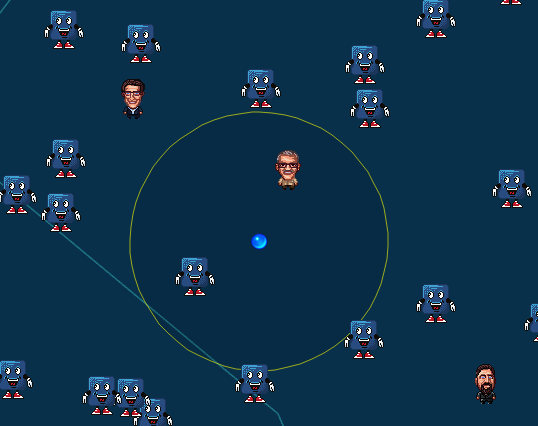
Collecting snippets and MarkLogic executives scores a player points.
- Install MarkLogic Server and Node.js.
- Start MarkLogic Server.
- Set up a MarkLogic database named
argameusing the default settings. You can do this at:http://localhost:8000/appservices/ - In the
argamedatabase, set up an Element Range Index forexpproperty. - Set up a REST server for the
argamedatabase on port8077. You can do this at:http://localhost:8000/appservices/ - Set up a MarkLogic user that has
rest-adminprivileges. - Open
config-sample.jsand enter the server settings for your environment. Save the file in the root directory asconfig.js. - In the root directory, run
npm installto load Node.js dependencies. - In the root directory, run
node optionsto define search options for the REST server. - Install bower with
npm install -g bower. In the root directory, runbower installto install browser dependencies. - Set the Node.js environment variable:
export NODE_ENV=[DEVELOPMENT|PRODUCTION] - Install grunt with
npm install -g grunt-cli. In the root directory, rungruntto build the application. - In the root directory, run
node serverto start the NodeJS to start the application. - In a web browser, open the project:
http://localhost:8066 - When the browser asks for permission to access location information, allow it.