


The front-end of this project was generated with Angular CLI.
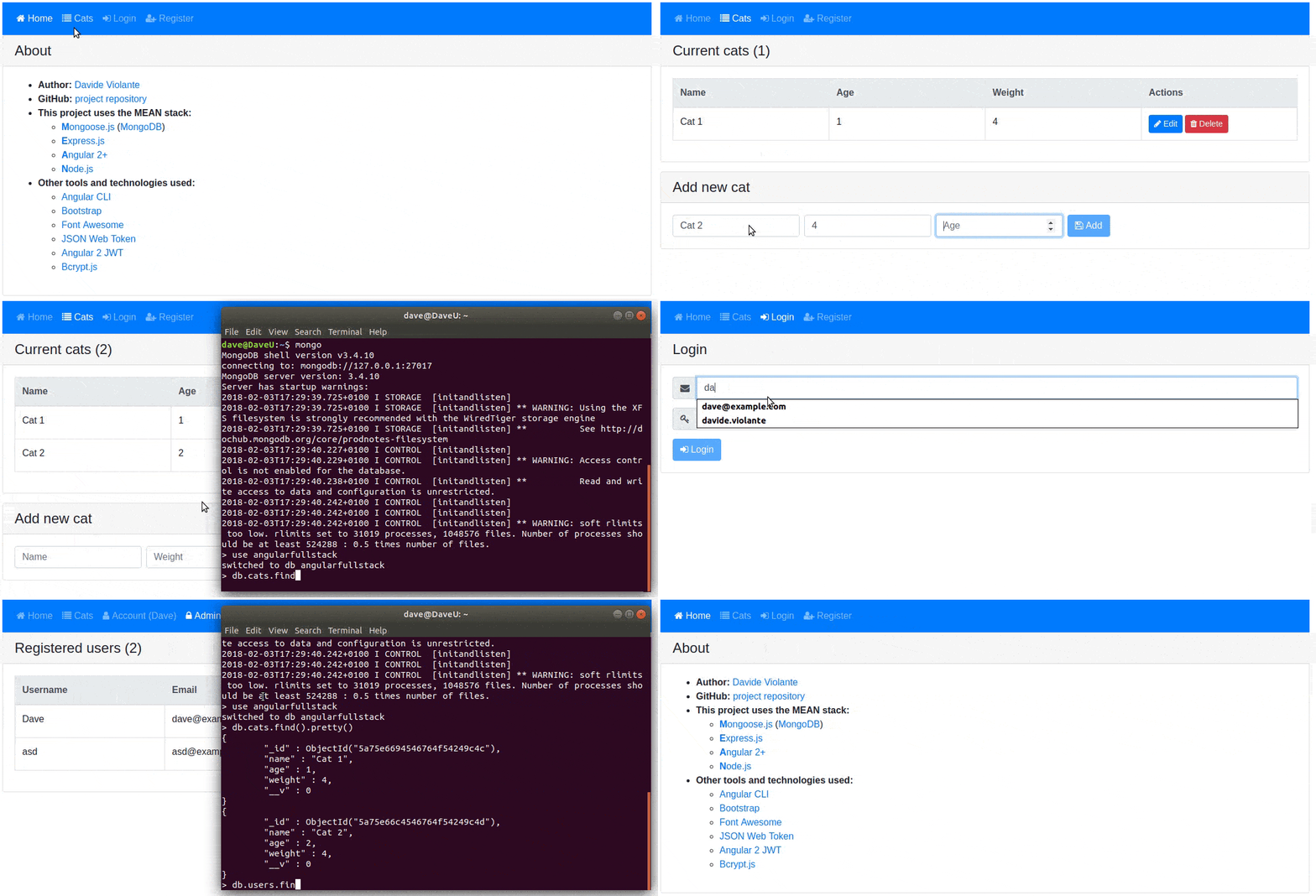
This project uses the MEAN stack:
- Mongoose.js (MongoDB): database
- Express.js: backend framework
- Angular 2: frontend framework
- Node.js: runtime environment
- Angular CLI: project scaffolding
- Bootstrap: layout and styles
- Font Awesome: icons
- Install Node.js and MongoDB
- Install Angular CLI:
npm i -g @angular/cli - From project root folder install all the dependencies:
npm i
npm start: concurrently execute MongoDB, Angular build and Express server- Go to localhost:3000
Angular and Express files are being watched. Any change creates a new bundle and restart Express server.
Use npm run prod to run the project with a production bundle and AOT compilation.
- Go to Heroku and create a new app
- Install Heroku CLI
heroku logincd my-project/git initheroku git:remote -a your-app-name- Download this repo and copy all files into
my-projectfolder - Edit
.gitignoreand remove line with/dist - Edit in
package.jsonthe start script to:"start": "node src/server/app.js" - Edit in
app.jsthe url of MongoDB server to a real server. You can create a MongoDB server with Heroku or mLab. npm ing build -prodorng build -aot -prodgit add .git commit -m "Going to Heroku"git push heroku masterheroku open- A window will open with your app online
- you have any suggestion to improve this project
- you noticed any problem or error
- you have a question
- Browser auto-reload on changes
- Some tests
Run ng test to execute the unit tests via Karma.
Run ng e2e to execute the end-to-end tests via Protractor.
Before running the tests make sure you are serving the app via ng serve.
To get more help on the angular-cli use ng --help or go check out the Angular-CLI README.