AVR generic menu/interactivity system


Full automated or user code driven navigation system. With this system you can define menus, submenus, input fields and other iteration objects that deal with all input/output and can call user defined handler as a result of user iteration. The user function can be operated as a single action called on click/enter or as a event driven function responding to focus In/Out or Enter/Esc events. The system is designed as a non blocking polling system, allowing parallel task to run. Optionally the system can be operated in semi-automated mode, issuing navigation comand from user code.
#include <Arduino.h>
#include <menu.h>
#include <menuIO/serialOut.h>
#include <menuIO/chainStream.h>

#define LEDPIN 13
#define MAX_DEPTH 1

int timeOn=10;
int timeOff=90;

MENU(mainMenu, "Blink menu", Menu::doNothing, Menu::noEvent, Menu::wrapStyle
  ,FIELD(timeOn,"On","ms",0,500,100,10, Menu::doNothing, Menu::noEvent, Menu::noStyle)
  ,FIELD(timeOff,"Off","ms",0,500,100,10,Menu::doNothing, Menu::noEvent, Menu::noStyle)
  ,EXIT("<Back")
);

MENU_INPUTS(in,&Serial);

MENU_OUTPUTS(out,MAX_DEPTH
  ,SERIAL_OUT(Serial)
  ,NONE//must have 2 items at least
);

NAVROOT(nav,mainMenu,MAX_DEPTH,in,out);

void setup() {
  Serial.begin(115200);
  while(!Serial);
  Serial.println("Menu 3.x");
  Serial.println("Use keys + - * /");
  Serial.println("to control the menu navigation");
  pinMode(LEDPIN, OUTPUT);
}

void loop() {
  nav.poll();
  digitalWrite(LEDPIN, HIGH);
  delay(timeOn);
  digitalWrite(LEDPIN, LOW);
  delay(timeOff);
}- Small footprint on RAM using PROGMEM on system where it is available.
- Wide variety of input/output devices supported.
- Easy to define menus (macros).
- Minimalistic user code base.
- Fields edit values hooked to existing program variables (references).
- Fields can edit variables of any type (templates).
- Reflexive fields, showing variable changes done outside the menu system.
- Numerical field edit and range validation.
- Enumerated fields for numeric and non-numeric types
- Customizable (colors and cursors).
- Able to work over Serial stream IO as a base level.
- Supports multiple inputs and outputs in parallel.
- static allocation of RAM, avoiding heap fragmentation, all RAM needed to define menu structure is allocated at program statup.
- events available for menus and prompts
- simply returns when no input available and no needed to draw.
- lazy drawing, only draws when changed, avoiding time consumption and flicking.
- sync/async navigation API functions
- async navigation for stateless clients (as web)
- web interface
- Tested on Arduino: AVR, ARM, Teensy 3.2, ESP8266
This library depends on the following libraries:
- Streaming https://github.com/scottdky/Streaming (on debug mode)
- Assert4a https://github.com/nettigo/Assert4a (on debug mode)
Depending on the type of input or output, other libraries might be needed. Essentially any library needed for your devices.
This macros define read-only static menu structure (PROGMEM on system that support it).
OP - define a prompt with associated action function
OP(text,action,event mask)
result goFun() {Serial.println("done!");return proceed;}

...
OP("Go!",goFun,enterEvent)
Creates an 'anonymous' option as a parent's menu element. This option is associated with an action function to be called according to elements mask. Prompt's are the menu basic structure, all other elements will share its poroperties. That is all can have a title, an action function and an event mask. The action function will be called on every event occourence. The action function can send back some 'result' information to be interpreted by the caller. The meaning of this result depends on the caller and it might ignore it.
MENU - define a menu
MENU( id, title, action, events mask, styles, Option, Option, [Option,...])
a menu object 'id' is statically created and can be refered in your sketch by its 'id'.
  MENU(myMenu,"Schedule",doNothing,noEvent,wrapStyle
    ,OP("Op A", actionA,enterEvent)
    ,OP("Op B",actionB,enterEvent)
    ,OP("Op C",actionC,enterEvent)
    ,FIELD(test,"Test","%",0,100,10,1,doNothing,noEvent,wrapStyle)
  );

  void setup() {
    myMenu[2].disable();//example of disabling a menu option
  }
FIELD - numeric field for editing and range validate a numeric variable (int, float, double, unsigned int, etc...)
FIELD(var.name, title, units, min., max., step size,fine step size, action, events mask, styles)
int pwm=0;
...
FIELD(pwm,"Power","%",0,100,10,1,doNothing,noEvent,noStyle)
SELECT - define varible value by selecting from an enumerated list of possible values. Click to start, select, click to end.
SELECT(var.name, id, title, action, events meask, styles, value, value [, value ...])
This creates a static menu like structure associated with a variable, enumeratin all possible variable values. Changing the selection will change the variable value and also reflects variable changes done elsewhere.
int mode=0;
SELECT(mode,selMenu,"Select",doNothing,noEvent,noStyle
  ,VALUE("Eco",0,doNothing,noEvent)
  ,VALUE("Normal",1,doNothing,noEvent)
  ,VALUE("Full",2,doNothing,noEvent)
);

MENU(myMenu,"Schedule",doNothing,noEvent,wrapStyle
  ,SUBMENU(selMenu)
  ,...
)
TOGGLE - set a variable value by toggling from an enumerated list of possible values. Change value every click.
TOGGLE(var.name, id, title, action, event mask, styles, value, value [,value ...])
int dir=LOW;
TOGGLE(dir,dirPinMenu,"Dir: ",doNothing,noEvent,wrapStyle
  ,VALUE("Up",HIGH,doNothing,noEvent)
  ,VALUE("Down",LOW,doNothing,noEvent)
);

//hooking the toggle to a menu
MENU(myMenu,"Schedule",doNothing,noEvent,wrapStyle
  ,SUBMENU(dirPinMenu)
  ,...
);
Creates a menu-like structure enumerating all possible values of the associated var.
CHOOSE - define varible value by chosing from an enumerated list of possible values. Enumerated list of values shown as a submenu.
CHOOSE(var.name, id, title, action, evant mask, styles, value, value [,valu ...])
int chooseTest=-1;//some variable used by your code (not necessarly an int)
CHOOSE(chooseTest,chooseMenu,"Choose",doNothing,noEvent,noStyle
  ,VALUE("First",1,doNothing,noEvent)
  ,VALUE("Second",2,doNothing,noEvent)
  ,VALUE("Third",3,doNothing,noEvent)
  ,VALUE("Last",-1,doNothing,noEvent)
);

MENU(mainMenu,"Main menu",doNothing,noEvent,wrapStyle
  ,SUBMENU(chooseMenu)
  ,...
);
Creates a static menu like structure enumerating all possible values of the associated varible.
SUBMENU - include a menu as submenu or a SELECT|TOGGLE|CHOOSE field.
MENU(myMenu,"Schedule",doNothing,noEvent,wrapStyle
  ,OP("Op A", actionA,enterEvent)
  ,OP("Op B",actionB,enterEvent)
  ,OP("Op C",actionC,enterEvent)
  ,FIELD(test,"Test","%",0,100,10,1,doNothing,noEvent,wrapStyle)
);

MENU(mainMenu,"Main menu",doNothing,noEvent,wrapStyle
  ,SUBMENU(myMenu)
  ,...
);
include a menu or menu like structure as element of the current menu.
EXIT - quick define special option to leave current menu.
EXIT("<Back")Create an option that exits the curremt menu as default action.
Elements can have this static styles.
noStyle accepts system defaults to this elements
wrapStyle element values list have a circular arrangement.
##events
this is used to for the filter mask and also send as a parameter to the event handler function.
noEvent no event (use if you do not want an handler function)
activateEvent the item is about to be active (system event)
enterEvent entering navigation level (this menu is now active)
exitEvent leaving navigation level
returnEvent entering previous level (return)
focusEvent element just gained focus
blurEvent element about to lose focus
selFocusEvent child just gained focus
selBlurEvent child about to lose focus
anyEvent all events
events can be combined like:
enterEvent | exitEventThese commands are for semi-automated mode. User code can call the navigation root with them.
example:
nav.doNav(upCmd);noCmd do nothing
escCmd escape/exit
enterCmd enter current options
upCmd move up
downCmd move down
leftCmd N/A
rightCmd N/A
idxCmd select option by index
scrlUpCmd N/A
scrlDownCmd N/A
- when using macros the menu is limited to 16 options (current macro limnit).
- menus must have at least 2 options.
- maximum 127 options.
- fast access (numeric keys) only supports 9 options (1 to 9)
- prompts can overflow on panels with less than 4 characters width
- menu system is character based, so choose monometric font to achieve best results, it will work with any font but the text can overflow.
- Character based information display.
- Line based menu organization.
- Stream IO + specializations.
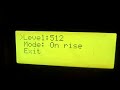
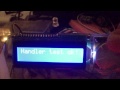
Serial https://www.arduino.cc/en/Reference/Serial
Standard arduino LCD library https://www.arduino.cc/en/Reference/LiquidCrystal
F Malpartida's LCDs (ex: i2c LCD) https://bitbucket.org/fmalpartida/new-liquidcrystal/wiki/Home
Adafruit's GFX devices https://github.com/adafruit/Adafruit-GFX-Library
UTFT devices (not yet implemented on v3) http://www.rinkydinkelectronics.com/library.php?id=51
U8glib devices https://github.com/olikraus/U8glib_Arduino
U8G2 devices https://github.com/olikraus/u8g2
Serial ANSI terminal https://github.com/neu-rah/AnsiStream
Web browser (experimental) when using ESP devices
Serial https://www.arduino.cc/en/Reference/Serial
quadEncoder - Generic encoder using PCINT (builtin)
Buttons - simple digital keyboard (builtin v2.x)
Generic keyboard (no PCINT) - configurable for digital or analog keyboards (v2.x)
ClickEncoder https://github.com/0xPIT/encoder (not yest implemented on v3)
Web browser (experimental) when using ESP devices
- complete revision of menu control system
- menu structure separated in ram objects and flash objects
- using separate navigation control objects **navNode**
- central navigation control object **navRoot**
- using event for all menu objects (focus, blur, enter, exit).
- multiple panels
- color enumeration at base level
- multiple output devices in parallel
- define exit as regular option
- limiting text width to prevent overflow
- support for teensy (tested on 3.2)
- new field type SELECT
- reflexivity, fields reflect external changes to values
- store field strings to progmem
- automatic use of RAM on system without PROGMEM
- action functions now need to return bool (only affects menus)
false = continue menu
true = exit menu
- Support for U8GLib screens
- alternative use ClickEncoder
- using flash memory to store menu strings and lists (PROGMEM)
- non-blocking menu main cycle
- Menufields as menu prompts with associated value values can be: numeric withing range list of values toggled on click (for small lists) list of values selected as submenu (for longer lists)
- PCINT now supports Mega/2560 and possibly others
- basic menu functionality
encoder now needs begin() to be called on setup
input is read from generic streams, included simple streams for encoders and keyboards - provided encoder driver uses internal pull-ups and reverse logic
multiple stream packing for input to mix encoder stream with encoder keyboard (usually 1 or 2 keys)
more info at
wiki pages, issues or r-site.net
please report errors, problems or enhancement ideas, I apreciate the feedback. Thanks.
On issues report please specify the input and output drivers or devices.