| description |
|---|
User Guide For Data Browser |
To get started with the data browser click the public folder

Click the green + and you will be able to add folders and apps.


The databrowser contains many apps.
Adds a list of contacts

Gives a multi user notepad

Creates a chat session

Gives a multi day chat session

Creates a meeting with many addons

Creates a new folder

Allows you to create new files, view and edit source code for files

There are many more apps and panes in the data browser. One for each class it's also extensible and customizable, so enjoy exploring!
Tip: drag and drop a file to the green plus and it will be uploaded to that directory
-
Open your solid community profile,
-
Navigate to and open File/Folder you want to Delete
-
Now, move your cursor over the name of the file or Folder. You will see some icons showing up.
-
Click on the 'Settings' icon

-
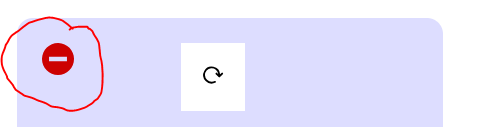
Now hover your mouse cursor to the left of the 'Refresh icon'. A red colored 'Remove' icon will become visible.
-
Click it & Confirm deletion.