stinkang/beatmachine ported into an AUv3
Side note: I don't think Logic supports aumf Audio Units yet: https://developer.apple.com/forums/thread/99516 :|
but BeatMachineExtension runs correctly with the host app from this project.
BeatMachine is an intuitive tool used for chopping up audio samples. The idea is that you press and hold a MIDI pad to map a section of audio to that MIDI pad for future playback.
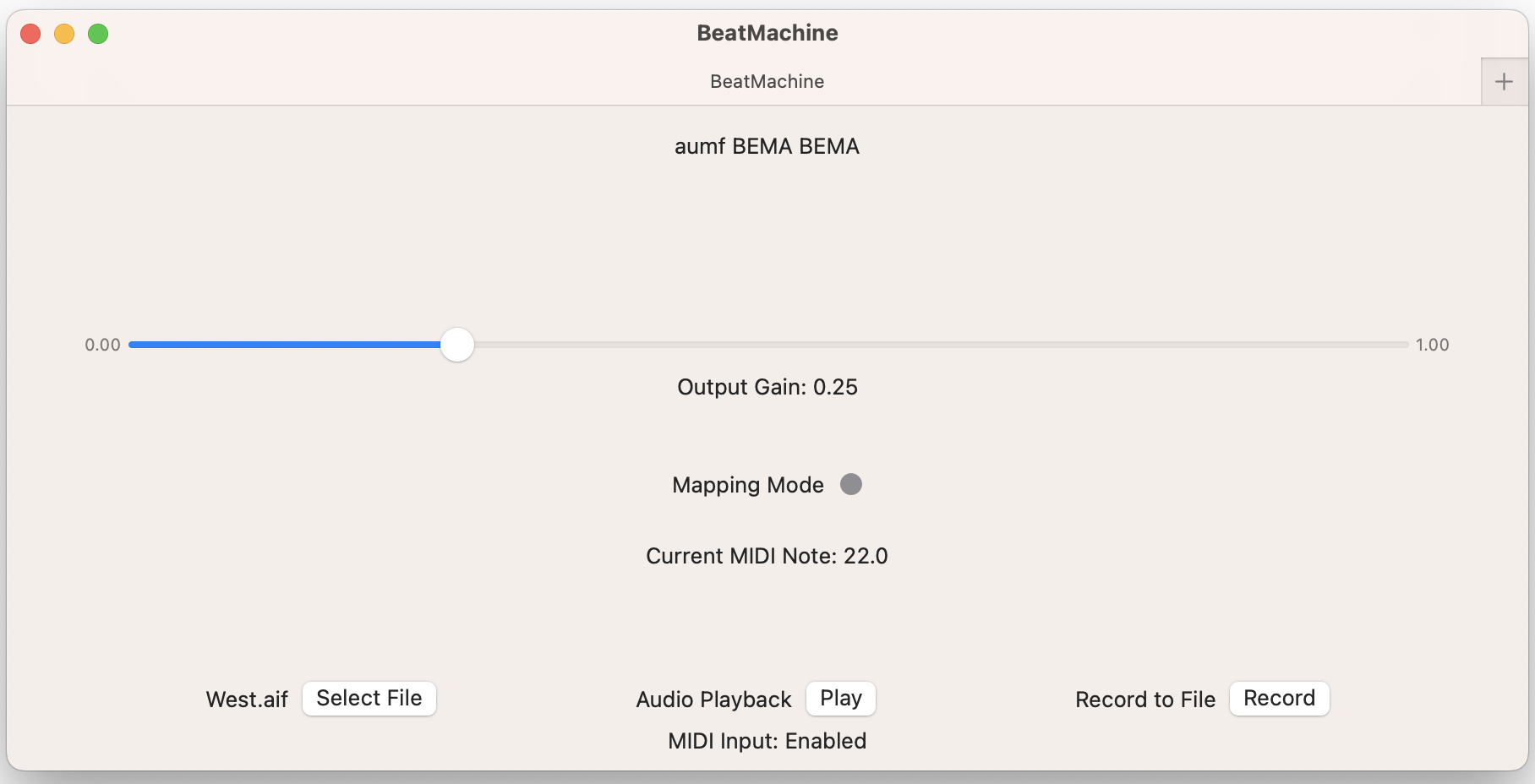
- Connect an external MIDI device to your Mac.
- Run the BeatMachine target from XCode.
- Select an audio file to sample.
- Hit the grey circle next to "Mapping Mode". This will allow you to hear the audio and map to MIDI keys as you listen.
- Hit "Play". Audio should begin to play (UI doesn't update yet)
- At any desired time, press and hold a note from your MIDI controller to map a section of audio to that note (release to end mapping segment). You can do this for any note.
- Hit the red circle next to "Mapping Mode". Now the audio should stop, and you can hit any mapped MIDI pad to play the audio that you just mapped.
- If you'd like to record the resulting audio to a file, hit "Record" to begin recording and "Record" again to end recording. The output file is called "beat_machine_output.aif" and should be located in
~/Library/Containers/BeatMachine/Data/Documents.
Check out some experimental tracks I've made with BeatMachine + Logic: https://soundcloud.com/a-u-stinkang