Members :
- Satyo Iswara (iswara2) (captain)
- Molly Graton (mgraton2)
- Eric Wong (etw2)
Presentation: https://www.youtube.com/watch?v=_hM1AdKOCb4
Medical journals/articles contains a lot of terms that are domain specific and thus create a challenge for user to comprehend the main concepts in it. Our team aimed to bridge this challenge by adding a recommender system that helps users. With our extension, relevant medical terms on a page will be identified and link to articles to learn more about these terms. This creates an easy and efficient way to understand medical articles without having to stop to research each term that a user is not familar with.
The extension works using BioBert to decide which words would be most useful to be defined for a user, the Bing API to retrieve relevant search results, and a BM25 implementation to further rank these search results. The Chrome Extension also utilizes Javascript logic to display relevant links to the term.
External data sets and resources:
-
BioBert (https://github.com/dmis-lab/biobert)
BioBert will provide us background languange model that we will use to implement our PLSA model. Since BioBert is specifically designed for biomedical text mining task, this language model fits our project challanges.
-
Bing Search API (https://www.microsoft.com/en-us/bing/apis/bing-web-search-api)
Bing Search API will provide us with a shorthand of all pages related to our query term which we plan to further rank.
Requirement : python version 3.6
- Download the repo as a zip folder and unzip it.
- Navigate to chrome://extensions/
- Turn developer mode on
- Load unpacked to upload the repo folder
- Open bash line to install python dependencies. Run the following commands:
    cd MedRecommendExt   // or whatever you named the repo folder download
    cd lib
    python3 -m venv env
    source env/bin/activate
    python3.6 -m pip install torch
    python3.6 -m pip install transformers
    python3.6 -m pip install flask
    export FLASK_APP=bio_ner_flask
    flask run
Note: if you get an error about "flask run" failing due to an ImportError, run "python3.6 bio_ner_flask.py" to view the cause of the error. You may need to upgrade other packages or uninstall NumPy, but the python3.6 command should tell you what is needed.
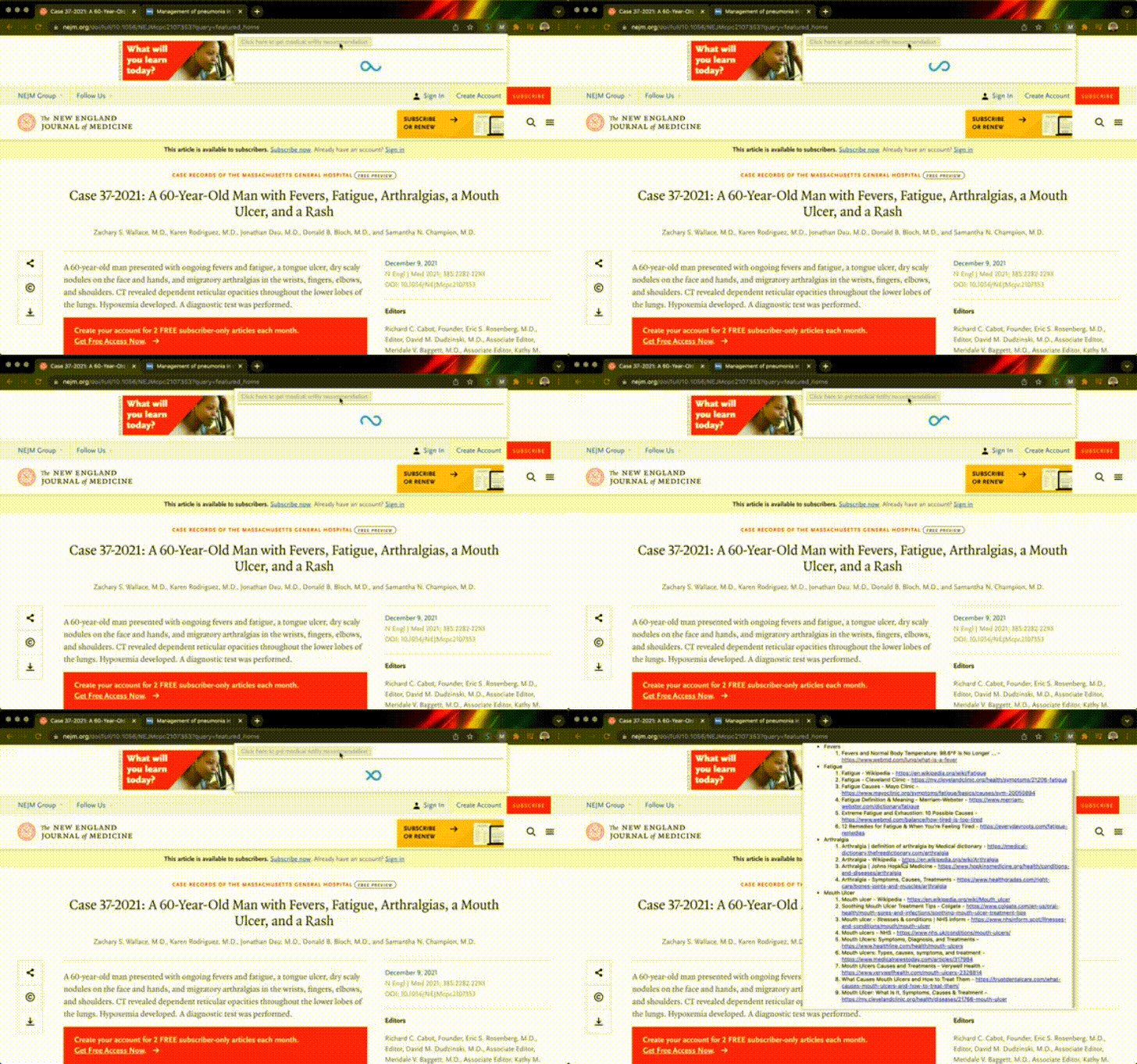
To test out the extension, navigate to a website (for example: https://www.nejm.org/doi/full/10.1056/NEJMcpc2107353?query=featured_home), and allow the extension permissions by clicking on it (in the upper right hand corner of your chrome window). Once you open the extension, click the button inside the extension. You can now see the relevant disease entities and the corresponding related links.
Satyo Iswara (iswara2):
- Researched and implemented BioBert
- Connected various components of the extension
Molly Graton (mgraton2):
- Set up chrome extension to connect with other components
- Connected various components of extension
Eric Wong (etw2):
- Implemented BM25 algorithm
- Set up Bing API usage