A Mac keyboard layout for russian-speaking Ukrainian patriots.
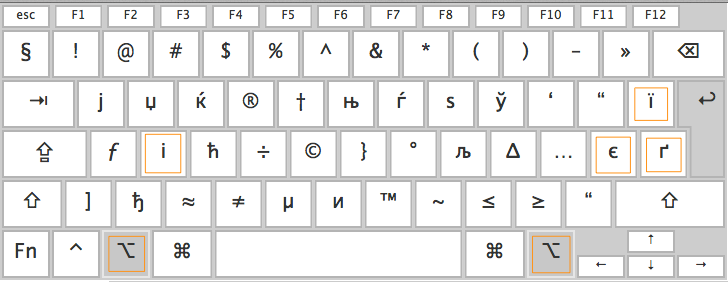
- Clone the repository.
- Navigate to the directory in a terminal or in Finder.
- Run
setupscript in the terminal or open it in Finder.
git clone https://github.com/push23/surzhik-layout.git
cd surzhik-layout
./setup
Or manually copy Surzhik.bundle directory to /Library/Keyboard Layouts.
And finally add the layout in Keyboard-Input Sources dialog.
- Navigate to
surzhik-layoutdirectory in a terminal or in Finder. - Run
setupscript in the terminal or open it in Finder.
cd surzhik-layout
./setup
Or manually remove Surzhik.bundle directory from /Library/Keyboard Layouts.
If after installation and adding the layout you cannot switch to it in some programs, please, restart your Mac.