






A gitmoji interactive client for using gitmojis on commit messages.
This project provides an easy solution for using gitmoji from your command line. Gitmoji-cli solves the hassle of searching through the gitmoji list. Includes a bunch of options you can play with! 🎉
$ npm i -g gitmoji-cli$ brew install gitmoji$ gitmoji --helpA gitmoji interactive client for using gitmojis on commit messages.
Usage
$ gitmoji
Options
--init, -i Initialize gitmoji as a commit hook
--remove, -r Remove a previously initialized commit hook
--config, -g Setup gitmoji-cli preferences.
--commit, -c Interactively commit using the prompts
--list, -l List all the available gitmojis
--search, -s Search gitmojis
--version, -v Print gitmoji-cli installed version
--update, -u Sync emoji list with the repo
You can use the commit functionality in two ways, directly or via a commit-hook.
Start the interactive commit client, to auto generate your commit based on your prompts.
$ gitmoji -cYou can pass default values to the prompts using the following flags:
title: For setting the commit title.message: For setting the commit message.scope: For setting the commit scope.
Those flags should be used like this:
$ gitmoji -c --title="Commit" --message="Message" --scope="Scope"Run the init option, add your changes and commit them, after that the prompts will begin and your commit message will be built.
$ gitmoji -i
$ git add .
$ git commitgitmoji -c command.

Search using specific keywords to find the right gitmoji.
$ gitmoji -s "criteria"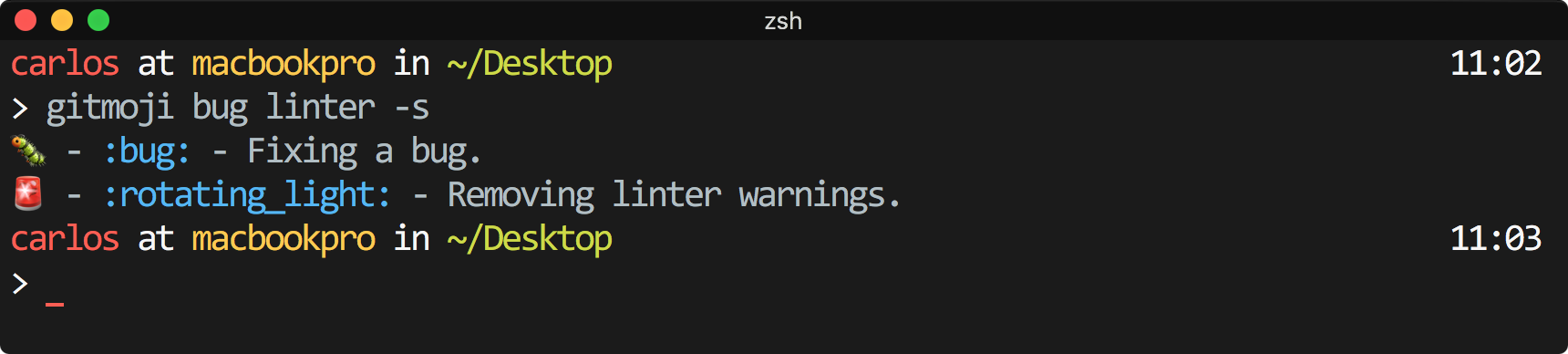
Pretty print all the available gitmojis.
$ gitmoji -l
Update the gitmojis list, by default the first time you run gitmoji, the cli creates a cache to allow using this tool without internet connection.
$ gitmoji -uRun gitmoji -g to setup some gitmoji-cli preferences.
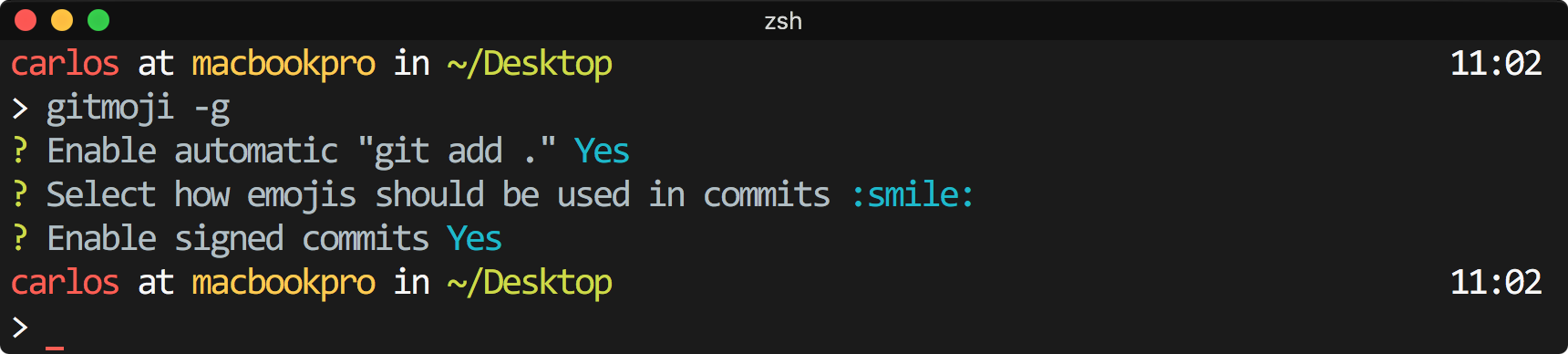
- Automatic git add: Enable or disable the automatic
git add .everytime you use the commit command. - Emoji format: Switch between the emoji format.
- Scope prompt: Enable or disable conventional commits scope prompt.
- Signed commits: Enable or disable signed commits with GPG.
- Gitmojis api URL: Set a custom URL to use it as the library of gitmojis.