Because I'm lazy to check a website again and again and wait for an item to return back to stock
Read the full article about it here
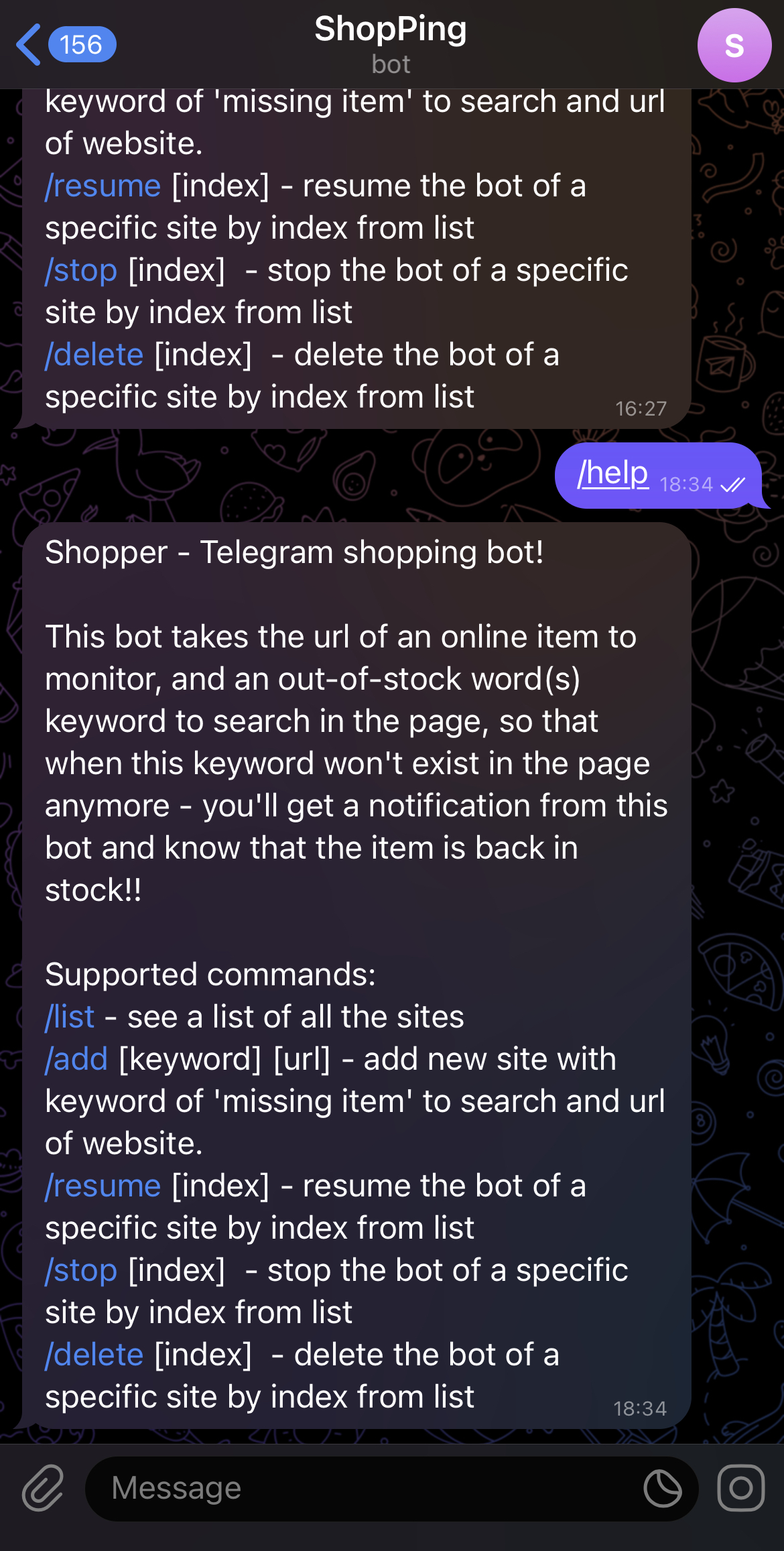
This bot takes the url of an online item to monitor, and an out-of-stock word(s) keyword to search in the page, so that when this keyword won't exist in the page anymore - you'll get a notification from this bot and know that the item is back in stock!!
!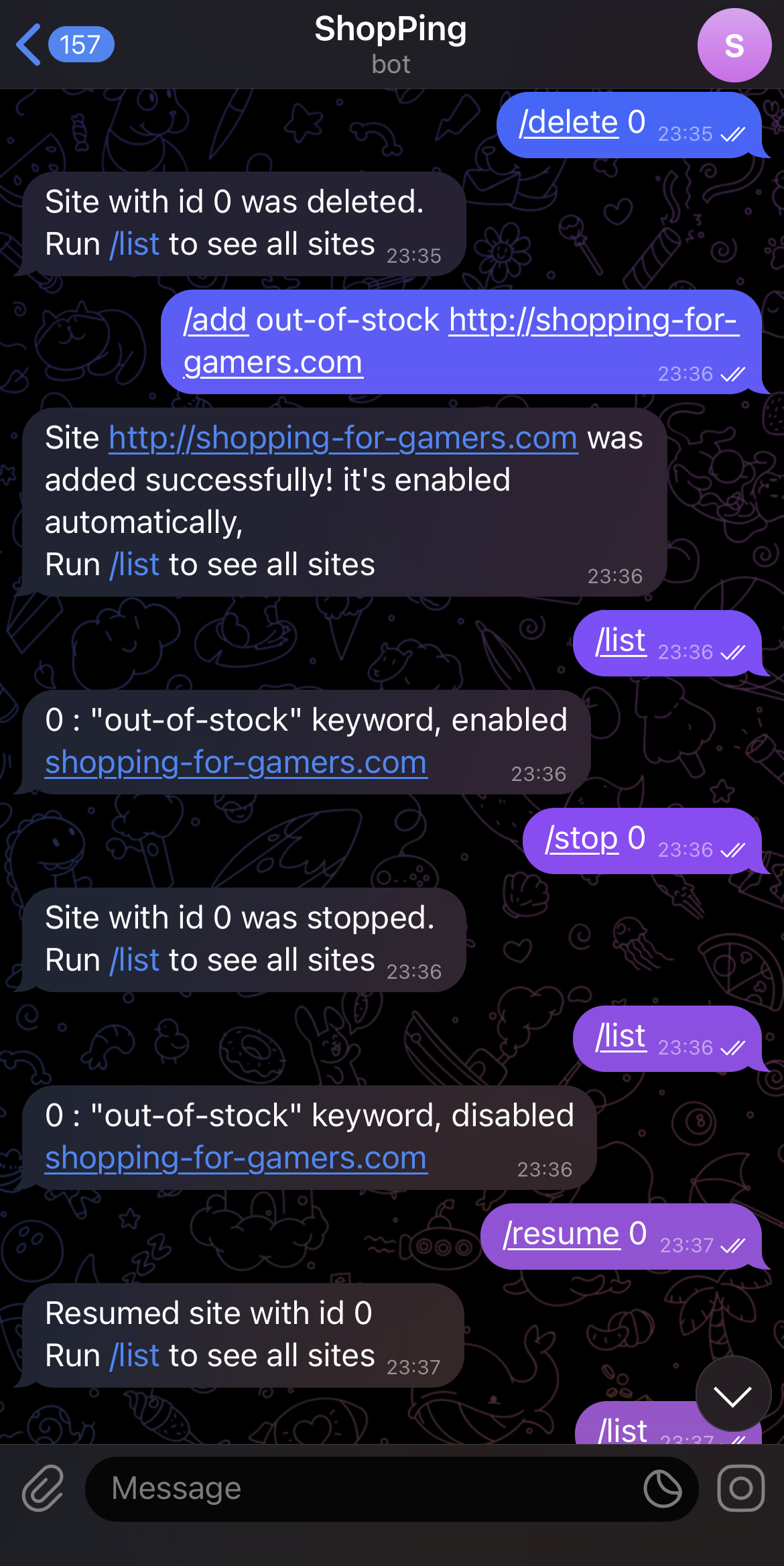 !
!
Full video here






- Telegram Bot - for managing the bots & getting notified when in-stock
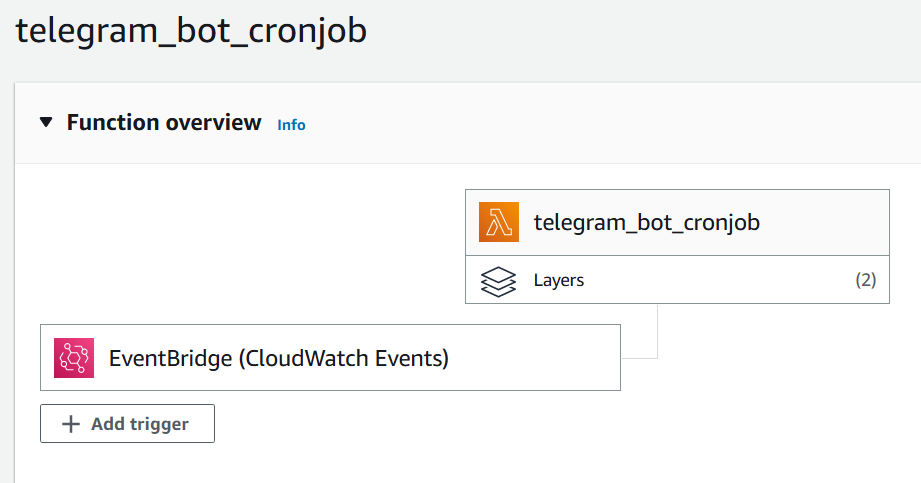
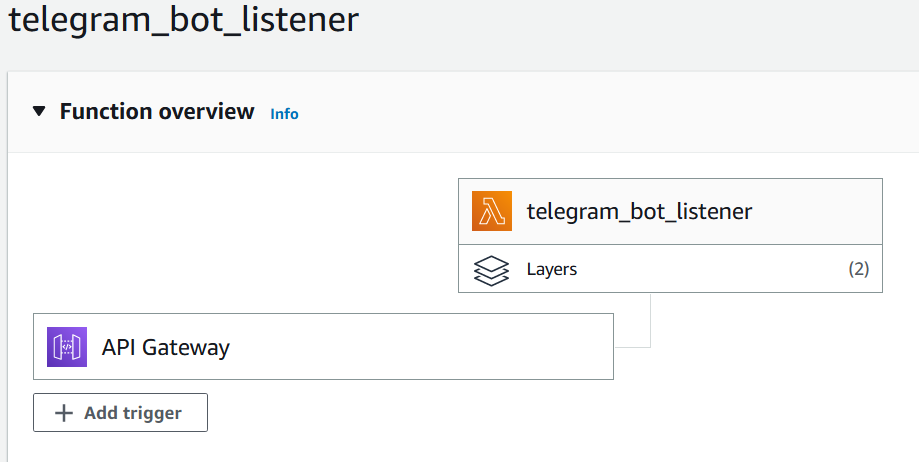
- [AWS] Lambda x2 - one to listen to telegram messages and one to run periodically, parse websites
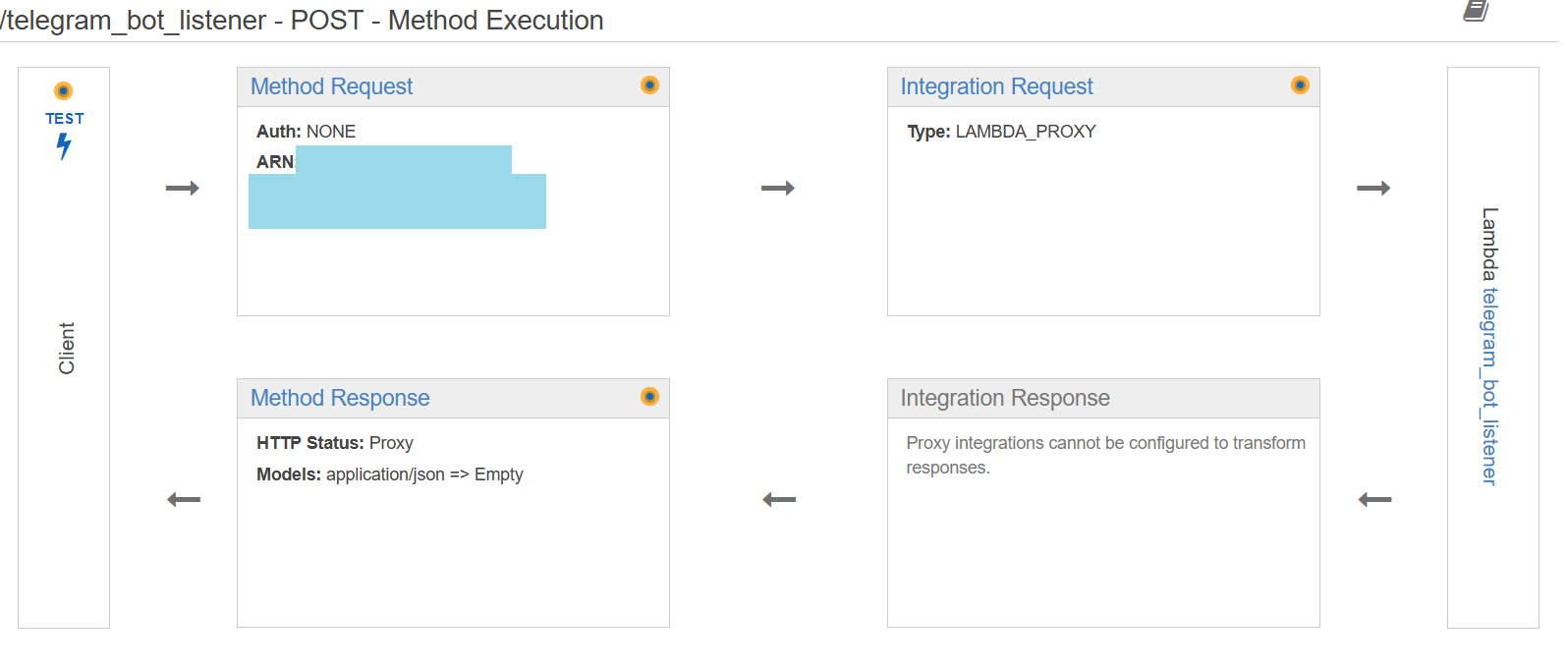
- [AWS] API Gateway - to allow external access from telegram to a lambda
- [AWS] CloudWatch - to see logs
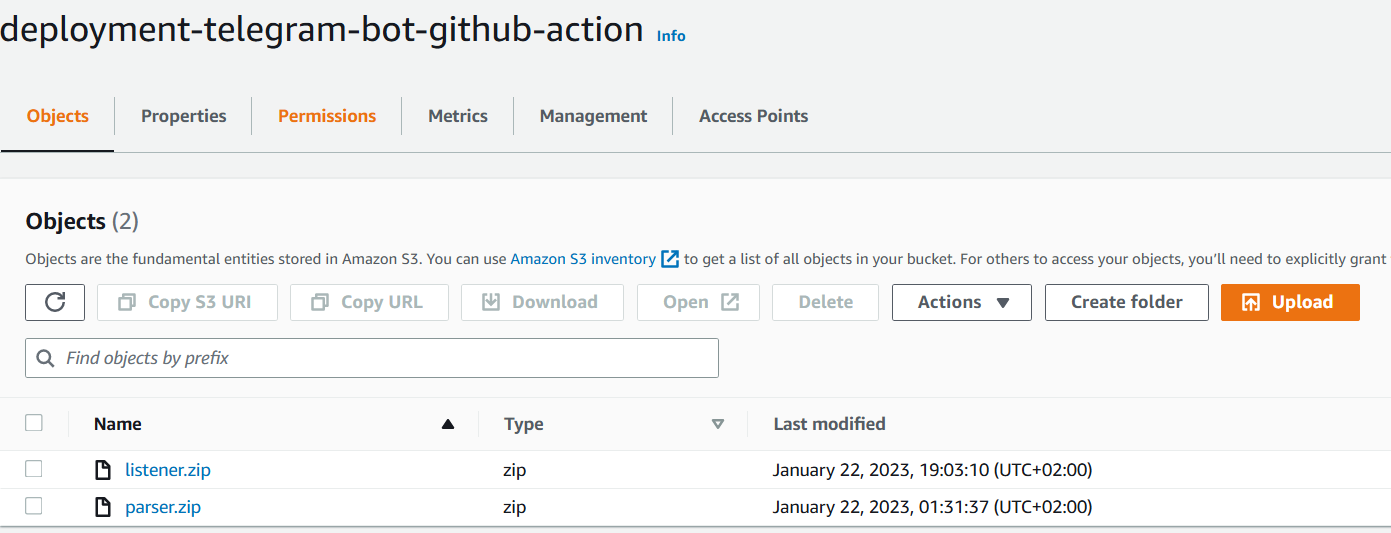
- [AWS] S3 Bucket x2 - one as a low-cost database & one for lambdas deployment
- GitHub repository with GitHub Actions - for automatic deployment of lambdas and not hating myself every time I need to deploy new code

| Command | Description |
|---|---|
/help |
Show help menu |
/list |
Show monitored websites |
/add [keyword] [url] |
Add a website to monitor |
/stop [website_id] |
Stop monitoring a specific website |
/resume [website_id] |
Resume monitoring a specific website |
/delete [website_id] |
Delete a specific website from list |
/listener - Lambda function code that's triggerred by the Telegram Webhook.
/cron_parser - Lambda function code that parses each one of the monitored websites. Sends a message in Telegram when an item is back in stock.
/.git/workflows/ - Two workflows for each one of the directories that run by path - for simlifying the deployment process.
In order to use the same AWS environment that I had, you need to setup a few things.
| Component | Description | File |
|---|---|---|
| Lambda | API_TOKEN | API Token from the Telegram bot - after you create a bot with BotFather |
| Lambda | CHAT_ID | Telegram Bot ChatID |
| Lambda | BUCKET_NAME | Name of S3 bucket that stores the sites JSON file |
| Lambda | JSON_FILENAME | Name of the JSON file in the S3 bucket (of BUCKET_NAME) |
| GitHub | AWS_ACCESS_KEY | Secret key stored in Github Actions Secrets Manager of the AWS user for deployment to AWS |
| GitHub | AWS_SECRET_ACCESS_KEY | Secret stored in Github Actions Secrets Manager of the AWS user for deployment to AWS |
| GitHub | AWS_REGION | Region in AWS to use for environment deployment |
| GitHub | MENU_LAMBDA_FUNCTION_NAME | Name of 1st Lambda function that listens to Telegram messages (/listener directory code) |
| GitHub | PARSER_LAMBDA_FUNCTION_NAME | Name of 2st Lambda function that runs every 1 hour to parse websitse and alert when new item in stock(/cron_parser directory code) |
| GitHub | S3_DEPLOYMENT_BUCKET_NAME | The name of the S3 Bucket that will be used to upload zipped code for deployment |
| GitHub | ZIP_LISTENER_FILENAME | Name of the zip code that'll be genarated from /listener directory and deployed to Lambda |
The JSON file that contains websites to parse looks like this:
[{
"url": "https://we-are-cool-gamerz-with-swag.com/headphones?color=blue",
"keyword": "out-of-stock",
"enabled": "true"
},
{
"url": "https://dog-hackers-stuff.com/paws_hoodie?color=black",
"keyword": "Unavailable",
"enabled": "false"
}]
You can create an empty one in your new S3 bucket / copy the one above for debugging.
Instead of listing the roles, permissions & policies - you should read the AWS docs about those to configure yourself because there are a lot and the best way to learn about those is by trial & error.
- API Gateway - configure that external call to its API will trigger the menu Lambda
- Lambdas - 2 python-based lambdas with 2 layers:
requestsandboto3 - EventBridge - configure that a scheduled event (e.g 1 hour) will trigger the parser Lambda
- CloudWatch - I configured it to show extended logs from both API Gateway and the Lambdas. It saved me a ton of time during debugging of those components in the flow
- S3 Bucket - configure 2 buckets - 1st for your sites.json file and 2nd for your deployment zipped code
- S3 <-> Lambdas - you need to enable communication between your S3 sites.json bucket and your lambdas. Read about AWS policies to understand how