A Python 3 tool to parse Azure Monitor Activity Logs to retrieve VM uptime for all VMs during a given month. This is useful for when you either don't have your VMs reporting to a Log Analytics workspace, or they only reported data for a part of the time you want to report on. Another option would be to look at billing data, but that's often previledged information. AzMonitorUptime allows you to derive uptime reports from Actvitity Logs.
- Python 3
- Click 7.0
- PrettyTable 0.7.2
- Download Azure monitor logs, and store them as QueryResult.csv in the same folder as azmon-uptime.py
pip install -r requirements.txt
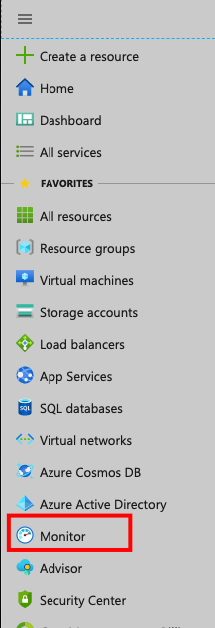
Navigate to Azure Monitor
Select Activity Log
Construct the query as such, and Download

Finally, place downloaded file (QueryResult.csv), in the same folder as azmon-uptime.py
Default Usage: python azmon-uptime.py init
Optional Args: CSVFile, Default Start Time, Default Stop Time - These are the defaults for Start and Stop times for VMs, in case they were Started/Stopped outside the period of monitoring covered in the CSV file. Unless you provide a Start time, the app has no knowledge that the VM was up, so it would otherwise just assume it was turned off!
Optional Usage: python azmon-uptime.py init --default_start 2019-10-01 --default_stop 2019-10-31 --file QueryResults.csv
+----+--------------------------+--------------------------------------------------+--------------------+
| #  | VM Name                  | Runtime                                          | Runtime in Seconds |
+----+--------------------------+--------------------------------------------------+--------------------+
| 1  | aks-nodepool1-33200514-0 | 2.0 weeks, 5.0 days, 47.0 minutes, 23.0 seconds  |     1644443.0      |
| 2  | aks-nodepool1-33200514-1 | 2.0 weeks, 5.0 days, 47.0 minutes, 10.0 seconds  |     1644430.0      |
| 3  | aks-agentpool-87903270-0 | 2.0 weeks, 5.0 days, 7.0 hours, 31.0 minutes     |     1668696.0      |
| 4  | aks-agentpool-17932189-0 | 3.0 weeks, 1.0 day, 3.0 hours, 28.0 minutes      |     1913306.0      |
| 5  | aks-nodepool1-54814196-2 | 3.0 weeks, 3.0 days, 6.0 hours, 43.0 minutes     |     2097823.0      |
| 6  | aks-nodepool1-54814196-0 | 3.0 weeks, 3.0 days, 9.0 hours, 39.0 minutes     |     2108371.0      |
| 7  | aks-nodepool1-54814196-1 | 3.0 weeks, 3.0 days, 9.0 hours, 39.0 minutes     |     2108386.0      |
| 8  | aks-nodepool1-12508969-1 | 3.0 weeks, 3.0 days, 9.0 hours, 46.0 minutes     |     2108818.0      |
| 9  | u-vm2                    | 3.0 weeks, 4.0 days, 7.0 hours, 45.0 minutes     |     2187934.0      |
| 10 | u-vm                     | 2.0 weeks, 4.0 days, 19.0 hours, 49.0 minutes    |     1626569.0      |
| 11 | win10-vs                 | 5.0 weeks, 7.0 hours, 40.0 minutes, 27.0 seconds |     3051627.0      |
| 12 | win10-vm1                | 3.0 weeks, 5.0 days, 1.0 hour, 23.0 minutes      |     2251389.0      |
+----+--------------------------+--------------------------------------------------+--------------------+