
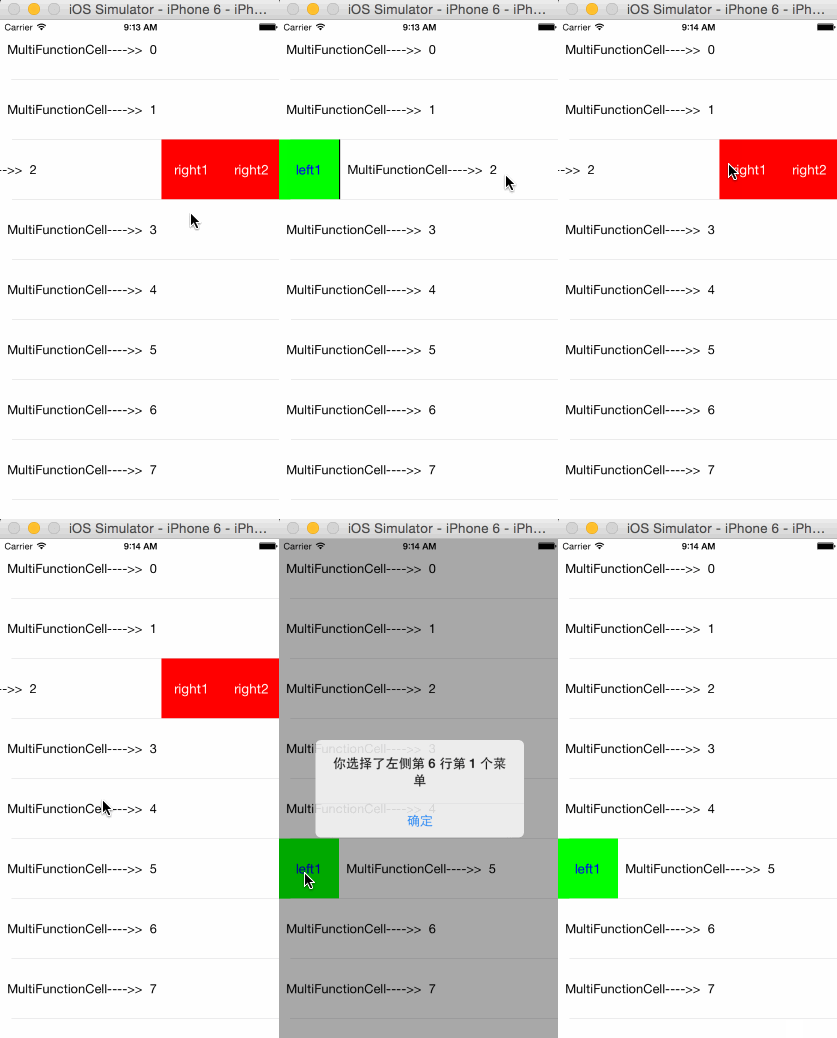
###先上效果图
###github地址
https://github.com/kingundertree/MultiFunctionCell
###功能
- 支持定制UITableViewCell菜单,通过滑动UITableViewCell显示左右侧菜单选项
- 支持cell的重用,以及单个cell的菜单定制
###实现机制
- 定制UITableViewCell,在UITableViewCell.contentView上添加UIScrollView作为主视图,并绑定UIPanGestureRecognizer手势
- 定义左右菜单视图,置于UIScrollView之下
- 通过UIPanGestureRecognizer的事件控制UIScrollView的frame实现菜单的显示和隐藏
- 定制UITableView,通过OverLayViewDelegate控制罩层的显示和隐藏
###使用方法
继承MultiFunctionTableView
self.tableList = [[MultiFunctionTableView alloc] initWithFrame:self.view.bounds style:UITableViewStylePlain];
self.tableList.delegate = self;
self.tableList.dataSource = self;
self.tableList.rowHeight = 80;
[self.view addSubview:self.tableList];
Datasource的cellForRow方法中实现 HomeViewCell继承MultiFunctionCell即可,并设置cell.cellActionDelegate = self.tableList即可。其他都不用care了
- (UITableViewCell *)tableView:(UITableView *)tableView cellForRowAtIndexPath:(NSIndexPath *)indexPath{
    static NSString *cellIdentify = @"cell";
    HomeViewCell *cell = [tableView dequeueReusableCellWithIdentifier:cellIdentify];
    if (!cell) {
        cell = [[HomeViewCell alloc] initWithStyle:UITableViewCellStyleDefault
                                   reuseIdentifier:cellIdentify
                               containingTableView:tableView
                                leftUtilityButtons:@[@"left1"]
                               rightUtilityButtons:@[@"right1",@"right2"]];
        cell.cellActionDelegate = self.tableList;
        [cell configCell:nil index:indexPath];
    }


    return cell;
}