Sample Site | AWS Console | lab-001 | lab-002 | lab-003 | lab-004
Short Url: https://goo.gl/i468ot
The topics for this hands-on session will be AWS Lambda, function as a service (FaaS). During this Playground you will create a website hosted on AWS S3 using AWS Lambda and Amazon API Gateway to add dynamic functionality to the site.

Each step will be associated with a Lab to complete build on the previous lab to progress. A Completed lab website is a available for view from the link above 'Sample Site'. All labs have been tested with the US Oregon region.
A computing model where the existence of servers are hidden from developers. Within AWS eco-system Lambda is not the only serverless service. For the purpose of these labs we will look at S3, Lambda, and API Gateway to produce a functional website.
- Storage - S3
- Compute - Lambda
- Database - DynamoDB, ElasticCache
- API Proxy - API Gateway
- Analytics - AWS Kinesis
- Messaging & Queues - AWS SNS, SQS
- State Management - AWS Step Functions
- Diagnostics - AWS X-Ray
- S3 - Static Web hosting: Hosting a static website on S3 bucket.
- Lambda: Creating a lambda function, that generates a random number and another function that processes form GET and PUT requests.
- API Gateway: Using API Gateway to expose lambda function to static website hosted on S3 bucket.
- AWS Console:
https://ecsd-training.signin.aws.amazon.com/console - Username:
<TBA> - Password:
<TBA>
git clone https://github.com/ecsdigital/devopsplayground11-lambda.git
cd devopsplayground11-lambda
Download link for labs
wget --output-document playground11.zip --quiet https://github.com/ecsdigital/devopsplayground11-lambda/archive/master.zip- Lab-001 - Build Static Website with s3 Bucket
- Lab-002 - Sharing resources between s3 Buckets
- Lab-003 - Web Services with Lambda
- Lab-004 - Posting Data with Lambda
- Login to AWS account
- Permissions to create S3 Buckets
- Permissions to write and execute lambda functions
- Permission to create API Gateway
- Region: Oregon
If you attempt the labs in your own AWS account you will need to create the following roles:
- AWSS3FullAccess
- AWSLambdaFullAccess
- AmazonAPIGatewayAdministrator
- AWSLambdaExecute

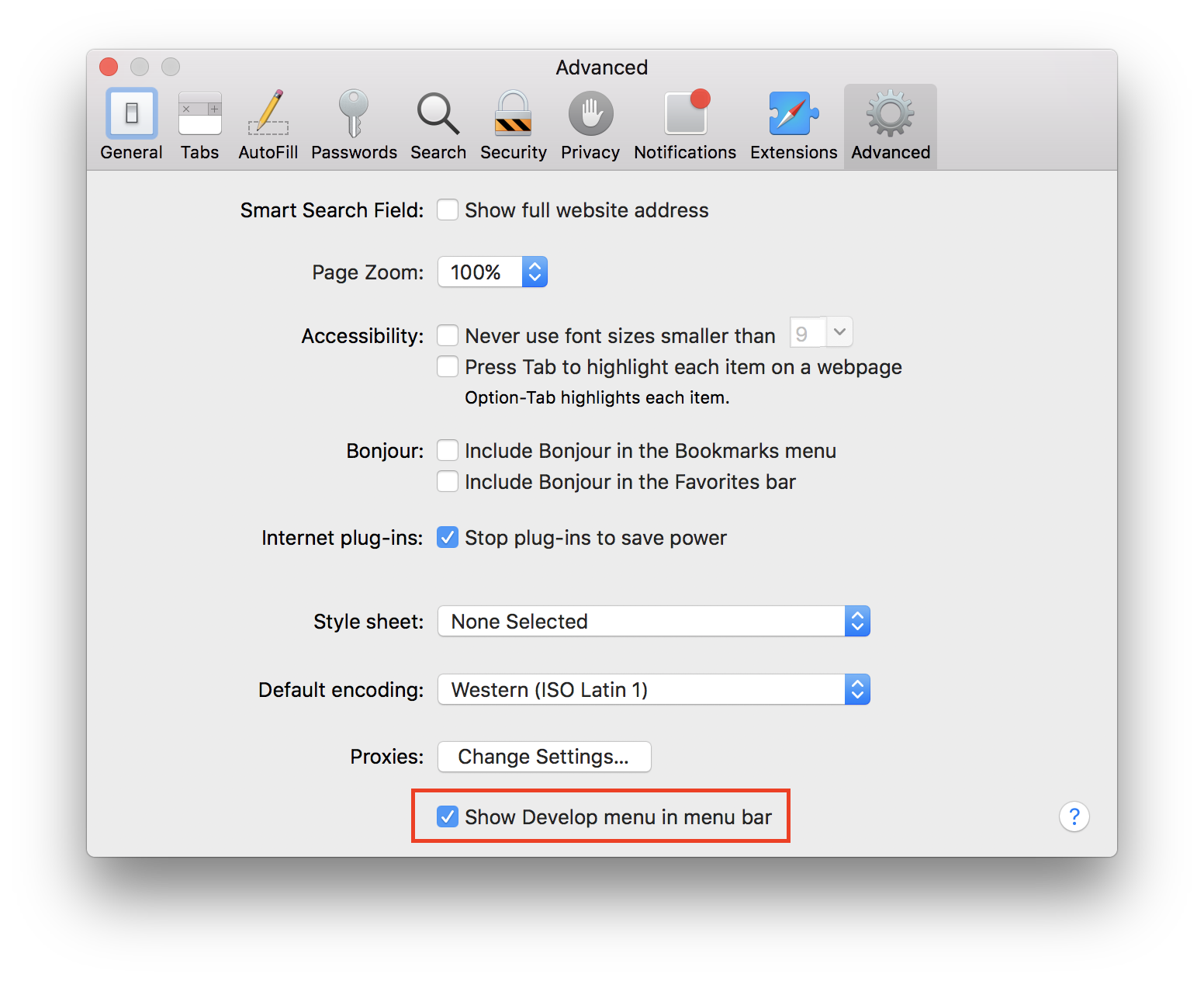
Safari: Enable the hidden Develop menu
Some labs will require having access to a web browser console to see Browser errors like lab-002 and labb-003 for Cross Origin Resource Sharing. Safari has these development tools built-in however they need to be enabled.
- Safari > Preferences
- Check 'Show Develop menu in menu bar' (see image Safari Advanced Preferences red box)
- Safari menu bar should now show as in 'Safari Menu Bar' image below