Hacker | 中文版文档


Hacker is a simple blog theme focused on writing. In such a trend of complex typography, choose the return to origins, focusing on writing this matter.
The beginning is moyo created a theme of Wordpress , by DaraW transplanted to Hexo.
You can refer to my blog: DaraW.
Also, you can try auto-deployment with TravisCI, refer to CodeDaraW/Blog。
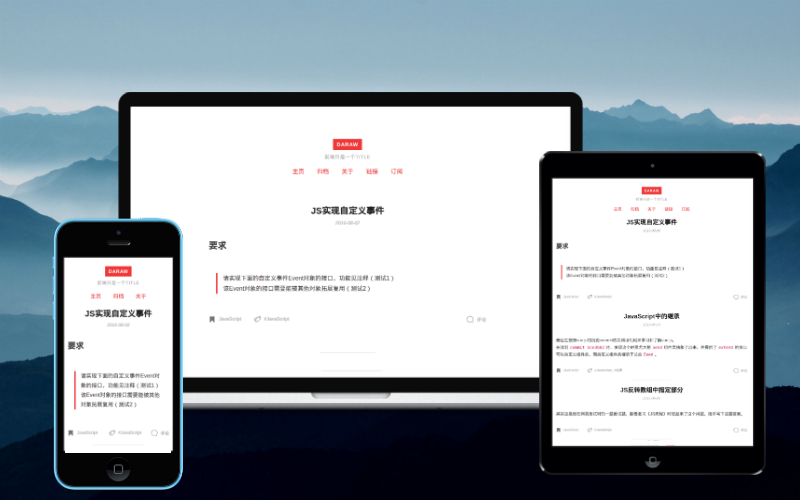
Firstly get the theme files, git clone or download zip both are ok.
Create a folder named Hacker in the folder themes, and copy all the theme files to the folder Hacker.
Then apply the theme in the hexo global configuration file _config.yml:
theme: HackerNow all are in order, just enjoy~
Notice: After every update, you'd better run command hexo clean to clean cache files before Hexo generating, in case of some problems cache files bring.
Refering to the example configuration file _config.example.yml,
create the theme configuration file _config.yml and edit it:
# gitment
gitment: false
gitment_owner:
gitment_repo:
gitment_client_id:
gitment_client_secret:

# gitalk
gitalk: false
gitalk_owner:
gitalk_admin: []
gitalk_repo:
gitalk_client_id:
gitalk_client_secret:

# valine comment
valine: false
leancloud_id:
leancloud_key:

# disqus comment
disqus: false
disqus_shortname:

# google analytics
googleTrackId:gitment: boolean,use gitment or not
gitment_owner: string,your GitHub ID
gitment_repo: string,the repo to store comment data
gitment_client_id: string,your client ID
gitment_client_secret: string,your client secret
gitalk: boolean,use gitalk or not
gitalk_owner: string,your GitHub ID
gitalk_admin: array,all the admin GitHub IDs
gitalk_repo: string,the repo to store comment data
gitalk_client_id: string,your client ID
gitalk_client_secret: string,your client secret
valine: boolean, use Valine or not
leancloud_id: string, your leancloud ID
leancloud_key: string, your leancloud Key
disqus: boolean, use disqus or not;
disqus_shortname: your disqus site shortname.
googleTrackId: your Google Analytics ID, Hacker will not use Google Analytics if it's empty.
Categories Page: run hexo new page categories,then modify the generated file source/categories/index.md:
title: categories
date: 2017-01-30 19:16:17
layout: "categories"
---
If you need to close comments of this page , you can add a line comments: false; title corresponds to the title of the page.
Tags Page: run hexo new page tags,then modify the generated file source/tags/index.md:
title: tags
date: 2017-01-30 19:16:17
layout: "tags"
---
Configuration is the same as Categories Page.
Add links to the menu: Edit the _config.yml file of the theme, add Categories: /categories and Tags: /tags in menu like this:
menu:
  Home: /
  Archives: /archives
  Categories: /categories
Tags: /tagsGNU GPL(General Public License) v2.0