A fork of https://github.com/karaeren/LostArkLogger with the capability to remote log packets via winpcap for docker.
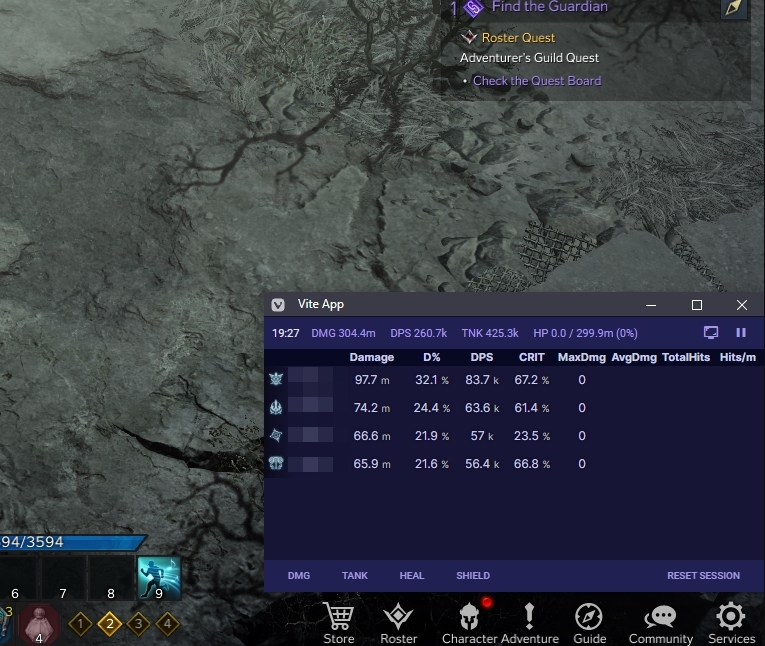
Zero risk made possible with tabfloater.
We call the pc where you run the game the main computer and the pc where you run the dps meter the remote computer. Both computers have to be in the same network.
It's possible but not recommended to run the dps meter on the main computer.
You have to install docker on the remote computer.
For instructions on how to install docker, check the docker desktop.
You need to install npcap on your main computer.
Make sure to have the option Install Npcap in WinPcap API-compatible Mode checked.
After that, you have to install rpcapd. You can use the following script to install it.
This script install rpcapd as a service. You can check the service in your services.msc or with the following command:
Get-Service rpcapdYou have to pull the latest version of the docker image with the following command:
docker pull ghcr.io/rexlmanu/la-dpsmeter:mainCopy the template from default.config.yml and rename it to config.yml.
You have to change the p-cap-address to the ip address of your main computer.
You can find out your ip address by running ipconfig in a command prompt. It's your local lan address, not your public ip.
After that, you can run the container with the following command:
If you're on powershell, replace $(pwd) with ${PWD}. On cmd, replace $(pwd) with %cd%.
docker run -d \
  --name la-dpsmeter \
  --restart unless-stopped \
  -v $(pwd)/config.yml:/app/config.yml \
  -v $(pwd)/logs:/mnt/raid1/apps/'Lost Ark Logs' \
  -p 1338:1338 \
ghcr.io/rexlmanu/la-dpsmeter:mainYou can access the overlay by opening the following url in your browser:
http://<remote-computer-ip>:1338
To update the container, you have to pull the latest version of the docker image with the following command:
docker pull ghcr.io/rexlmanu/la-dpsmeter:mainAfter that, you have to delete the container and recreate it with the same command as above (setup).
docker rm -f la-dpsmeter
We have a discord server where you can ask questions or report bugs.
This is not endorsed by Smilegate or AGS. Usage of this tool isn't defined by Smilegate or AGS. I do not save your personal identifiable data. Having said that, the .pcap generated can potentially contain sensitive information ( specifically, a one-time use token)
You can find the old installation instructions here.