


The frontend is generated with Angular CLI. The backend is made from scratch. Whole stack in TypeScript.
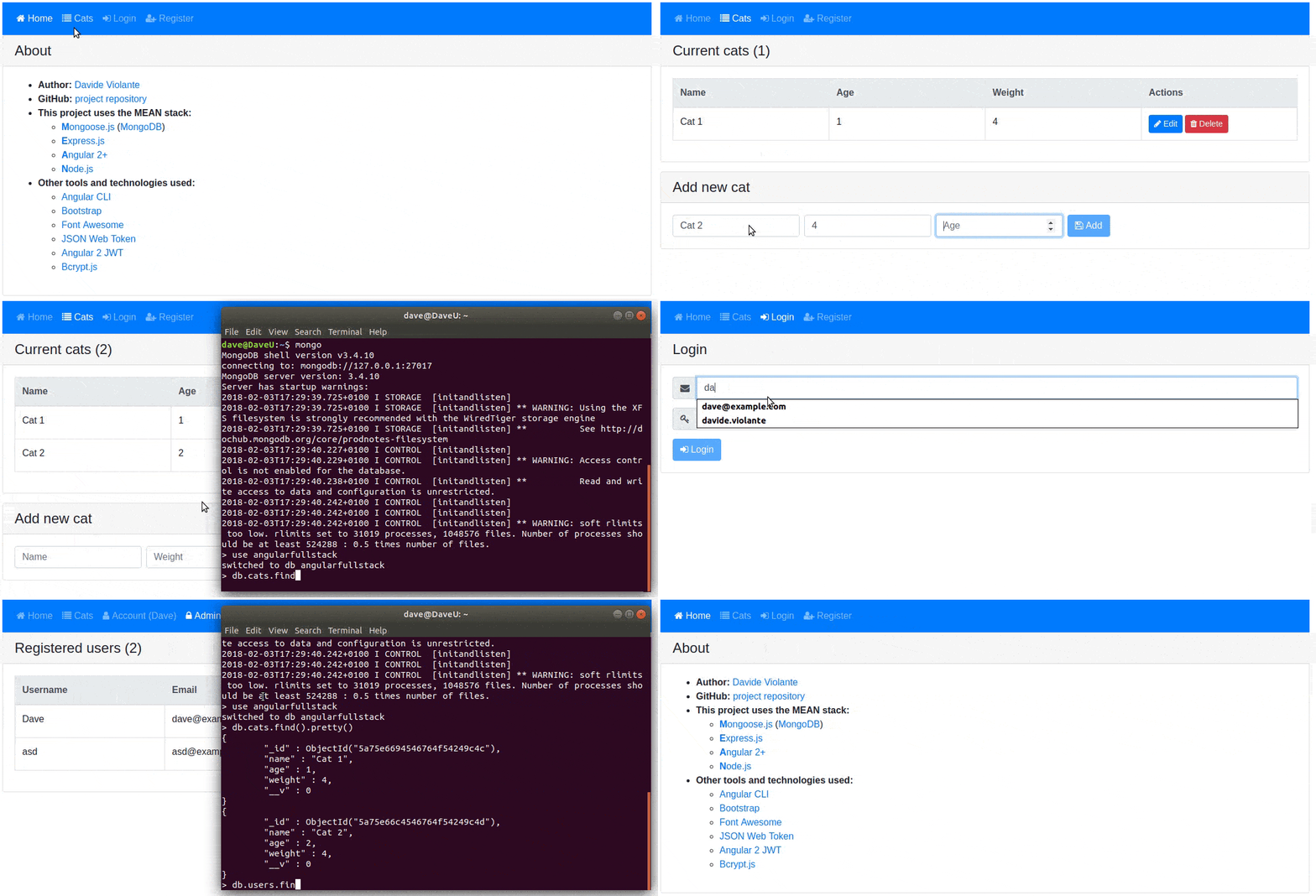
This project uses the MEAN stack:
- Mongoose.js (MongoDB): database
- Express.js: backend framework
- Angular 2+: frontend framework
- Node.js: runtime environment
Other tools and technologies used:
- Angular CLI: frontend scaffolding
- Bootstrap: layout and styles
- Font Awesome: icons
- JSON Web Token: user authentication
- Angular 2 JWT: JWT helper for Angular
- Bcrypt.js: password encryption
- Install Node.js and MongoDB
- Install Angular CLI:
npm i -g @angular/cli - From project root folder install all the dependencies:
npm i
npm run dev: concurrently execute MongoDB, Angular build, TypeScript compiler and Express server.
A window will automatically open at localhost:4200. Angular and Express files are being watched. Any change automatically creates a new bundle, restart Express server and reload your browser.
npm run prod: run the project with a production bundle and AOT compilation listening at localhost:3000
- Go to Heroku and create a new app
- Install Heroku CLI
heroku logincd my-project/git initheroku git:remote -a your-app-name- Download this repo and copy all files into
my-projectfolder - Edit
.gitignoreand remove line with/dist - Edit
.envand replace the MongoDB URI with a real remote MongoDB server. You can create a MongoDB server with Heroku or mLab. npm ing build -prodorng build -aot -prodtsc -p servergit add .git commit -m "Going to Heroku"git push heroku masterheroku open- A window will open with your app online
- you have any suggestion to improve this project
- you noticed any problem or error
- More tests
Run ng test to execute the unit tests via Karma.
Run ng e2e to execute the end-to-end tests via Protractor.
Before running the tests make sure you are serving the app via npm start.
Run ng lint (frontend) and npm run lintbe (backend) to execute the linter via TSLint.
To get more help on the angular-cli use ng --help or go check out the Angular-CLI README.
To get more help about this project, visit the wiki.