
GitHub: https://github.com/fendylo/study-snap
Please contact the developers to get the environment variables and API Keys
The App requires the environment variables to run
StudySnap is an iOS native app built with SwiftUI that empowers students to capture notes, query them with AI, auto-generate quizzes, and track progress on a beautiful dashboard. Backed by Firebase (Auth + Firestore) and Groq API for AI, it follows a clean MVVM architecture for maintainability and scalability.
| Home (Notes List) | Note Taking |
|---|---|
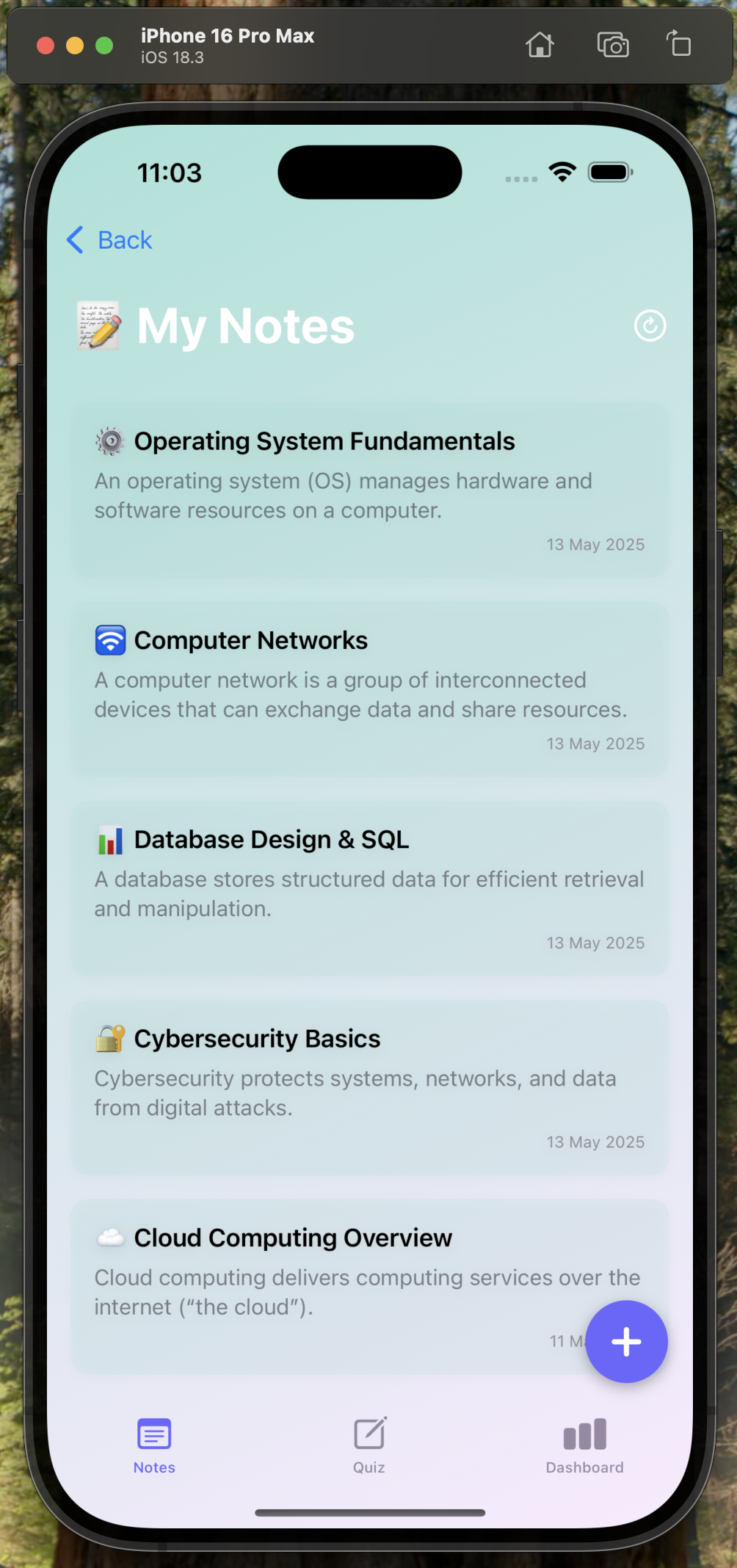 |
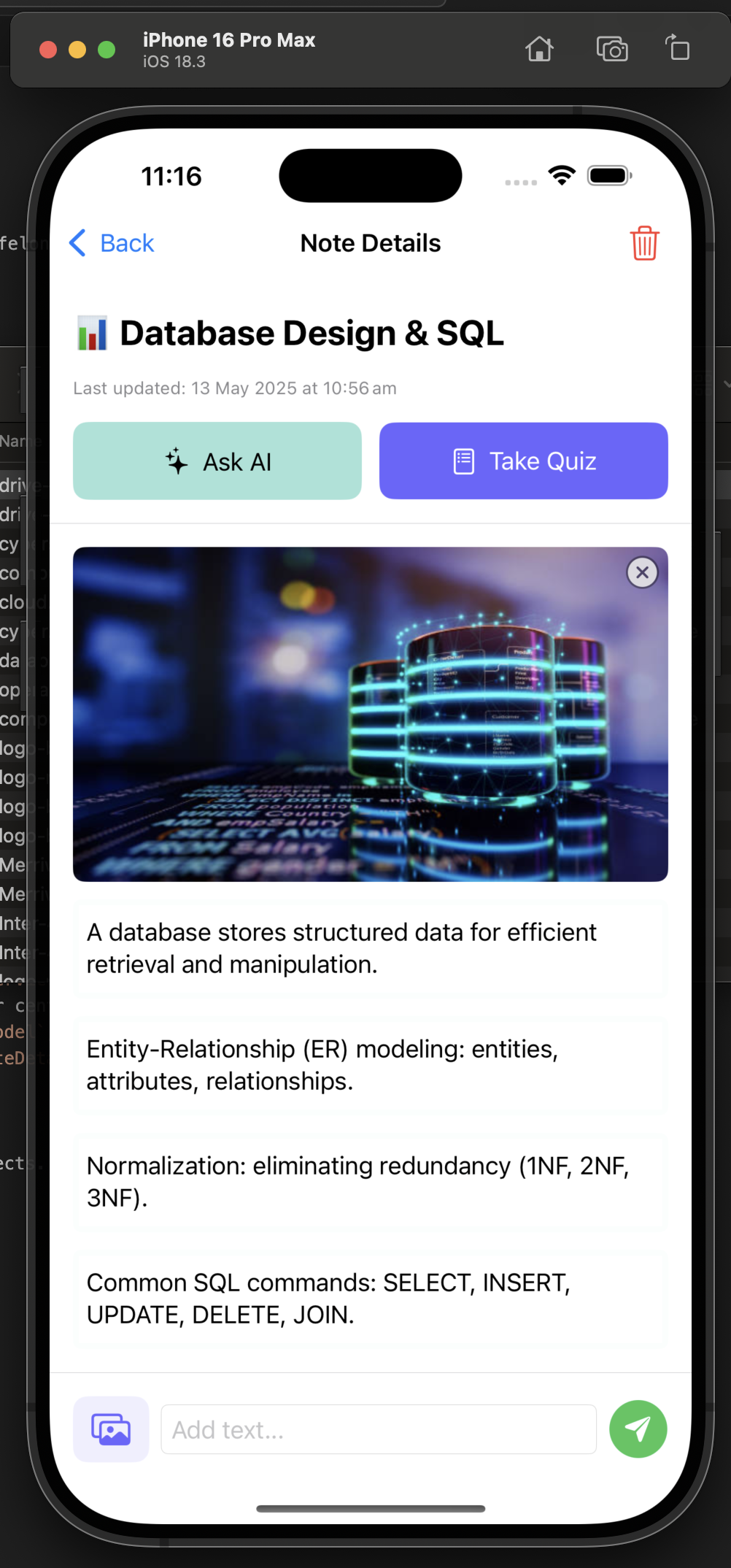 |
| Quiz Taking | Dashboard |
|---|---|
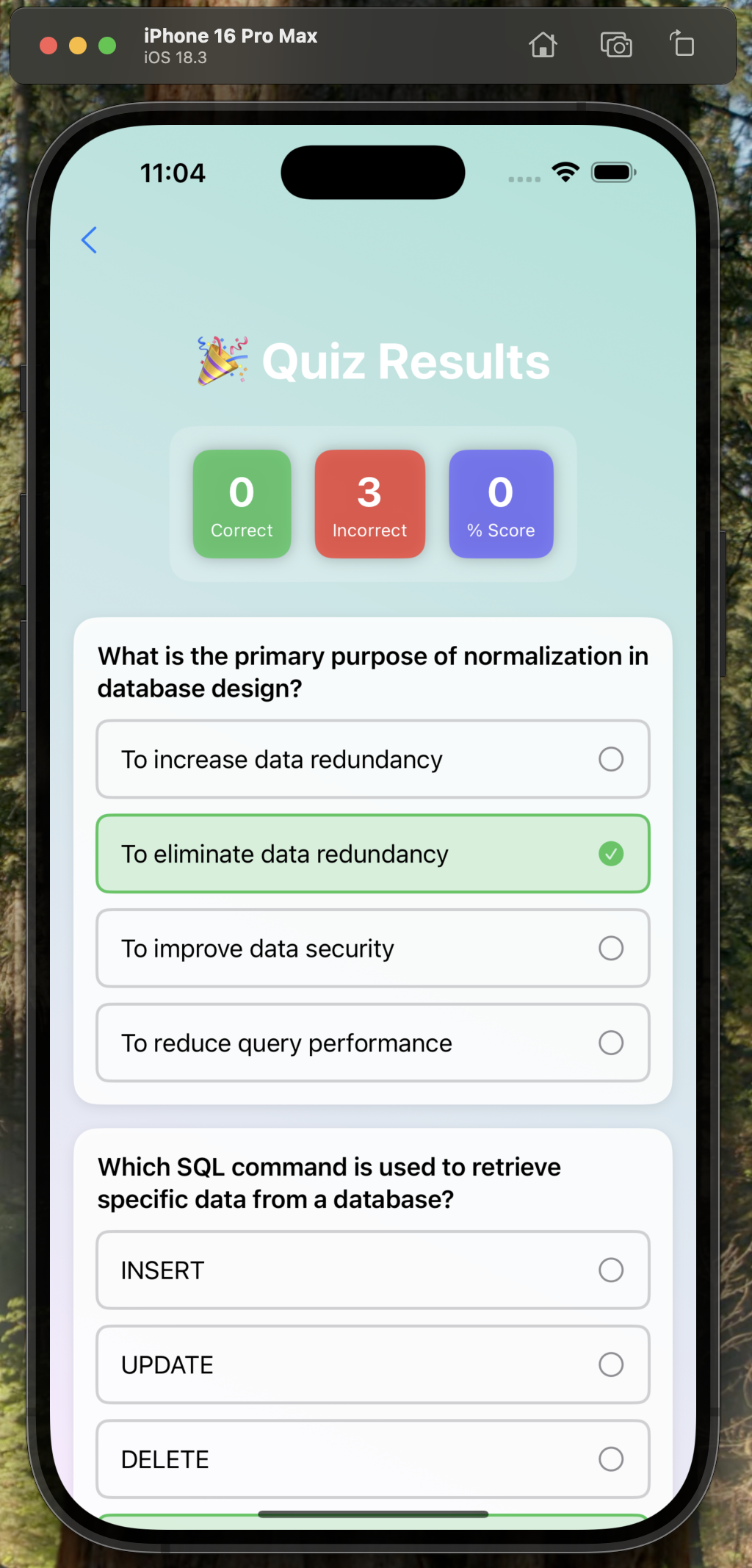 |
 |
- Note Management: Create, edit, and organise text & image notes.
- AI Assistant: Ask questions about your notes; answers powered by Groq LLM.
- Quiz Generation: Auto-create multiple-choice quizzes from your note content.
- Performance Dashboard: Visualise quiz scores, track progress by topic, and get AI feedback.
- Secure Auth: Firebase Authentication & Firestore for data sync.
- Image Uploads: Cloudinary integration for fast, reliable media storage.
| Folder / File | Purpose |
|---|---|
| Models/ | Data structures (User, Note, Quiz, etc.) |
| Services/ | API & backend layers (FirebaseService, CloudinaryService, AIService) |
| Utilities/ | Helpers (UserDefaultsUtil, NavigationUtil, constants) |
| ViewModels/ | MVVM state & logic (AuthViewModel, NoteViewModel, DashboardViewModel, QuizViewModel) |
| Views/ | SwiftUI screens & components (LoginView, NoteListView, NoteDetailsView, DashboardView) |
| StudySnapApp.swift | App entry point (@main), injects environment objects |
| GoogleService-Info.plist | Firebase config |
| .env | Environment variables (API keys, Cloudinary presets) |
- Language: Swift 5.x
- UI: SwiftUI
- Backend: Firebase Auth & Firestore
- Storage: Cloudinary
- AI: Groq API
- Clone the repo.
- Add
GoogleService-Info.plist(Firebase). - Product > Scheme > Edit Scheme > Add Environment Variables
- Build & run on Simulator or device.
GROQ_API_KEY=XXX
CLOUDINARY_CLOUD_NAME=XXXX
CLOUDINARY_UPLOAD_PRESET=XXXX
GROQ_MODEL_NAME=XXXX
- Fendy Lomanjaya
- Mohammad Hasin Bin Sadique
- Arbaz Rahimbhai Malek
Crafted with clean architecture and modern UI/UX for focused, AI-powered studying.