


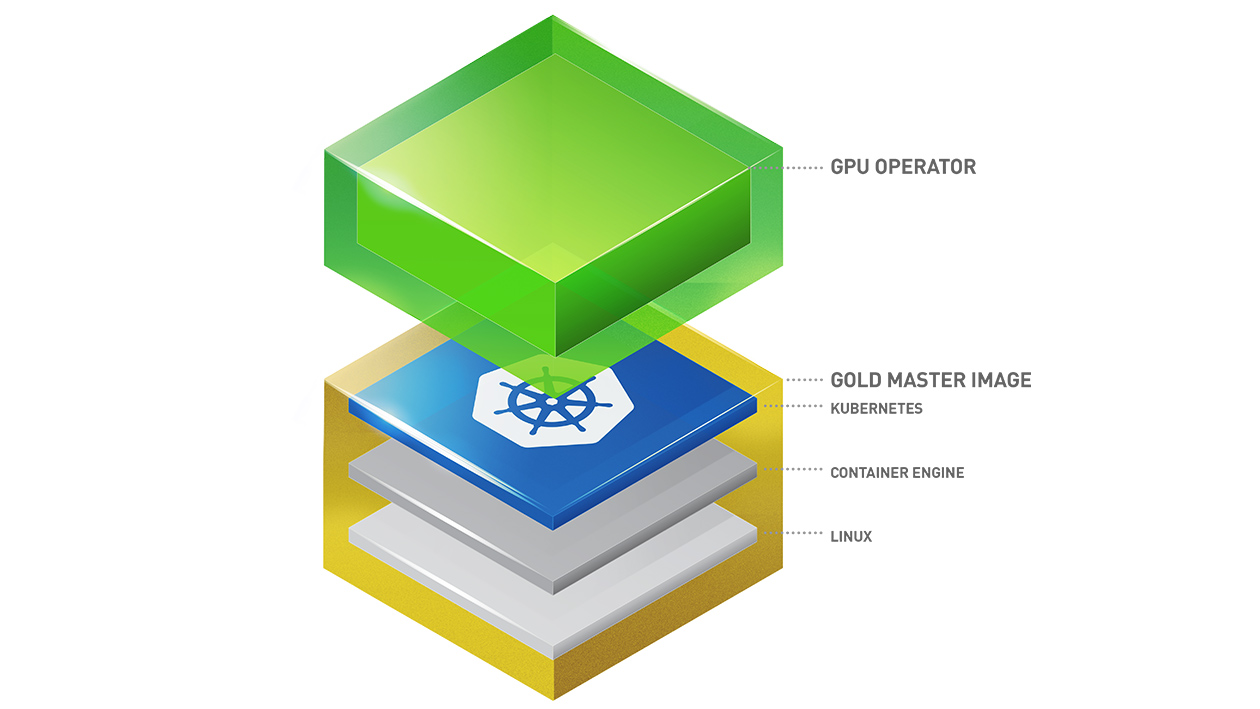
Kubernetes provides access to special hardware resources such as NVIDIA GPUs, NICs, Infiniband adapters and other devices through the device plugin framework. However, configuring and managing nodes with these hardware resources requires configuration of multiple software components such as drivers, container runtimes or other libraries which are difficult and prone to errors. The NVIDIA GPU Operator uses the operator framework within Kubernetes to automate the management of all NVIDIA software components needed to provision GPU. These components include the NVIDIA drivers (to enable CUDA), Kubernetes device plugin for GPUs, the NVIDIA Container Runtime, automatic node labelling, DCGM based monitoring and others.
The GPU Operator allows administrators of Kubernetes clusters to manage GPU nodes just like CPU nodes in the cluster. Instead of provisioning a special OS image for GPU nodes, administrators can rely on a standard OS image for both CPU and GPU nodes and then rely on the GPU Operator to provision the required software components for GPUs.
Note that the GPU Operator is specifically useful for scenarios where the Kubernetes cluster needs to scale quickly - for example provisioning additional GPU nodes on the cloud or on-prem and managing the lifecycle of the underlying software components. Since the GPU Operator runs everything as containers including NVIDIA drivers, the administrators can easily swap various components - simply by starting or stopping containers.
For information on platform support and getting started, visit the official documentation repository.
How to easily use GPUs on Kubernetes
Read the document on contributions. You can contribute by opening a pull request.
Please open an issue on the GitHub project for any questions. Your feedback is appreciated.
When the operator configures a node for vm-vgpu workloads it now reports the license state directly through the Kubernetes API:
- Each vGPU node receives an annotation
nvidia.com/vgpu-license-statusesthat contains a JSON snapshot of the most recentnvidia-smi vgpu -qoutput, including per-device status and expiry timestamps. - The
ClusterPolicyresource exposes aLicensedcondition that summarizes the state of every vGPU node. It turnsFalseif any device is unlicensed or nearing expiry, andUnknownif data from the node-status-exporter is missing.
You can inspect the node-level data with:
kubectl get node <name> -o jsonpath='{.metadata.annotations.nvidia\.com/vgpu-license-statuses}'and the cluster-level summary through:
kubectl get clusterpolicy gpu-cluster-policy -o jsonpath='{.status.conditions[?(@.type=="Licensed")]}'This makes it easier for users and automation to diagnose misconfigured or expired licenses without shelling into the node.