



@flyskywhy/react-native-gcanvas is a C++ native canvas 2D/WebGL component based on gpu opengl glsl shader GCanvas which is a lightweight cross-platform graphics rendering engine for mobile devices developed by Alibaba. It is written with C++ based on OpenGL ES, so it can provide high performance 2D/WebGL rendering capabilities for JavaScript runtime. It also has browser-like canvas APIs, so it's very convenient and flexiable for use, especially for web developers.
Supported operating systems are Android 4.1+ (API 16) and iOS 9.0+.
Since Alibaba feat: delete weex bridge & reactive bridge, here comes this @flyskywhy/react-native-gcanvas package.
- Performance Test Result
- Getting Started
- Example As Usage
- Documentation
- Built With
- Opening Issues
- Contributing
- License
With 200 circles backgroundColor generate (1 ms) and render continually, the render ms and final fps with Chrome Performance on Windows:
setState  80 ms        means 12 fps  (stuck for human eyes)
canvas    1.5 ms       means 400 fps (smooth for human eyes)
With 800 circles backgroundColor generate and render continually, the final UI fps and JS fps with react-native developer menu Perf Monitor on an old Huawei Honor 6 Play smartphone released in 2017 (Mediatek MT6737T 1.4 GHz, 2 GB RAM, Android 6):
setNativeProps        UI: 20 fps       JS: 1 fps  (stuck for human eyes)
expo-2d-context       UI: 56 fps       JS: 1 fps  (stuck for human eyes)
react-native-gcanvas  UI: 56 fps       JS: 20 fps (smooth for human eyes)
On an old iPhone 7:
With 800 circles backgroundColor generate and render continually
setNativeProps        UI: 60 fps       JS: 15 fps (smooth for human eyes)
react-native-gcanvas  UI: 20 fps       JS: 59 fps (stuck for human eyes)
react-native-gcanvas in release mode              (smooth for human eyes)
With 1400 circles backgroundColor generate and render continually
setNativeProps        UI: 59 fps       JS: 7 fps  (smooth for human eyes)
react-native-gcanvas  UI: 10 fps       JS: 58 fps (stuck for human eyes)
react-native-gcanvas in release mode              (smooth for human eyes)
gl-react maybe can deal with the performance problem, but it need developer directly code with GLSL (OpenGL Shading Language), and there is no way to let many React components developed by browser-like canvas APIs be easily ported to React Native.
react-three-fiber maybe can deal with the performance problem, but memory leak when meshes update, Leaking WebGLRenderer and more when unmounting, Suggestion: Dispose of renderer context when canvas is destroyed?, and there is no way to let many React components developed by browser-like canvas APIs be easily ported to React Native.
expo-2d-context can let many React components developed by browser-like canvas APIs be easily ported to React Native, but it need ctx.flush() that not belongs to canvas 2d APIs, and it's performance is too low.
Ref to Experiments with High Performance Animation in React Native, it use many ways include setNativeProps and React Native NanoVG. Maybe nanovg can deal with the performance problem, but for now (2020.12) there is no React Native canvas component using nanovg to let many React components developed by browser-like canvas APIs be easily ported to React Native.
So for now (2020.12), @flyskywhy/react-native-gcanvas is the best choice.
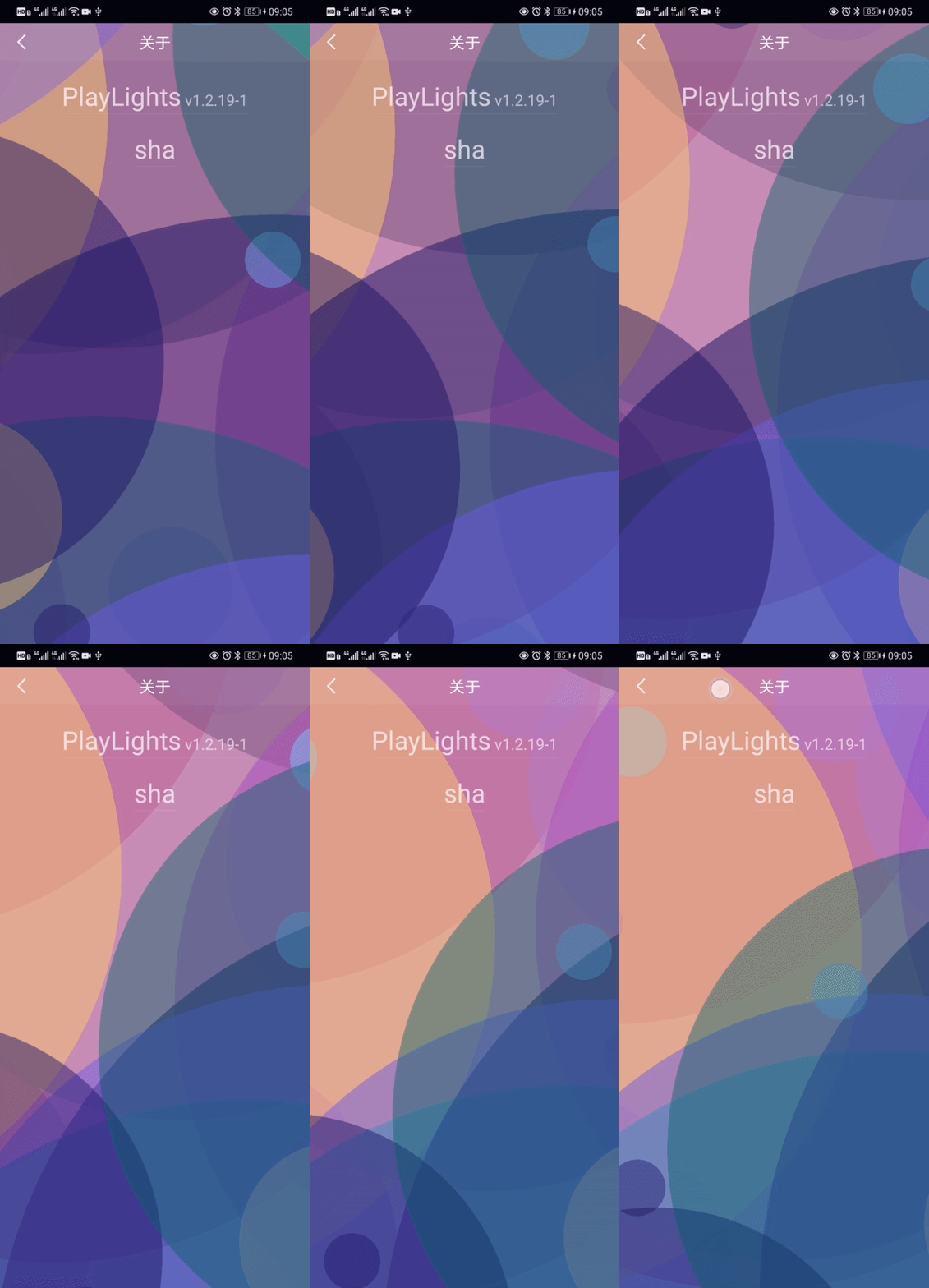
- react-native-particles-bg just ported one file to Support react-native from particles-bg which based on Proton. You can also compare it with react-native-particles-webgl which based on memory leaking react-three-fiber. Here is a result in my APP PlayLights.
- zdog actually no need modify any code of itself as described in @flyskywhy/react-native-browser-polyfill, and here is a result.

Only support RN >= 0.62 as described in android/gcanvas_library/build.gradle
npm install @flyskywhy/react-native-gcanvas --save
Add below into /android/settings.gradle
include ':android:gcanvas_library'
project(':android:gcanvas_library').projectDir = new File(rootProject.projectDir, '../node_modules/@flyskywhy/react-native-gcanvas/android/gcanvas_library')
include ':android:bridge_spec'
project(':android:bridge_spec').projectDir = new File(rootProject.projectDir, '../node_modules/@flyskywhy/react-native-gcanvas/android/bridge_spec')
include ':android:adapters:gcanvas_imageloader_fresco'
project(':android:adapters:gcanvas_imageloader_fresco').projectDir = new File(rootProject.projectDir, '../node_modules/@flyskywhy/react-native-gcanvas/android/adapters/gcanvas_imageloader_fresco')
include ':android:adapters:bridge_adapter'
project(':android:adapters:bridge_adapter').projectDir = new File(rootProject.projectDir, '../node_modules/@flyskywhy/react-native-gcanvas/android/adapters/bridge_adapter')
Add below into /react-native.config.js
const path = require('path');

module.exports = {
  dependencies: {
    '@flyskywhy/react-native-gcanvas': {
      platforms: {
        android: {
          packageImportPath: 'import com.taobao.gcanvas.bridges.rn.GReactPackage;',
        },
      },
    },
  },
};
Sometimes will meet compile error java.io.FileNotFoundException: SOME_PATH/.cxx/cmake/SOME_PATH/android_gradle_build.json (The system cannot find the file specified) after upgrade this pacakge by npm install, can solve it by add --rerun-tasks to your gradlew command once like
./android/gradlew assembleDebug --rerun-tasks -p ./android/
Add below into /ios/Podfile
pod "GCanvas", :path => "../node_modules/@flyskywhy/react-native-gcanvas/GCanvas.podspec"
cd YOUR_PROJECT/ios
pod install
When I use react-native-web, I also use react-app-rewired as described in my blog:
With react-app-rewired, my react-native-web@0.15.0 and RN 0.63+ without expo project works fine, you can try it.
3D webgl examples see webgl_demo.
gl.UNPACK_FLIP_Y_WEBGL is not support in webgl_demo/texture.js, and will not be supported ref to y-orientation for texImage2D from HTML elements.
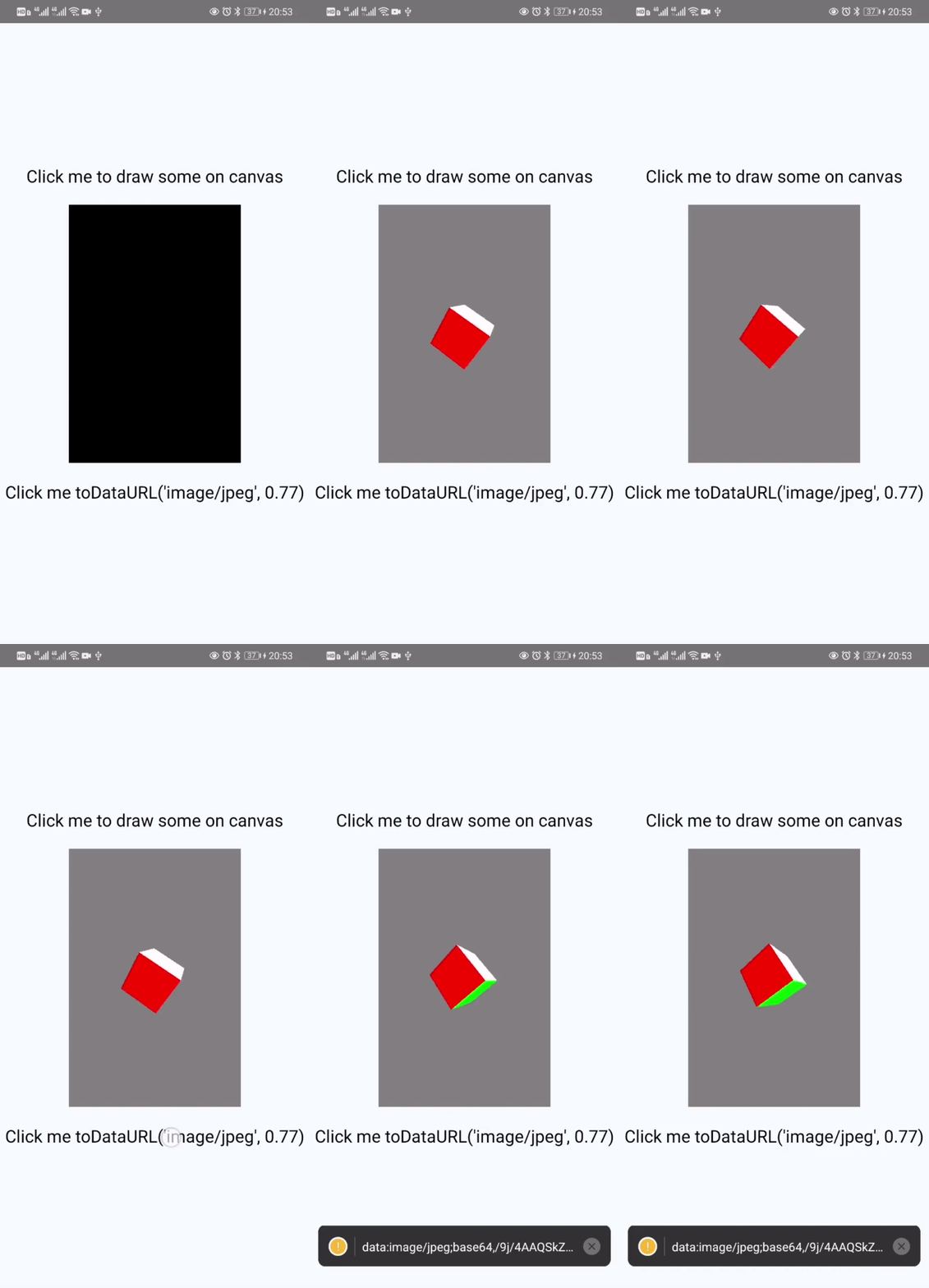
Here is the result of webgl_demo/cube.js.

import React, {Component} from 'react';
import {
  Platform,
  StyleSheet,
  Text,
  TouchableOpacity,
  View,
} from 'react-native';
import {GCanvasView, GImage} from '@flyskywhy/react-native-gcanvas';
import {Asset} from 'expo-asset';

export default class App extends Component {
  constructor(props) {
    super(props);
    this.canvas = null;
    this.state = {
      debugInfo: 'Click me to draw some on canvas',
    };

    // only useful on Android, because it's always true on iOS
    this.isGReactTextureViewReady = true;
  }

  componentDidMount() {
    if (Platform.OS === 'web') {
      const resizeObserver = new ResizeObserver((entries) => {
        for (let entry of entries) {
          if (entry.target.id === 'canvasExample') {
            let {width, height} = entry.contentRect;
            this.onCanvasResize({width, height, canvas: entry.target});
          }
        }
      });
      resizeObserver.observe(document.getElementById('canvasExample'));
    }
  }

  initCanvas = (canvas) => {
    if (this.canvas) {
      return;
    }

    this.canvas = canvas;
    if (Platform.OS === 'web') {
      // canvas.width not equal canvas.clientWidth but "Defaults to 300" ref
      // to https://developer.mozilla.org/en-US/docs/Web/HTML/Element/canvas,
      // so have to assign again, unless <canvas width=SOME_NUMBER/> in render()
      this.canvas.width = this.canvas.clientWidth;
      this.canvas.height = this.canvas.clientHeight;
    }
    // should not name this.context because this.context is already be {} here and will
    // be {} again after componentDidUpdate() on react-native or react-native-web, so
    // name this.ctx
    this.ctx = this.canvas.getContext('2d');
  };

  onCanvasResize = ({width, height, canvas}) => {
    canvas.width = width;
    canvas.height = height;
    this.drawSome();
  };

  drawSome = async () => {
    // On Android, sometimes this.isGReactTextureViewReady is false e.g.
    // navigate from a canvas page into a drawer item page with
    // react-navigation on Android, the canvas page will be maintain
    // mounted by react-navigation, then if you continually call
    // this drawSome() in some loop, it's wasting CPU and GPU,
    // if you don't care about such wasting, you can delete
    // this.isGReactTextureViewReady and related onIsReady.

    if (this.ctx && this.isGReactTextureViewReady) {
      this.ctx.clearRect(0, 0, this.canvas.width, this.canvas.height);

      this.ctx.beginPath();

      //rect
      this.ctx.fillStyle = 'red';
      this.ctx.fillRect(0, 0, 50, 50);

      //rect
      this.ctx.fillStyle = 'green';
      this.ctx.fillRect(50, 50, 50, 50);

      this.ctx.fill();

      this.ctx.beginPath();

      //circle
      this.ctx.fillStyle = 'blue';
      this.ctx.moveTo(100, 150);
      this.ctx.arc(125, 125, 25, 0, Math.PI * 2, true);

      this.ctx.fill();

      // if `import '@flyskywhy/react-native-browser-polyfill';`, can just `let imageHttp = new Image()` here
      let imageHttp = Platform.OS === 'web' ? new Image() : new GImage();
      imageHttp.crossOrigin = true; // need this to solve `Uncaught DOMException: Failed to execute 'toDataURL' on 'HTMLCanvasElement': Tainted canvases may not be exported.` on Web
      imageHttp.onload = () => {
        this.ctx.drawImage(imageHttp, 70, 0, 112, 37);
      };
      imageHttp.onerror = (error) => {
        this.setState({
          debugInfo: error.message,
        });
      };
      // imageHttp.src =
      //   '//gw.alicdn.com/tfs/TB1KwRTlh6I8KJjy0FgXXXXzVXa-225-75.png';
      // if use `//` above, will be convert to `http:` in `packages/gcanvas/src/env/image.js`,
      // then in Android release mode, will cause error:
      // `CLEARTEXT communication to gw.alicdn.com not permitted by network security policy`,
      // so use `https://` below
      imageHttp.src =
        'https://gw.alicdn.com/tfs/TB1KwRTlh6I8KJjy0FgXXXXzVXa-225-75.png';

      let imagedata = this.ctx.getImageData(25, 25, 50, 50);
      this.ctx.putImageData(imagedata, 100, 100, 12, 12, 25, 25);

      let imageRequire = Platform.OS === 'web' ? new Image() : new GImage();
      imageRequire.onload = () => {
        this.ctx.drawImage(imageRequire, 0, 100, 120, 120);
      };
      imageRequire.onerror = (error) => {
        this.setState({
          debugInfo: error.message,
        });
      };
      let asset = await Asset.fromModule(
        require('@flyskywhy/react-native-gcanvas/tools/build_website/assets/logo-gcanvas.png'),
      );
      imageRequire.src = asset.uri;
    }
  };

  takePicture = () => {
    if (this.canvas) {
      const data = this.canvas.toDataURL();
      console.warn(data);
    }
  };

  render() {
    return (
      <View style={styles.container}>
        <TouchableOpacity onPress={this.drawSome}>
          <Text style={styles.welcome}>{this.state.debugInfo}</Text>
        </TouchableOpacity>
        {Platform.OS === 'web' ? (
          <canvas
            id={'canvasExample'}
            ref={this.initCanvas}
            style={
              {
                flex: 1,
                width: '100%',
              } /* canvas with react-native-web can't use width and height in styles.gcanvas */
            }
          />
        ) : (
          <GCanvasView
            onCanvasResize={this.onCanvasResize}
            onCanvasCreate={this.initCanvas}
            onIsReady={(value) => (this.isGReactTextureViewReady = value)}
            isGestureResponsible={true /* Here is just for example, you can remove this line because default is true */}
            isAutoClearRectBeforePutImageData={false /* default is false, if you want to be exactly compatible with Web, you can set it to true*/}
            devicePixelRatio={undefined /* Here is just for example, you can remove this line because default is undefined and means default is PixelRatio.get(), ref to "About devicePixelRatio" below */}
            style={styles.gcanvas}
          />
        )}
        <TouchableOpacity onPress={this.takePicture}>
          <Text style={styles.welcome}>Click me toDataURL()</Text>
        </TouchableOpacity>
      </View>
    );
  }
}

const styles = StyleSheet.create({
  container: {
    flex: 1,
    justifyContent: 'center',
    alignItems: 'center',
    backgroundColor: '#F5FCFF',
  },
  gcanvas: {
    flex: 1,
    width: '100%',
    // backgroundColor: '#FF000030', // TextureView doesn't support displaying a background drawable since Android API 24
  },
  welcome: {
    fontSize: 20,
    textAlign: 'center',
    marginVertical: 20,
  },
});Take width as example, in Window.devicePixelRatio:
- "display size (css pixels)" means
canvas.clientWidth - "actual size in memory" of GPU means
canvas._context.drawingBufferHeight
To avoid "blurry canvas" described in Window.devicePixelRatio
, @flyskywhy/react-native-gcanvas always set "actual size in memory" of GPU with physical pixels (despite of values into canvas.width = and canvas.height =), so canvas._context.drawingBufferHeight always equals canvas.clientWidth * PixelRatio.get() .
To be here if you want to code with css pixels, in other words, to code like the device full view width is (full physical width)/PixelRatio.get(), and iOS and Android will have the same x y scale with Web against same JS code. FE designer may prefer it.
Replace code in Window.devicePixelRatio with
canvas.width = Math.floor(size * scale);
canvas.height = Math.floor(size * scale);
if (Platform.OS === 'web') {
  ctx.scale(scale, scale);
}
and the rest code will works well.
To be here if you want to code with physical pixels. Game designer may prefer it.
Without modification, code in Window.devicePixelRatio will works well.
- Cross-platform, support popular iOS and Android.
- High performance, accelerate graphic draw by OpenGL ES.
- Provide JavaScript runtime, such as Weex and ReactNative. Convenient to use JavaScript API like HTML canvas.
- Scalable Architecture, easy to implement a GCanvas bridge by yourself following the guide Custom Native Bridge.
- Small size.
See the Introduction to GCanvas for a detailed introduction to GCanvas.
Follow Weex Setup Guide to integrate GCanvas on Weex.
GCanvas has browser-like canvas APIs, so almost all of the APIs are exactly same as HTML5 canvas. At this moment, we have already supported 90% of 2D APIs and 99% of WebGL APIs. You can find out those informations in 2D APIs and WebGL APIs.
Check Documentation for more information.
- Freetype - Used for font rendering on Android
New Changelog record in CHANGELOG for details.
If you encounter a bug with GCanvas we would like to hear about it. Search the existing issues and try to make sure your problem doesn’t already exist before opening a new issue. It’s helpful if you include the version of GCanvas and OS you’re using. Please include a stack trace and reduced repro case when appropriate, too.
Please read CONTRIBUTING for details on our code of conduct, and the process for submitting pull requests to us.
- GCanvas Open Source Team
- Li Zheng flyskywhy@gmail.com
To support my work, please consider donate.
-
ETH: 0xd02fa2738dcbba988904b5a9ef123f7a957dbb3e
-

This project is licensed under the Apache License - see the LICENSE file for details
https://www.codeproject.com/Articles/1071771/Building-FreeType-Libraries-for-x-Devices-Using-th