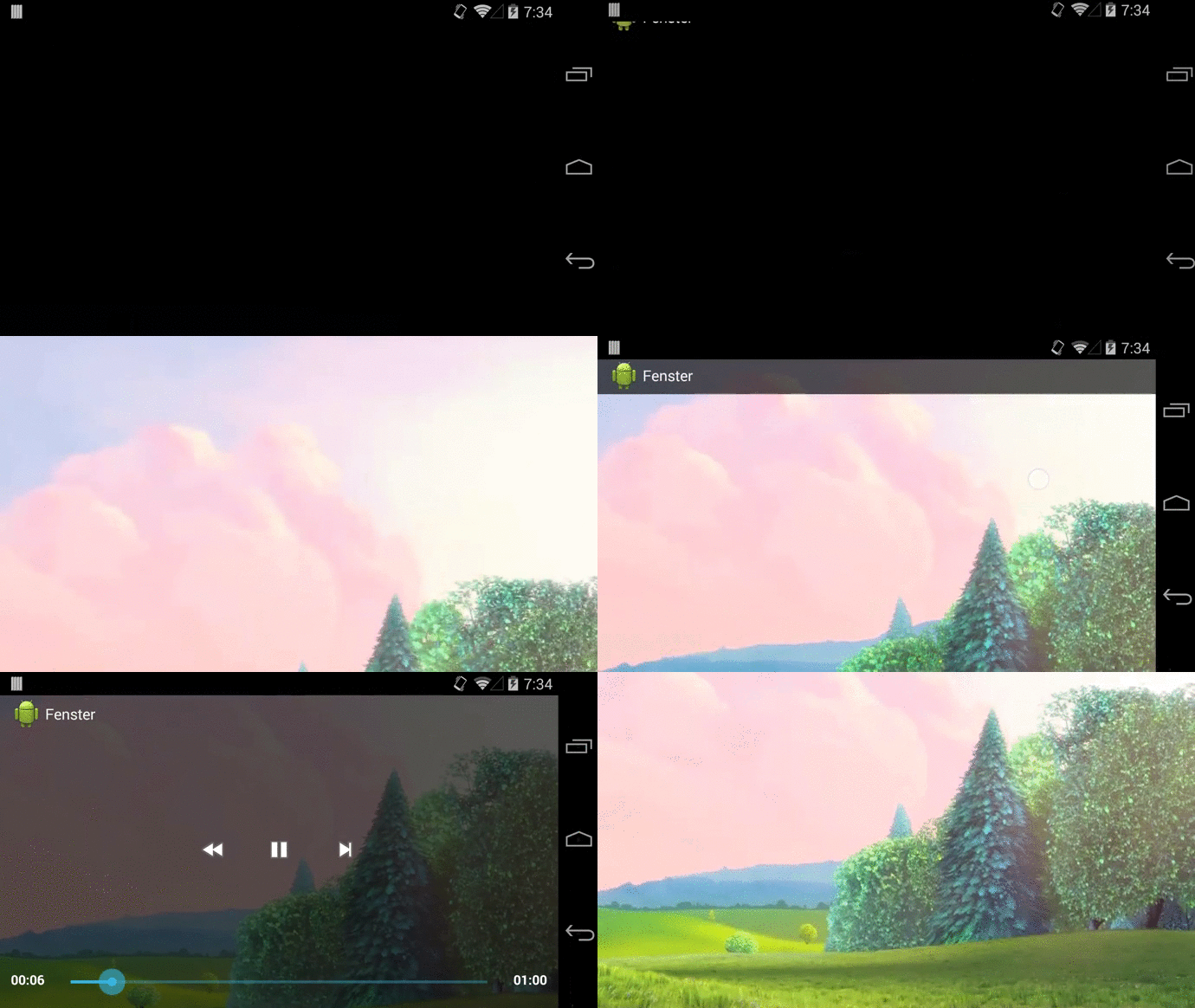
A library to display videos in a TextureView using a custom MediaPlayer controller as described in this blog post http://www.malmstein.com/how-to-use-a-textureview-to-display-a-video-with-custom-media-player-controls/

To get the current snapshot version:
buildscript {
    repositories {
        jcenter()
    }
    dependencies {
        classpath 'com.malmstein:fenster:0.0.1'
    }
}<FrameLayout xmlns:android="http://schemas.android.com/apk/res/android"
xmlns:tools="http://schemas.android.com/tools"
android:layout_width="match_parent"
android:layout_height="match_parent"
android:background="@color/default_bg"
tools:context=".DemoActivity">
<com.malmstein.fenster.view.FensterVideoView
android:id="@+id/play_video_texture"
android:layout_width="match_parent"
android:layout_height="match_parent"
android:keepScreenOn="true"
android:fitsSystemWindows="true" />
<com.malmstein.fenster.controller.MediaFensterPlayerController
android:id="@+id/play_video_controller"
android:layout_width="match_parent"
android:layout_height="wrap_content"
android:layout_alignParentBottom="true"
android:animateLayoutChanges="true"
android:fitsSystemWindows="true" />
</FrameLayout>In order to display a video, simply set the video URL and call start. You can also start the video from a desired second too.
@Override
protected void onPostCreate(Bundle savedInstanceState) {
    super.onPostCreate(savedInstanceState);

    textureView = (TextureVideoView) findViewById(R.id.play_video_texture);
    playerController = (PlayerController) findViewById(R.id.play_video_controller);

    textureView.setMediaController(playerController);

    textureView.setVideo("http://clips.vorwaerts-gmbh.de/big_buck_bunny.mp4",
                PlayerController.DEFAULT_VIDEO_START);
    textureView.start();
}By default there are the exposed listeners. The NavigationListener will listen to the to Previous and Next events triggered
by the controller. The VisibilityListener will be triggered when the PlayerController visibility changes.
playerController.setNavigationListener(this);
playerController.setVisibilityListener(this);As described in this blog post http://www.malmstein.com/how-to-use-a-textureview-to-display-a-video-with-custom-media-player-controls/ it's very simple to use. Just add a listener to Player Controller
playerController.setFensterEventsListener(this);The Fenster Events Listener allows you to react to the gestures
public interface FensterEventsListener {

    void onTap();

    void onHorizontalScroll(MotionEvent event, float delta);

    void onVerticalScroll(MotionEvent event, float delta);

    void onSwipeRight();

    void onSwipeLeft();

    void onSwipeBottom();

    void onSwipeTop();
}MediaFensterPlayerController also shows volume and brightness controls, if you just want to use a simple media controller then the recommendation is to use SimpleMediaFensterPlayerController
<FrameLayout xmlns:android="http://schemas.android.com/apk/res/android"
  xmlns:tools="http://schemas.android.com/tools"
  android:layout_width="match_parent"
  android:layout_height="match_parent"
  android:background="@color/default_bg"
  tools:context=".DemoActivity">

  <com.malmstein.fenster.view.FensterVideoView
    android:id="@+id/play_video_texture"
    android:layout_width="match_parent"
    android:layout_height="match_parent"
    android:keepScreenOn="true"
    android:fitsSystemWindows="true" />

  <com.malmstein.fenster.controller.SimpleMediaFensterPlayerController
    android:id="@+id/play_video_controller"
    android:layout_width="match_parent"
    android:layout_height="wrap_content"
    android:layout_alignParentBottom="true"
    android:animateLayoutChanges="true"
    android:fitsSystemWindows="true" />

</FrameLayout>Add them to your layout:
  <com.malmstein.fenster.seekbar.BrightnessSeekBar
    android:id="@+id/media_controller_volume"
    android:layout_width="wrap_content"
android:layout_height="wrap_content" /> <com.malmstein.fenster.seekbar.VolumeSeekBar
android:id="@+id/media_controller_volume"
android:layout_width="wrap_content"
android:layout_height="wrap_content" />Initialise them from your Fragment or Activity:
mVolume = (VolumeSeekBar) findViewById(R.id.media_controller_volume);
mVolume.initialise(this);

mBrightness = (BrightnessSeekBar) findViewById(R.id.media_controller_brightness);
mBrightness.initialise(this);
You'll get a callback when the seekbar is being dragged:
@Override
public void onVolumeStartedDragging() {
    mDragging = true;
}

@Override
public void onVolumeFinishedDragging() {
    mDragging = false;
}

@Override
public void onBrigthnessStartedDragging() {
    mDragging = true;
}

@Override
public void onBrightnessFinishedDragging() {
    mDragging = false;
}(c) Copyright 2014 David Gonzalez
Licensed under the Apache License, Version 2.0 (the "License");
you may not use this file except in compliance with the License.
You may obtain a copy of the License at
http://www.apache.org/licenses/LICENSE-2.0
Unless required by applicable law or agreed to in writing, software
distributed under the License is distributed on an "AS IS" BASIS,
WITHOUT WARRANTIES OR CONDITIONS OF ANY KIND, either express or implied.
See the License for the specific language governing permissions and
limitations under the License.