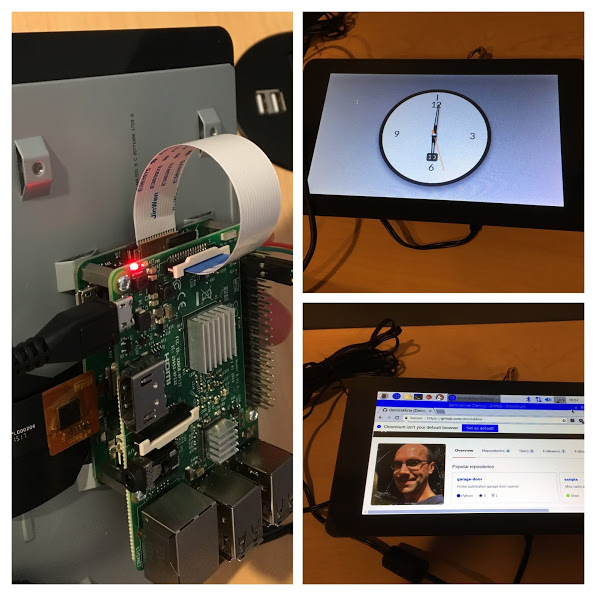
Install Node.js and npm
- nodejs is already installed on rasbian
- If running on ubuntu, an very old version will be installed with apt-get install nodejs)
- https://nodejs.org/en/download/package-manager/
curl -sL https://deb.nodesource.com/setup_8.x | sudo -E bash -sudo apt-get install -y nodejs- https://nodejs.org/en/download/package-manager/
sudo apt-get install nodejs(already installed on raspberry pi 2.4.5)sudo apt-get install npm
Setup project
cd pi-clocknpm initnpm install express --savenpm install express-generator -g(needs to run sudo to install globally)express --view=pug pi-clocknpm installnpm install --save-dev nodemon(allows file changes without restarting server each time)npm install -g bowerbower initbower install moment --save
Run Project
DEBUG=pi-clock:* npm run devstart
OpenWeatherMap
- Create an account: https://openweathermap.org/api
- Track down API Key: https://home.openweathermap.org/api_keys
- Find city id: http://bulk.openweathermap.org/sample/city.list.json.gz
Clock:
- Analog: https://codepen.io/nDav/pen/zvPJem
- Digital: https://codepen.io/icebob/pen/JYoQZg
Screen Setup:
- Connect the screen:
- Configure Kiosk Mode
- https://www.danpurdy.co.uk/web-development/raspberry-pi-kiosk-screen-tutorial
-
sudo vi /etc/xdg/lxsession/LXDE/autostart @lxpanel --profile LXDE @pcmanfm --desktop --profile LXDE #@xscreensaver -no-splash @xset s off @xset -dpms @xset s noblank @chromium --noerrdialogs --kiosk http://localhost:3000 --incognito``` - Setting LXDE or LXDE-pi does not seem to work. This does work ....
chromium-browser --kiosk http://localhost:3000/