





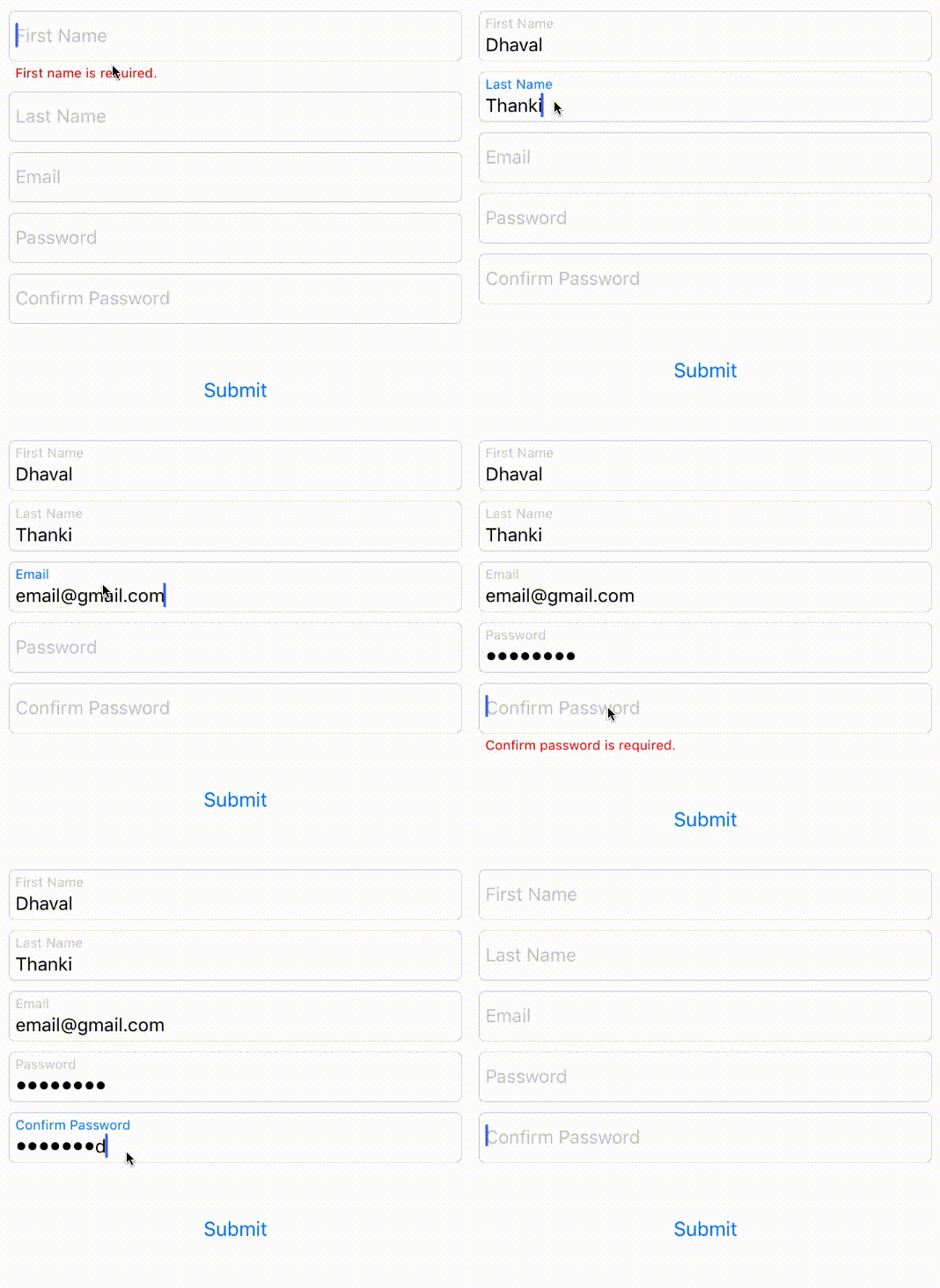
DTTextField is a UITextField library with floating placeholder and error label.
Floating placeholder inspired from JVFloatLabeledTextField 👍.
To run the example project, clone the repo, and run pod install from the Example directory first.
- Xcode 8.0
- Swift 3.0
DTTextField is available through CocoaPods. To install it, simply add the following line to your Podfile:
pod 'DTTextField'- Open a storyboard or Xib file.
- Drag and drop a
UITextFieldto a ViewController. - In Identity Inspector, replace the class from
UITextFieldtoDTTextFieldand the module toDTTextField.
| Property name | Type | Remark |
|---|---|---|
| errorMessage | String | Add your error message to this property |
| errorFont | UIFont | Change font of error text |
| paddingYErrorLabel | CGFloat | Error text top padding |
| floatPlaceholderColor | UIColor | To change float placeholder color |
| floatPlaceholderActiveColor | UIColor | To change float placeholder color while TextField is active(First responder) |
| floatPlaceholderFont | UIFont | Change font of float placeholder |
| paddingYFloatLabel | CGFloat | float placeholder top padding |
| placeholderColor | UIColor | change placeholder color |
| animateFloatPlaceholder | Bool | animate float placeholder label |
| hideErrorWhenEditing | Bool | hide error label when typing |
| floatingDisplayStatus | enum | maintain display status always, never, defaults |
| Property name | Type | Remark |
|---|---|---|
| dtLayer | CALayer | If you want to formate DTTextField than use dtLayer property instead of layer |
| borderColor | UIColor | Change border color of DTTextField |
| canShowBorder | Bool | Toggle border of DTTextField |
| Method Name | Remark |
|---|---|
| showError | to show error message |
| hideError | to hide error message |
Don't give height constraint to DTTextField otherwise it won't work properly.
- Add inbuilt validation
Dhaval Thanki 😎
DTTextField is available under the MIT license. See the LICENSE file for more info.