

-
== tiny JavaScript debugging utility /
- -- modelled AFTER -- Node.js core's debugging technique
- uses
- |
- Node.js
- web browsers
- |
- 💡exposes
debug💡- == function
-
npm install debug -
debug(nameOfYourModule)⚠️ return ONLY decorated version ofconsole.error⚠️ - == stderr
- / allow you to toggle the
- debug output / DIFFERENT parts of your module
- WHOLE module
-
Example: here
-
DEBUG- == environment variable / enable these -- based on --
- space or
- comma-delimited names
- == environment variable / enable these -- based on --
set DEBUG=*,-not_this- Example:
set DEBUG=* & node app.js
- Example:
$env:DEBUG = "*,-not_this"- Example:
$env:DEBUG='app';node app.js
- Example:
- run the program as usual
- Example:
"windowsDebug": "@powershell -Command $env:DEBUG='*';node app.js",
- Example:
- debug instance's color -- depends on -- its namespace name
- SMALL handful of basic colors
- if stderr is a TTY -> colors are enabled
- recommendations
- install the
supports-color
- install the
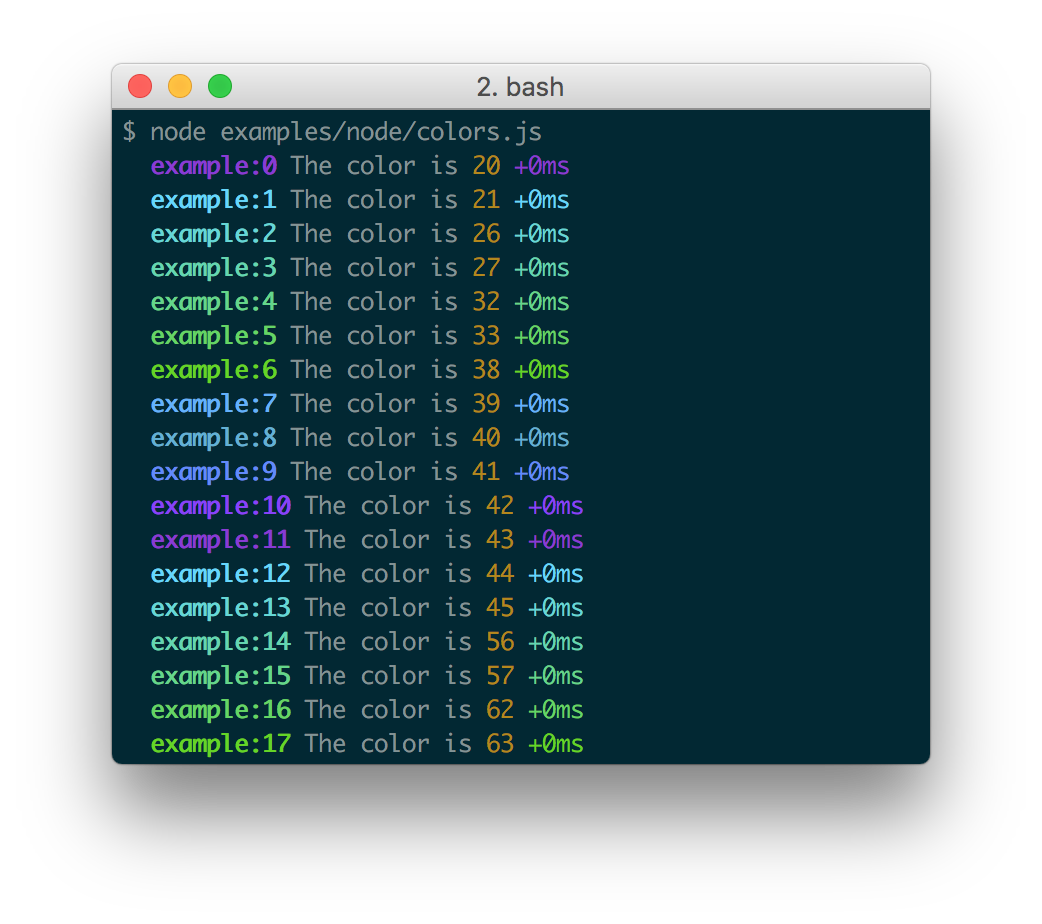
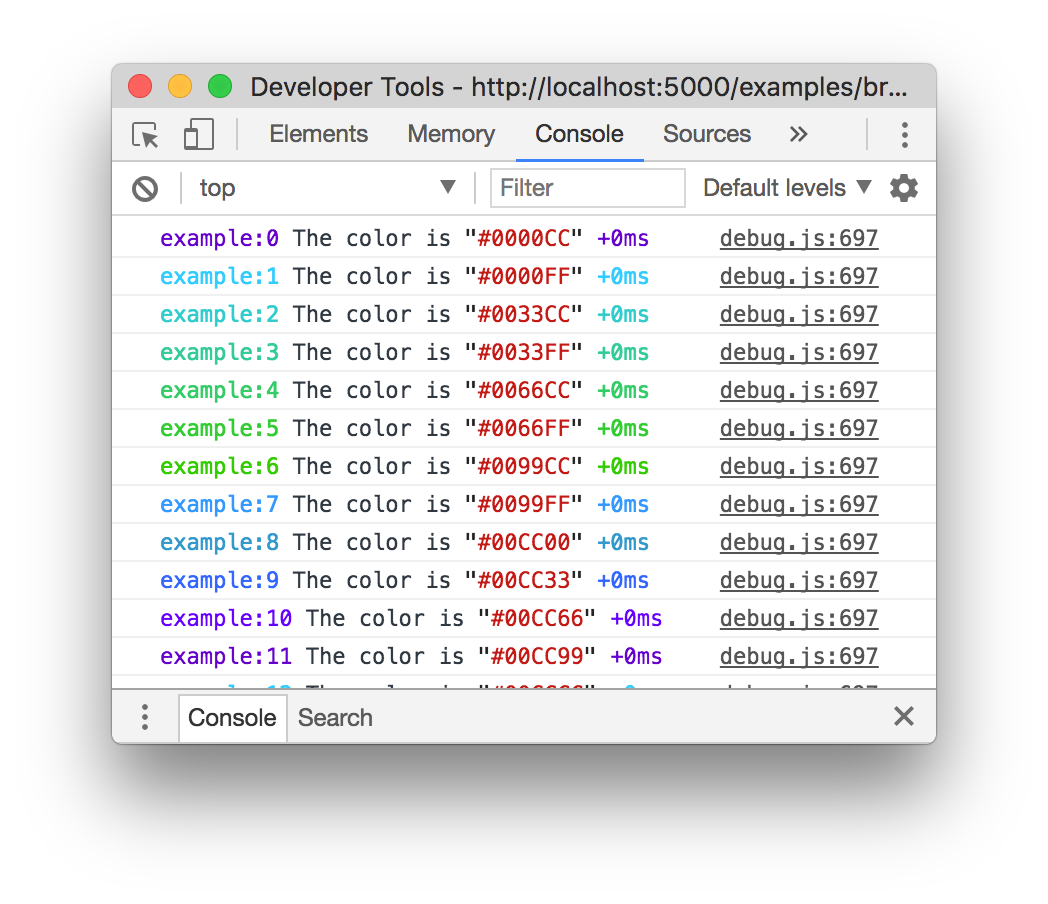
- == colors enabled | "Web Inspectors" / understand the
%cformatting option - Examples:
- WebKit web inspectors,
- Firefox v31
- Firefox's Firebug plugin | ANY version
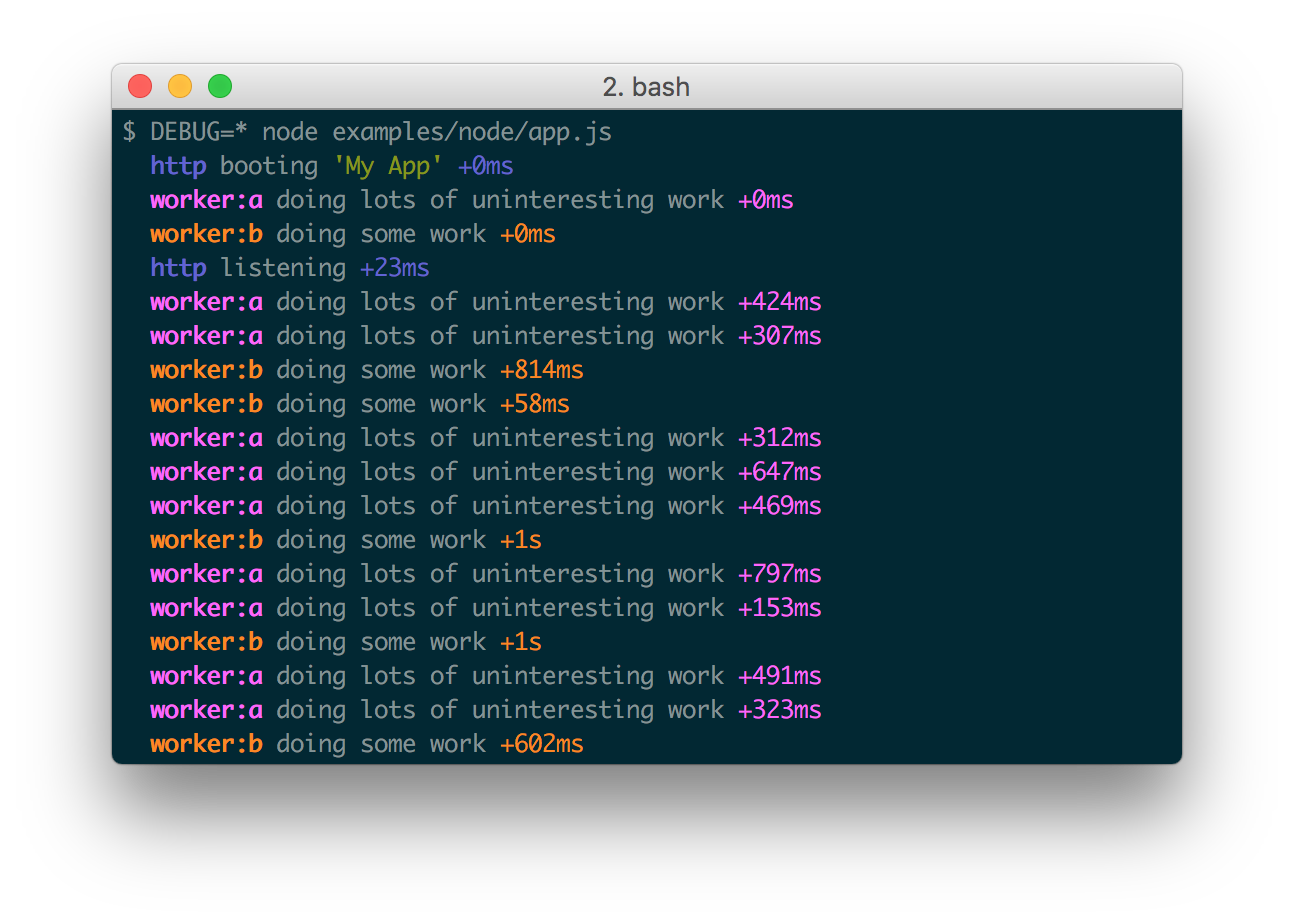
When actively developing an application it can be useful to see when the time spent between one debug() call and the next.
Suppose for example you invoke debug() before requesting a resource, and after as well, the "+NNNms" will show you how much time was spent between calls.
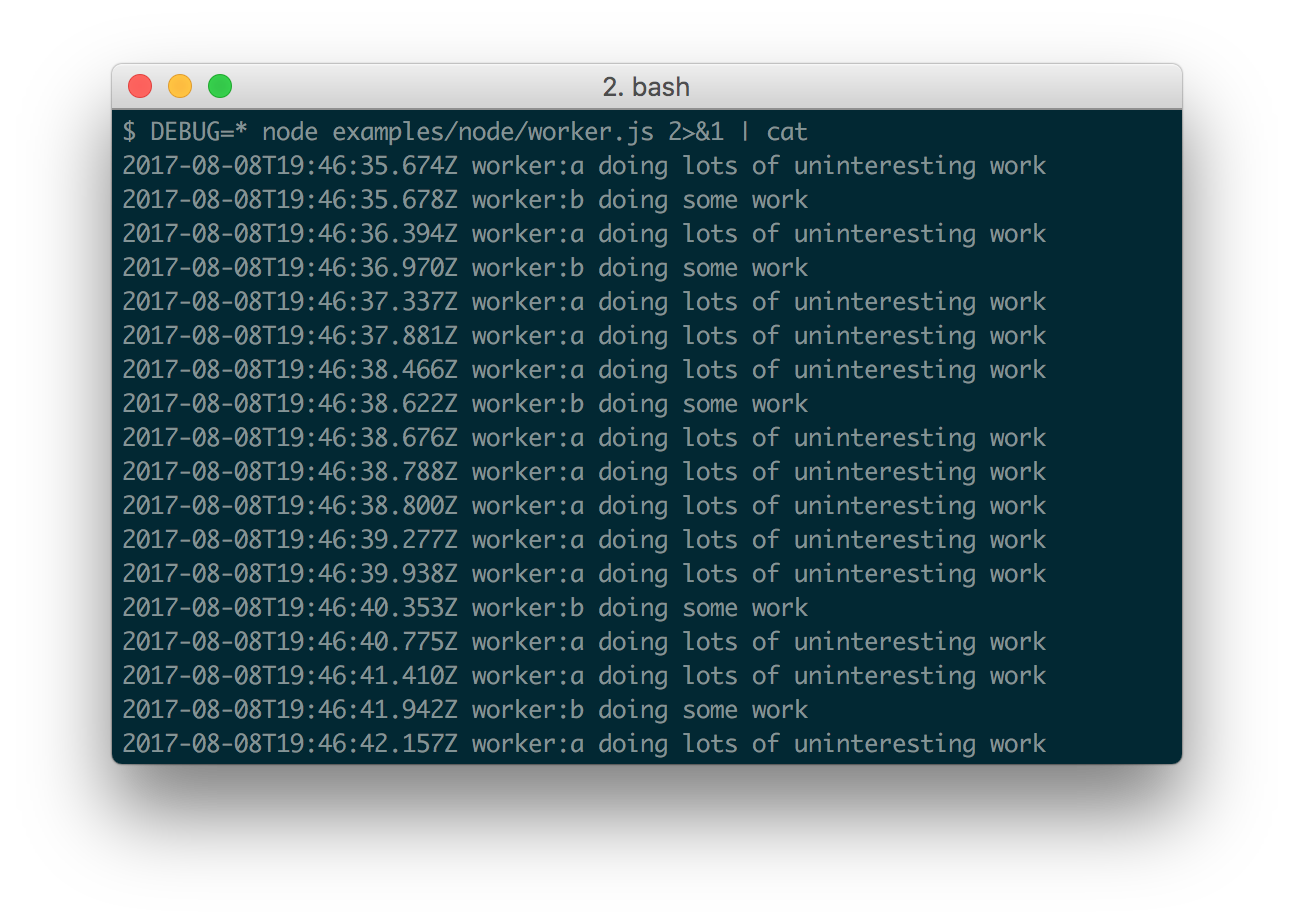
When stdout is not a TTY, Date#toISOString() is used, making it more useful for logging the debug information as shown below:
- if you're using this in one or more of your libraries, you should use the name of your library so that developers may toggle debugging as desired without guessing names.
If you have more than one debuggers you should prefix them with your library name and use ":" to separate features.
For example "bodyParser" from Connect would then be "connect:bodyParser".
If you append a "*" to the end of your name, it will always be enabled regardless of the setting of the DEBUG environment variable.
You can then use it for normal output as well as debug output.
-
-- reduce -- extra annotations
- Example:
DEBUG=connect:bodyParser,connect:compress,connect:session-- replace --DEBUG=connect:*
- Example:
-
if you want to exclude SPECIFIC debuggers -> prefix them with
-- Example:
DEBUG=*,-connect:*== include ALL debuggers / EXCEPT TO starting with "connect:"
- Example:
- change the behavior of the debug logging
| Name | Purpose |
|---|---|
DEBUG |
Enables/disables SPECIFIC debugging namespaces. |
DEBUG_HIDE_DATE |
Hide date from debug output (non-TTY). |
DEBUG_COLORS |
Whether or not to use colors in the debug output. |
DEBUG_DEPTH |
Object inspection depth. |
DEBUG_SHOW_HIDDEN |
Shows hidden properties on inspected objects. |
DEBUG_environment variable -- is converted into an -- Options object / -- gets used with --%o/%Oformatters- see Node.js
util.inspect()
- -- uses -- printf-style formatting
- officially supported formatters
| Formatter | Representation |
|---|---|
%O |
Pretty-print an Object on multiple lines. |
%o |
Pretty-print an Object all on a single line. |
%s |
String. |
%d |
Number (both integer and float). |
%j |
JSON. Replaced with the string '[Circular]' if the argument contains circular references. |
%% |
Single percent sign ('%'). This does not consume an argument. |
- steps
- extends the
debug.formattersobject
- extends the
-
if you
- want to build a browser-ready script -> use browserify
- do NOT want to build it yourself -> use the browserify-as-a-service
-
Debug's enable state -- is persisted by --
localStorage- | browser's console
localStorage.debug;
- | browser's console
-
| Chromium-based web browsers (e.g. Brave, Chrome, and Electron),
- 👀if "Verbose" log level is enabled -> JavaScript console -- by default—ONLY show -- messages / logged by
debug👀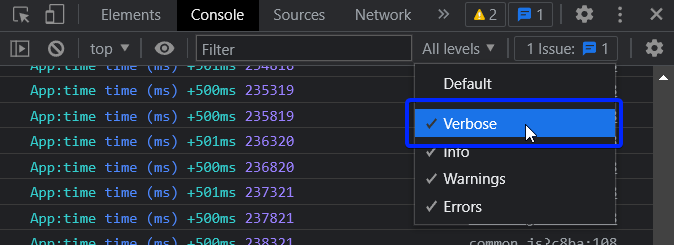
- 👀if "Verbose" log level is enabled -> JavaScript console -- by default—ONLY show -- messages / logged by
- if you want to configure
debug()behavior / per-namespace -> override thelogmethod
- Example: here
- TODO: You can also enable debug dynamically by calling the
enable()method :
let debug = require('debug');

console.log(1, debug.enabled('test'));

debug.enable('test');
console.log(2, debug.enabled('test'));

debug.disable();
console.log(3, debug.enabled('test'));
print :
1 false
2 true
3 false
Usage :
enable(namespaces)
namespaces can include modes separated by a colon and wildcards.
Note that calling enable() completely overrides previously set DEBUG variable :
$ DEBUG=foo node -e 'var dbg = require("debug"); dbg.enable("bar"); console.log(dbg.enabled("foo"))'
=> false
disable()
Will disable all namespaces. The functions returns the namespaces currently enabled (and skipped). This can be useful if you want to disable debugging temporarily without knowing what was enabled to begin with.
For example:
let debug = require('debug');
debug.enable('foo:*,-foo:bar');
let namespaces = debug.disable();
debug.enable(namespaces);
Note: There is no guarantee that the string will be identical to the initial enable string, but semantically they will be identical.
After you've created a debug instance, you can determine whether or not it is enabled by checking the enabled property:
const debug = require('debug')('http');

if (debug.enabled) {
  // do stuff...
}
You can also manually toggle this property to force the debug instance to be enabled or disabled.
Due to the way debug detects if the output is a TTY or not, colors are not shown in child processes when stderr is piped.
A solution is to pass the DEBUG_COLORS=1 environment variable to the child process.
For example:
worker = fork(WORKER_WRAP_PATH, [workerPath], {
  stdio: [
    /* stdin: */ 0,
    /* stdout: */ 'pipe',
    /* stderr: */ 'pipe',
    'ipc',
  ],
  env: Object.assign({}, process.env, {
    DEBUG_COLORS: 1 // without this settings, colors won't be shown
  }),
});

worker.stderr.pipe(process.stderr, { end: false });- MIT