

A <Hyperlink /> component for react-native that makes urls, fuzzy links, emails etc clickable
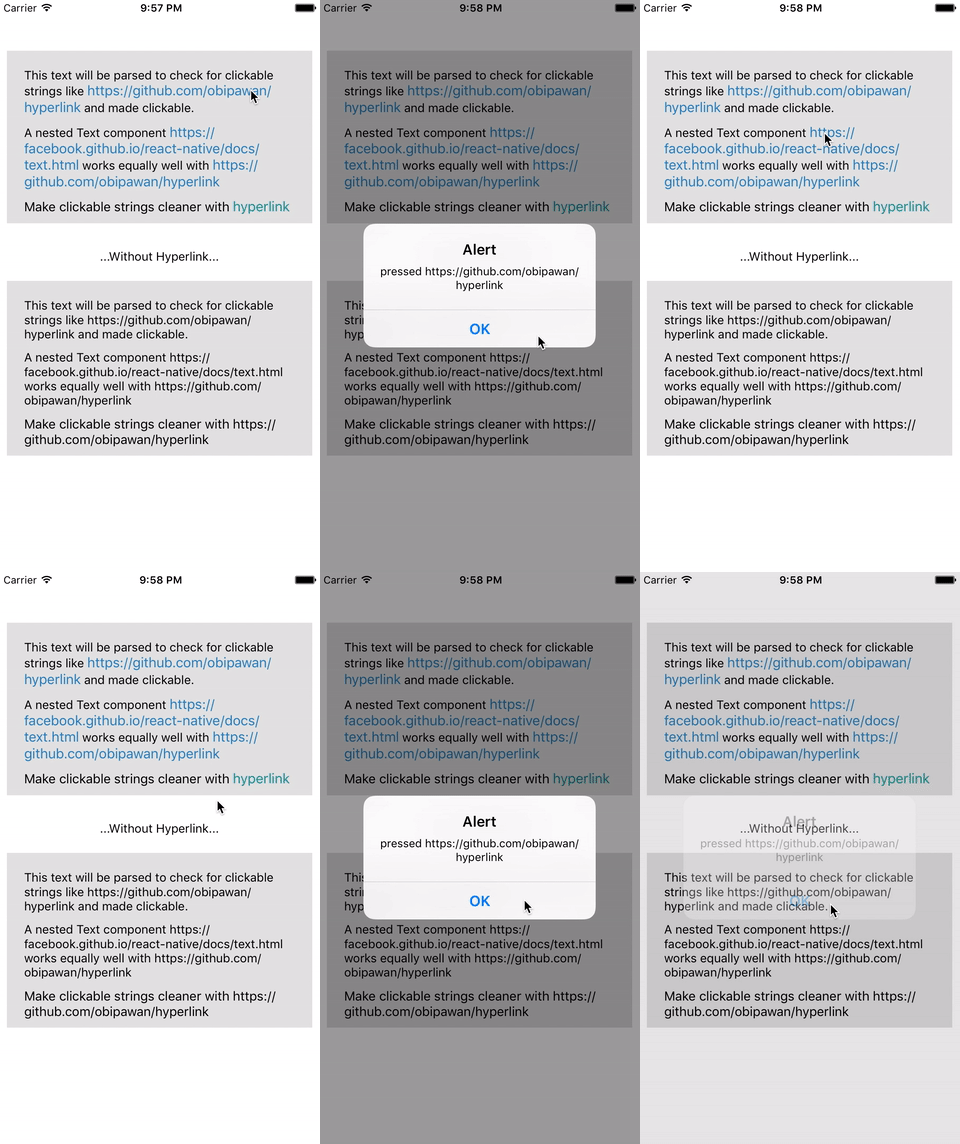
npm install --save react-native-hyperlink- To make a
<Text />component linkable, first import the component
import Hyperlink from 'react-native-hyperlink';and nest your <Text /> as a child.
module.exports = React.createClass({
    render(){
        <Hyperlink onPress={(url) => alert(url)}>
            <Text style={{fontSize:15}}>
                This text will be parsed to check for clickable strings like https://github.com/obipawan/hyperlink and made clickable.
            </Text>
        </Hyperlink>
    }
});- You can also wrap
<Hyperlink />around nested<Text />and any views with<Text />
    module.exports = React.createClass({
    render(){
        <Hyperlink onPress={(url) => alert(url)}>
            <View>
                <Text style={{fontSize:15}}>
                A nested Text component https://facebook.github.io/react-native/docs/text.html works equally well <Text>with https://github.com/obipawan/hyperlink</Text>
                </Text>
            </View>
        </Hyperlink>
    }
});- To highlight clickable links, specify
linkStyleprop
module.exports = React.createClass({
    render(){
        <Hyperlink linkStyle={{color:'#2980b9', fontSize:20}}>
            <Text style={{fontSize:15}}>
                Make clickable strings like https://github.com/obipawan/hyperlink stylable
            </Text>
        </Hyperlink>
    }
});- Use the
linkTextprop to change the visible text (funcorstring)
module.exports = React.createClass({
    render(){
        <Hyperlink linkStyle={{color:'#2980b9', fontSize:20}}
                    linkText={(url) =>{return url === 'https://github.com/obipawan/hyperlink' ? 'Hyperlink' : url}}>
            <Text style={{fontSize:15}}>
                Make clickable strings cleaner with https://github.com/obipawan/hyperlink
            </Text>
        </Hyperlink>
    }
});PRs highly appreciated
MIT License