Chosun Navi
조선대학교 SW융합대학 캡스톤디자인 우수성과물 수상
수상 확인하기
조선대 학생들을 위한 AR 네비게이션
발표 ppt로 전체 내용 확인하기
조선대 학생들이 사용 가능한 지도들의 문제점들을 파악하고 사용자를 위한 보행자용 AR네비게이션의 구현
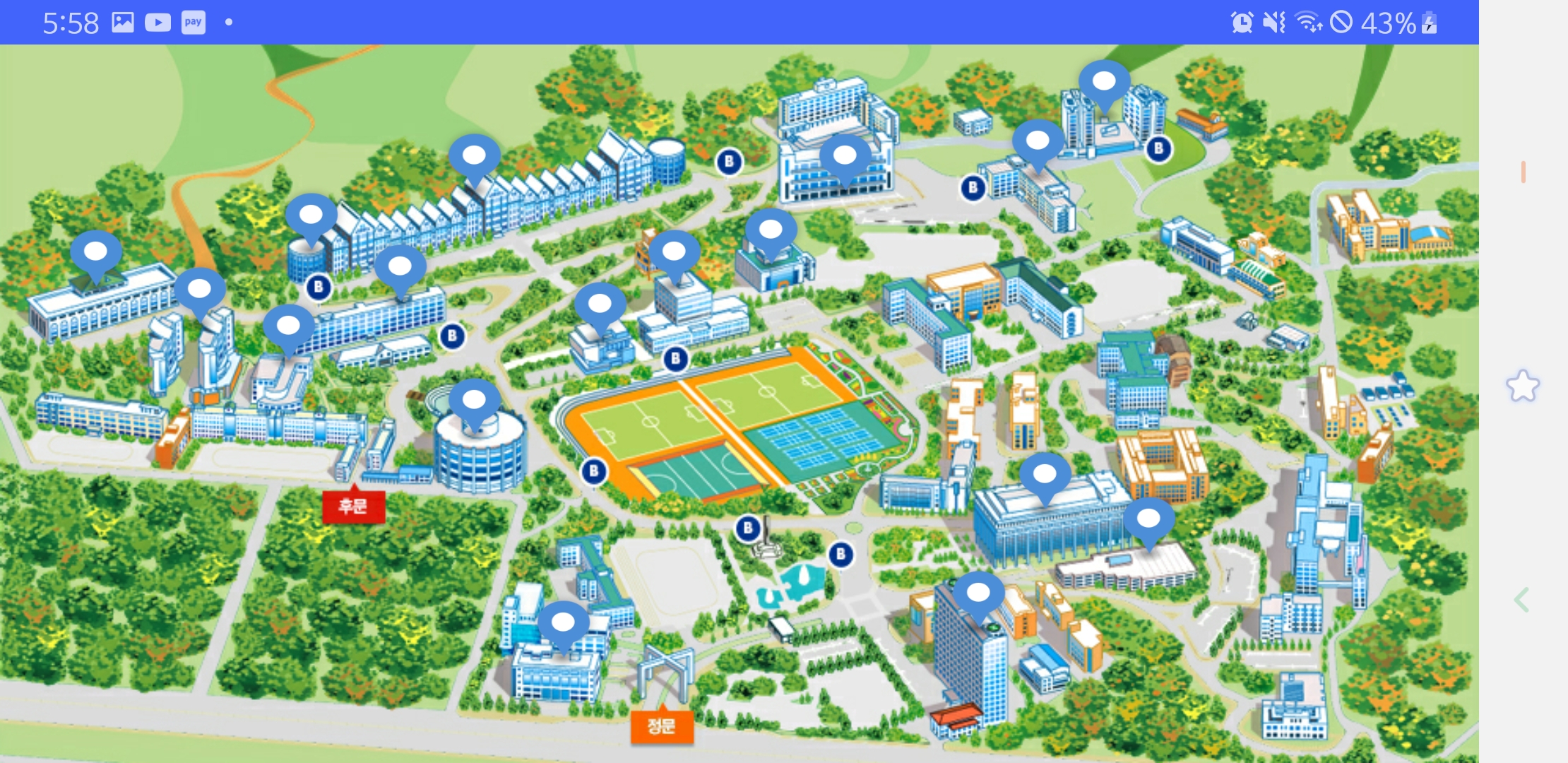
- 캠퍼스 맵 : 학교 홈페이지에서 제공하는 지도, 지도가 고정적이며 자신의 위치, 방향에 대해 파악하기 어려움. 홈페이지에 지속적으로 접속해야하는 번거로움
- 네이버 지도: 위치, 방향에대해 파악하기 쉽지만, 큰 건물에 대해서만 목적지 설정이 가능하며, 네비게이션기능은 큰 경로로만 안내함. 도보경로 부족
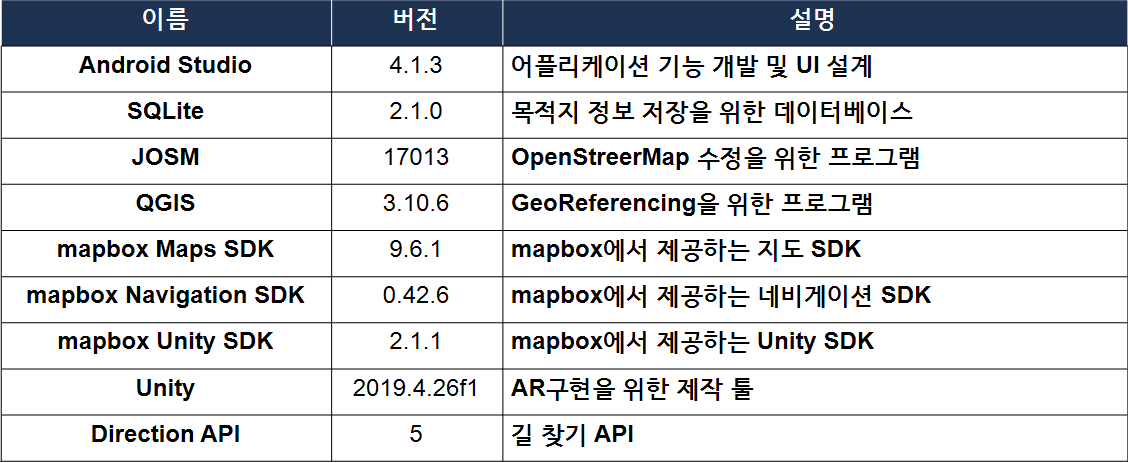
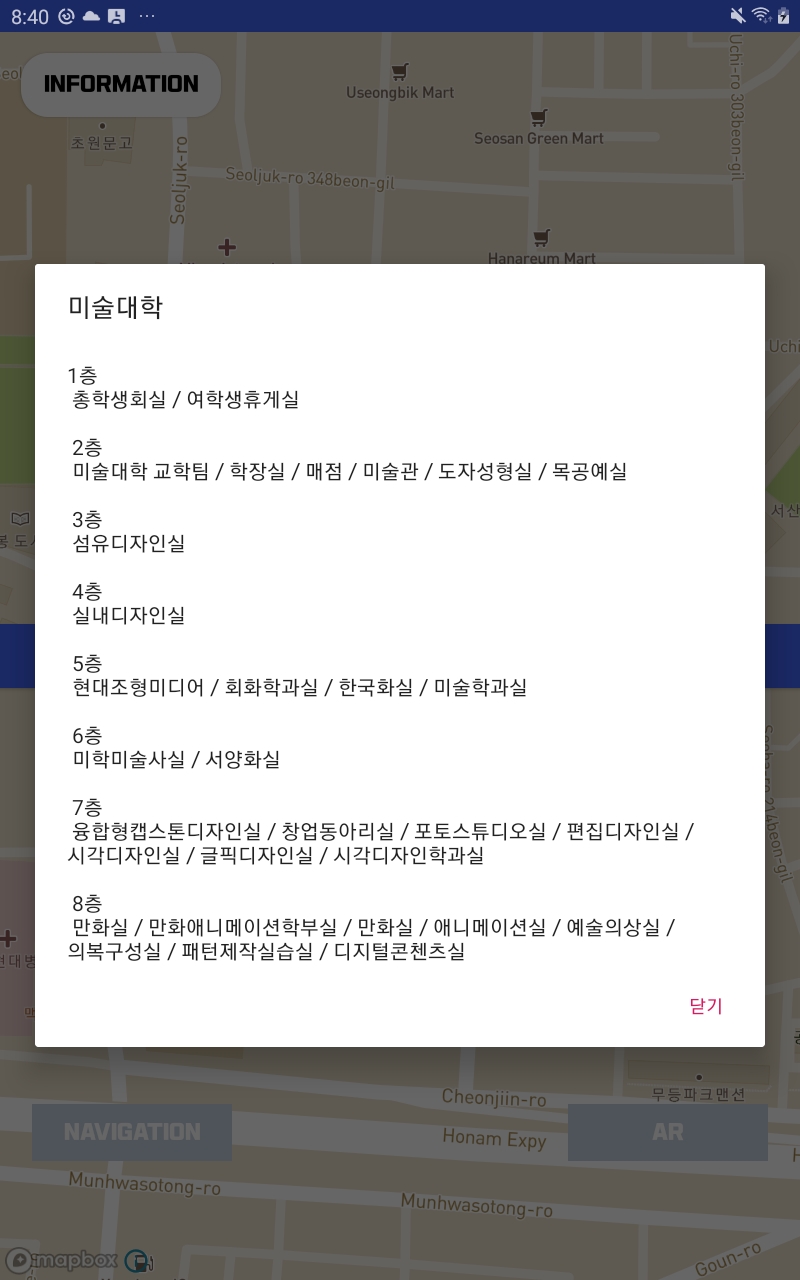
- 캠퍼스맵을 기초로 버튼 클릭 시 다이얼로그에 건물 정보를 표시해준다.(InformationActivity.java)
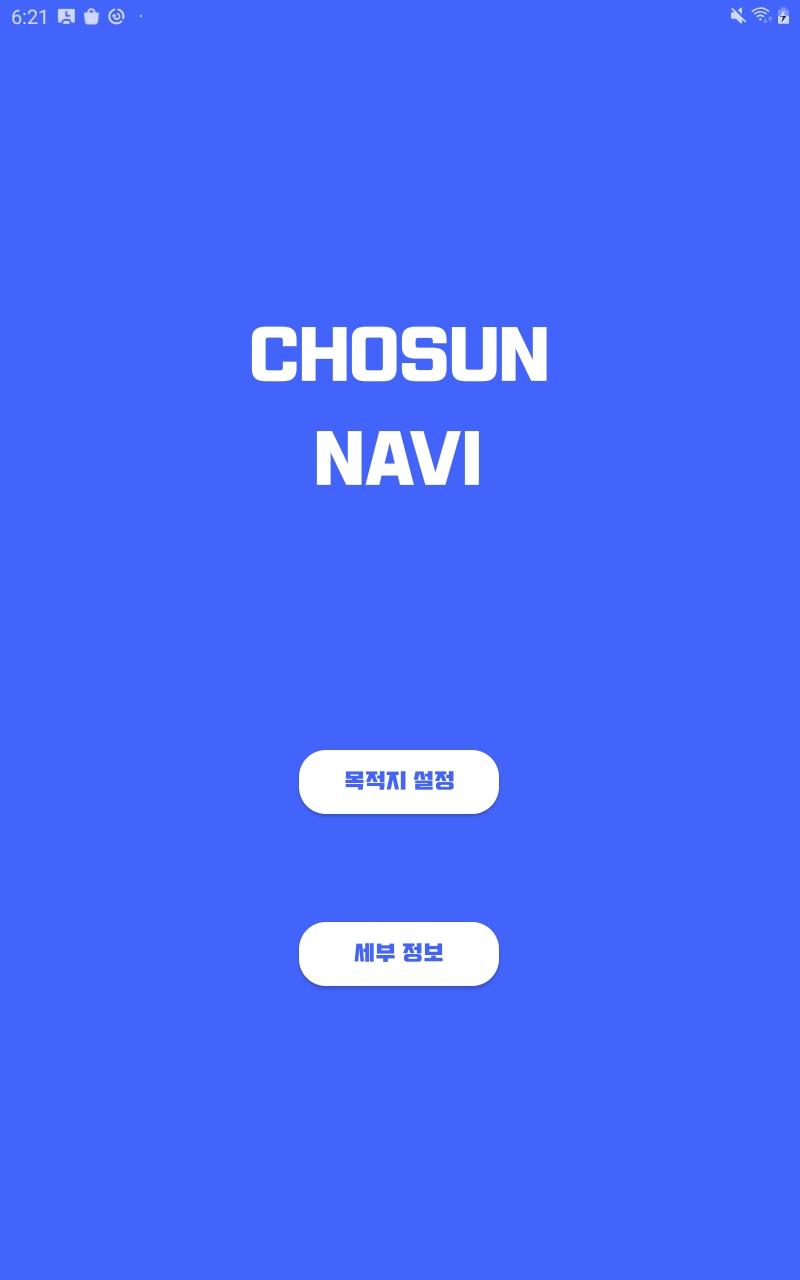
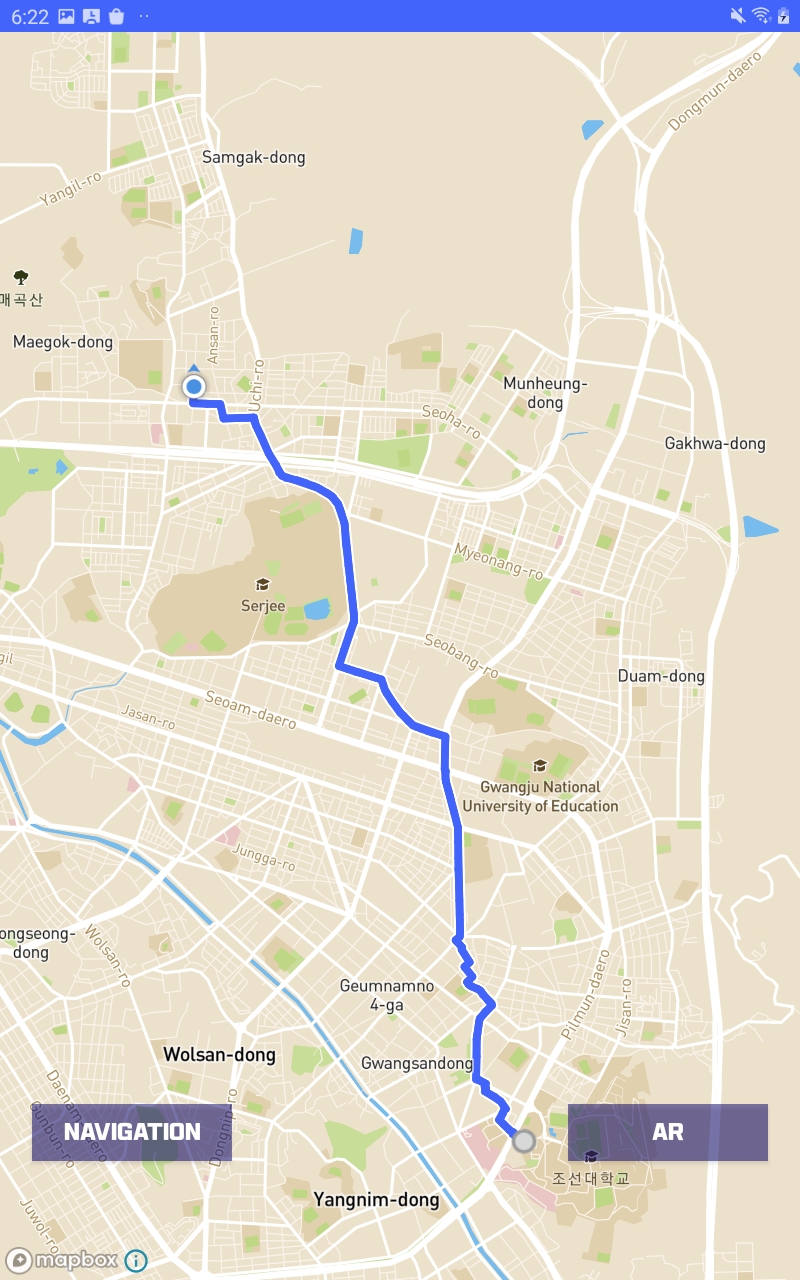
- 건물, 학과, 교수님에 대한 정보로 목적지를 선택 가능
- 키워드만 검색해도 검색 내용이 나오도록 설정(자동완성 기능)(DestinationActivity.java)
 searchView.setOnQueryTextListener(new SearchView.OnQueryTextListener() {
            @Override
            public boolean onQueryTextSubmit(String s) {
                return false;
            }

            @Override
            public boolean onQueryTextChange(String s) {
                adapter.getFilter().filter(s.toString());

                return false;
            }
});- 자동완성 필터(CustomAdapter.java)
    private Filter FilterUser = new Filter() {
        @Override
        protected FilterResults performFiltering(CharSequence charSequence) {
            String searchText = charSequence.toString().toLowerCase();
            ArrayList<ChosunDTO> tempList = new ArrayList<>();
            if (searchText.length() == 0 || searchText.isEmpty()) {
                tempList.addAll(arrayListFull);
            } else {
                for (ChosunDTO item : arrayListFull) {
                    if (item.getBuilding().contains(searchText) || (item.getMajor().contains(searchText) || (item.getProfessor().contains((searchText))))) {
                        tempList.add(item);
                    }
                }
            }
            FilterResults filterResults = new FilterResults();
            filterResults.values = tempList;
            return filterResults;
}- 목적지로 선택한 건물정보 출력(MainActivity.java)
infoButton.setOnClickListener(new View.OnClickListener() {
            @RequiresApi(api = Build.VERSION_CODES.LOLLIPOP)
            @Override
            public void onClick(View view) {
                AlertDialog dialog = new AlertDialog.Builder(MainActivity.this)
                        .setTitle(building)
                        .setMessage(msg)
                        .setNegativeButton("닫기", null)
                        .show();
            }
});- 컨버터를 활용해 DB속 건물명을 영어로 변환 후 해당 건물의 정보를 string.xml 파일에서 가져옴
        converter.convertBuildingToEng(building);
msg = getString(getResources().getIdentifier(converter.getBName(), "string", getPackageName()));- Mapbox 지도를 활용
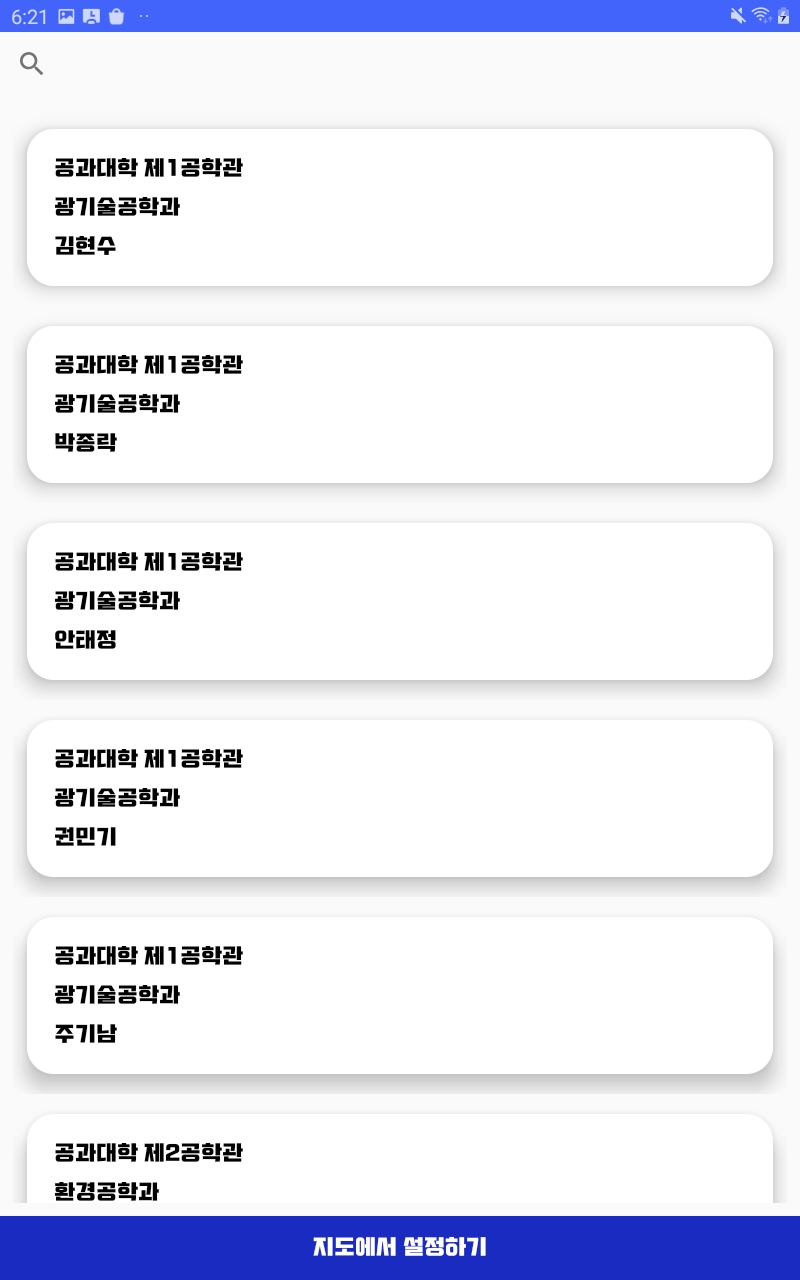
- 지도에서 직접 목적지 선택하기(MainActivity2.java)
@Override
    public boolean onMapClick(@NonNull LatLng point) {
        if (destinationMarker != null) {
            mapboxMap.removeMarker(destinationMarker);
        }
        destinationMarker = mapboxMap.addMarker(new MarkerOptions().position(point));//마커 추가
        destination = Point.fromLngLat(point.getLongitude(), point.getLatitude());//클릭한곳의 좌표
        Log.e(TAG, "destinationPosition : " + destination);
        origin = Point.fromLngLat(Lo, La);//현재 좌표
        getRoute_navi_walking(origin, destination);
        startButton.setEnabled(true);   //네비게이션 버튼 활성화
        startButton.setBackgroundResource(R.color.mapboxBlue);
        arButton.setEnabled(true);
        arButton.setBackgroundResource(R.color.mapboxBlue);
        return false;
}- Mapbox Studio를 활용한 교내 지도 제작
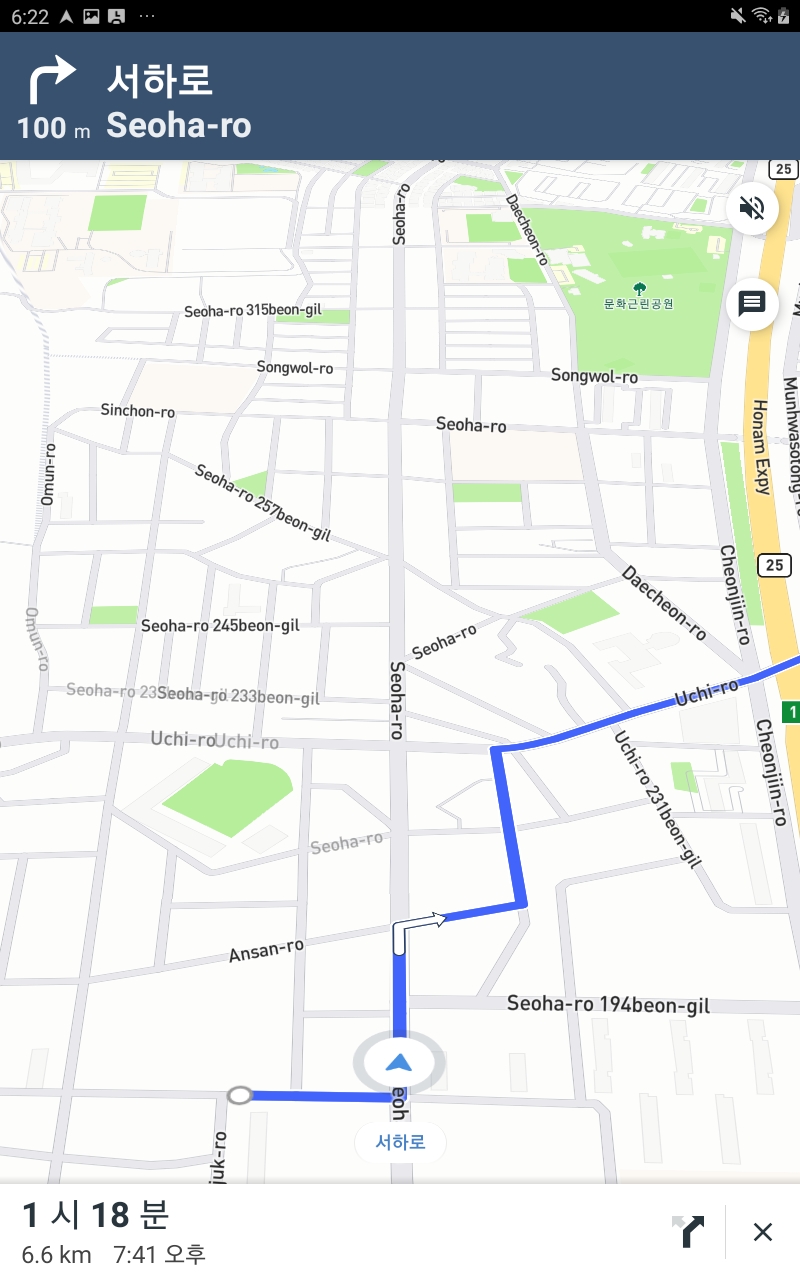
- Directions API를 활용한 경로 및 정보 제공(MainActivity.java)
 private void getRoute_navi_walking(Point ori, Point dest) {
        Log.e(TAG, "get_Route_navi_walking실행");
        NavigationRoute.builder(this)
                .accessToken(Mapbox.getAccessToken())
                .profile(DirectionsCriteria.PROFILE_WALKING)
                .origin(ori)
                .destination(dest)
                .build()
                .getRoute(new Callback<DirectionsResponse>() {
                    @Override
                    public void onResponse(Call<DirectionsResponse> call, Response<DirectionsResponse> response) {
                        // You can get the generic HTTP info about the response
                        Log.d(TAG, "Response code: " + response.code());
                        if (response.body() == null) {
                            Log.e(TAG, "No routes found, make sure you set the right user and access token.");
                            return;
                        } else if (response.body().routes().size() < 1) {
                            Log.e(TAG, "No routes found");
                            return;
                        }

                        currentRoute = response.body().routes().get(0);

                        // Draw the route on the map
                        if (navigationMapRoute != null) {
                            navigationMapRoute.removeRoute();
                        } else {
                            navigationMapRoute = new NavigationMapRoute(null, mapView, mapboxMap, R.style.NavigationMapRoute);
                        }
                        navigationMapRoute.addRoute(currentRoute);
                    }

                    @Override
                    public void onFailure(Call<DirectionsResponse> call, Throwable throwable) {
                        Log.e(TAG, "Error: " + throwable.getMessage());
                    }
                });
}- OpenStreetMap을 활용해 실제 보행 가능 경로 추가
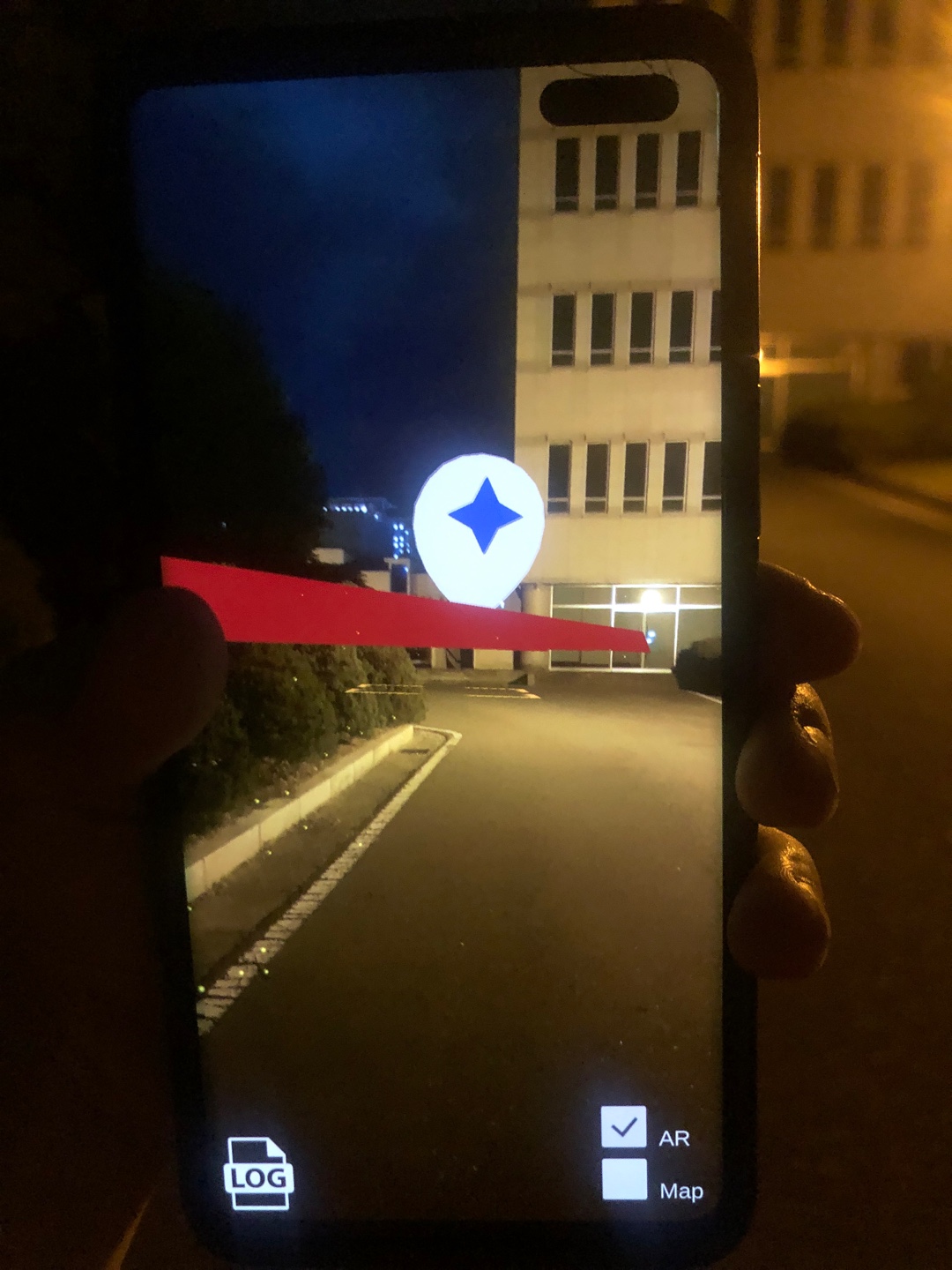
- Directions.prefab을 활용해 AR 경로 제공
- 실제 사용 중인 서비스의 부족한 점을 분석하고 구현
- 구현 과정에 있어 다양한 기술 스택의 사용
- 구현 과정에 있어 발생했던 문제점들에 대해 협의를 통한 해결책 모색
- 유니티의 위치 정확도 개선 필요
- 세부정보표현 개선 필요
- Mapbox Tutorial
- Mapbox Documentation
- Android Developer Guide
- StackOverflow
- Mapbox와 주고받은 메일