Light weight react component for creating a responsive markdown page with beautiful TOC.
📖 简体中文
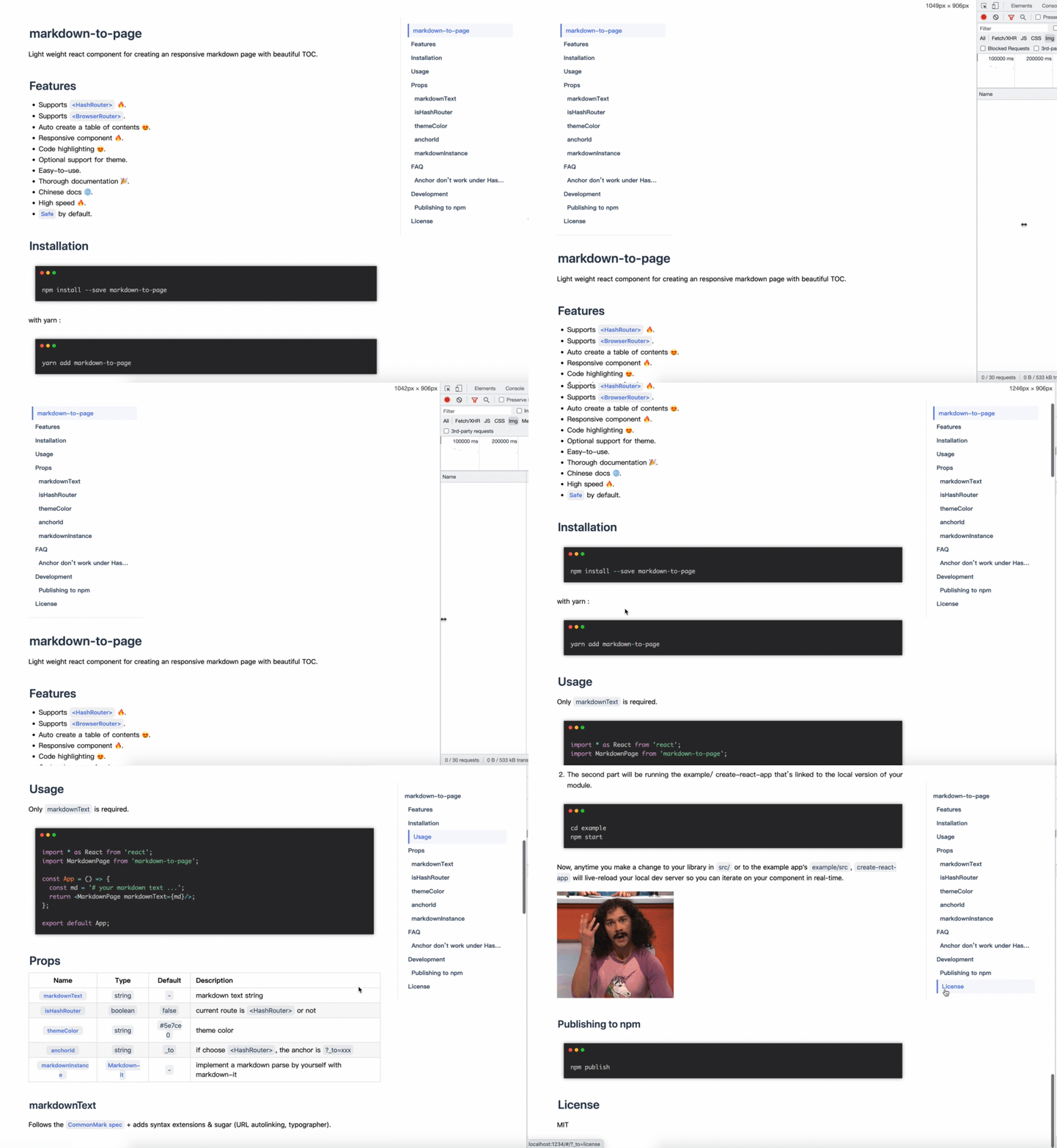
- Supports
<HashRouter>🔥. - Supports
<BrowserRouter>. - Auto create a table of contents 😍.
- Responsive component 🔥.
- Code highlighting 😍.
- Optional support for theme.
- Easy-to-use.
- Thorough documentation 🎉.
- Chinese docs 🌐.
- High speed 🔥.
- Safe by default.
npm install markdown-to-pagewith yarn :
yarn add markdown-to-pageOnly markdownText is required.
import * as React from 'react';
import MarkdownPage from 'markdown-to-page';

const App = () => {
  const md = '# your markdown text ...';
  return <MarkdownPage markdownText={md}/>;
};

export default App;| Name | Type | Default | Description |
|---|---|---|---|
markdownText |
string |
- |
markdown text string |
isHashRouter |
boolean |
false |
current route is <HashRouter> or not |
themeColor |
string |
#5e7ce0 |
theme color |
anchorId |
string |
_to |
if choose <HashRouter>, the anchor is ?_to=xxx |
markdownInstance |
Markdown-it | - |
implement a markdown parse by yourself with markdown-it |
Follows the CommonMark spec + adds syntax extensions & sugar (URL autolinking, typographer).
Use <HashRouter> whether or not.
Change the style of the page with a main color, incoming prop like themeColor='5e7ce0' or themeColor='#5e7ce0' are all OK.
The default anchorId is _to , just like this localhost:8080/#/page/level/?_to=custom-style, maybe _to is conflict with your query, with anchorId prop to change this.
This prop is a instance of Markdown-it , when you want to implement a markdown parse by yourself.
To check whether React.StrictMode is used , markdown-to-page monitor URL changes by react-router-dom, but the useLocation hook will fail under strict mode , just like this:
import * as React from 'react';
import ReactDOM from 'react-dom/client';

import MarkdownPage from '../.';
import { HashRouter, Route, Switch } from 'react-router-dom';
const md = '# your markdown text ...';

const App = () => (
  <HashRouter>
    <Switch>
      <Route path="/">
        <MarkdownPage markdownText={md} isHashRouter={true} />
      </Route>
    </Switch>
  </HashRouter>
);

const root = ReactDOM.createRoot(document.getElementById('root'));

root.render(
  <React.StrictMode>
    <App />
  </React.StrictMode>
);
So try to remove this nested StrictMode :
root.render(
-  <React.StrictMode>
    <App />
-  </React.StrictMode>
);Local development is broken into two parts (ideally using two tabs).
- First, run rollup to watch your
src/module and automatically recompile it intodist/whenever you make changes.
npm start- The second part will be running the example/ create-react-app that's linked to the local version of your module.
cd example
npm start
Now, anytime you make a change to your library in src/ or to the example app's example/src, create-react-app will live-reload your local dev server so you can iterate on your component in real-time.

npm publishMIT © chao31