
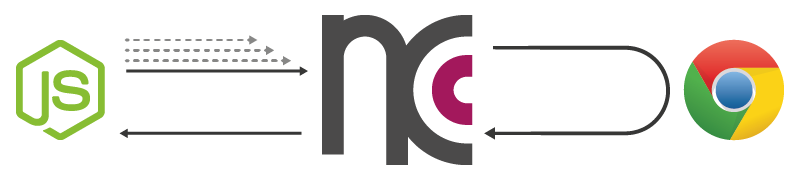
ncc (or node-chrome-canvas) utilizes Googles Chrome-Browser and its remote debugging protocol to give Node.js access to a full-blown HTML5 Canvas-Element and its 2d-Context.
In contrast to canvas (that may satisfy your needs as well) which uses Cairo to sham a canvas, ncc works with a real HTMLCanvasElement in a Browser-Context.
Behind the curtains of the familiar Canvas-API, ncc uses a single WebSocket-Connection and some command-bundeling-logic to gain its performance.
npm install ncc
var ncc = require('ncc')

var canvas = ncc();

canvas.width = canvas.height = 256;

var ctx = canvas.getContext('2d');

ctx.fillStyle = "slateGray";
ctx.fillRect(28, 28, 200, 200)();  // function call is intentional!
this gives you an error on startup? check out startup-errors
learn how to setup ncc and draw shapes to canvas
learn how to start using ncc even before it is fully set up
learn how to get return values of non-void functions
learn how to use gradients and patterns
learn how to apply images from urls or the filesystem
learn how work with more than one canvas
ncc follows the native Web API Interfaces... HTMLCanvasElement, HTMLImageElement, CanvasRenderingContext2D, CanvasGradient, CanvasPattern ... as close as possible.
Differences are a result of the asynchronous nature of ncc. All object creations, method calls and property manipulations don't get processed directly, but get serialized and stored until a return value is necessary and a request is therefore unavoidable.
Every 'Object' provided by ncc (and also every of their methods returns) is actually a function to trigger a synchronization. You can pass a error-first-callback ( 'function(error, result){...}' ) to such a function to receive the return value of the last action (see examples).
Methods and properties beyond the native API are marked with a leading underscore and hidden from console by default (e.g. 'image._toFile(fileName, <callback>)' to write a image to the filesystem).
-
ncc( <options> , <callback> ) >>> [canvas]
ncc( <callback> ) >>> [canvas] -
ncc.createCanvas() >>> [canvas]
-
ncc.createImage( <src> , <onloadFn> , <onerrorFn> ) >>> [image]
-
nccCanvas.getContext( nativeAPI ) >>> [context2d]
-
context2d.createLinearGradient( nativeAPI ) >>> [linearGradient]
context2d.createRadialGradient( nativeAPI ) >>> [radialGradient]
context2d.createPattern( nativeAPI ) >>> [pattern]
{ logLevel: 2,
  port: 9222,
  retry: 3,
  retryDelay: 1000,
  spawn: {
    command: 'C:\\Program Files (x86)\\Google\\Chrome\\Application\\chrome.exe',
    args: [ '--app=' + __dirname + '\\index.html',
            '--remote-debugging-port={PORT}',
            '--user-data-dir=' + os.tmpdir() + '\\nccanvas' ],
    options: {}
  }
}ncc is preconfigured to start a chrome childprocess on a Windows system with a default Chrome installation. If you are facing problems getting ncc started (especially on a non-windows system) you should make changes to the 'spawn'-options. If you are not sure what options you need, you can try to spawn a blank chrome instance first...
var spawn   = require('child_process').spawn,
    args    = [],
    chrome  = spawn('path/to/chromeExecutable', args);

chrome.stdout.on('data', function (data) {
  console.log('stdout: ' + data);
});

chrome.stderr.on('data', function (data) {
  console.log('stderr: ' + data);
});

chrome.on('close', function (code) {
  console.log('child process exited with code ' + code);
});