A chat application that sends and receives messages between A Client and B Client.
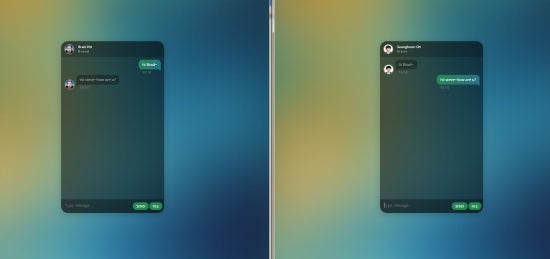
- A User and b user send and receive messages 1: 1.
- A user can send a single file to another user.
- The client uses a web browser. It is a kind of web-based chatting program.
- It has a message queue. A When a user sends a message, it pushes it to a message queue and then pulls this message and sends it to the another user.
- Java 1.8 or later
- Maven 3.0+
- Kafka 0.10.2
Download and unzip the source repository for this guide, or clone it using Git: git clone https://github.com/Seunghoon-Oh/chatting-kafka.git
<?xml version="1.0" encoding="UTF-8"?>
<project xmlns="http://maven.apache.org/POM/4.0.0" xmlns:xsi="http://www.w3.org/2001/XMLSchema-instance"
         xsi:schemaLocation="http://maven.apache.org/POM/4.0.0 http://maven.apache.org/xsd/maven-4.0.0.xsd">
    <modelVersion>4.0.0</modelVersion>
    <groupId>org.springframework</groupId>
    <artifactId>chatting-kafka</artifactId>
    <version>0.1.0</version>
    <parent>
        <groupId>org.springframework.boot</groupId>
        <artifactId>spring-boot-starter-parent</artifactId>
        <version>1.5.3.RELEASE</version>
    </parent>
    <dependencies>
        <dependency>
            <groupId>org.springframework.boot</groupId>
            <artifactId>spring-boot-starter-websocket</artifactId>
        </dependency>
        <dependency>
            <groupId>org.webjars</groupId>
            <artifactId>webjars-locator</artifactId>
        </dependency>
        <dependency>
            <groupId>org.webjars</groupId>
            <artifactId>sockjs-client</artifactId>
            <version>1.0.2</version>
        </dependency>
        <dependency>
            <groupId>org.webjars</groupId>
            <artifactId>stomp-websocket</artifactId>
            <version>2.3.3</version>
        </dependency>
        <dependency>
            <groupId>org.springframework.boot</groupId>
            <artifactId>spring-boot-starter-test</artifactId>
            <scope>test</scope>
        </dependency>
        <dependency>
            <groupId>org.springframework.boot</groupId>
            <artifactId>spring-boot-starter</artifactId>
        </dependency>
        <!-- spring-kafka -->
        <dependency>
            <groupId>org.springframework.kafka</groupId>
            <artifactId>spring-kafka</artifactId>
            <version>${spring-kafka.version}</version>
        </dependency>
        <dependency>
            <groupId>org.springframework.kafka</groupId>
            <artifactId>spring-kafka-test</artifactId>
            <version>${spring-kafka.version}</version>
            <scope>test</scope>
        </dependency>
    </dependencies>
    <properties>
        <java.version>1.8</java.version>
        <spring-kafka.version>1.2.0.RELEASE</spring-kafka.version>
    </properties>
    <build>
        <plugins>
            <plugin>
                <groupId>org.springframework.boot</groupId>
                <artifactId>spring-boot-maven-plugin</artifactId>
            </plugin>
        </plugins>
    </build>
</project>
mvn clean packagejava -jar chatting-kafka-0.1.0.jar- This will start the server on http://localhost:8080
- jquery
- Websocket(sockjs + stomp)
- Spring-boot
- kafka(Message Queue)
- Zookeeper
- The following image shows what happens when you make a request to a service.

- The Websocket(STOMP message) is used between the web browser and the server in this application.
- The server uses the kafka message queue.
- When user A input a message through a web browser and transmits it as a STOMP message to the server.
- When the server receives the STOMP message, it puts it in the kafka broker topic via the kafka producer.
- kafka Consumer pulls a new message into the topic, and send it through websocket.
- User B receive messages coming via websocket.
- The service will accept messages containing a name in a STOMP message whose body is a JSON object. If the message given is "Hi~ Bread!!, How are u?", then the message might look something like this:
{
  "user": "Seunghoon-Oh",
  "message": "Hi~ Bread!!, How are u?"
}