app
        └── ApiActionPackages
        │   └── {{ActionName}}
        │   │   └── Actions
        │   │   │   ├── Create{{ActionName}}
        │   │   │   ├── Delete{{ActionName}}
        │   │   │   ├── Find{{ActionName}}
        │   │   │   ├── List{{ActionName}}
        │   │   │   └── Update{{ActionName}}
        │   │   └── Helpers
        │   │       └── {{ActionName}}Helper
        │   └── BaseHelper
        │   │   └── BaseHelper
        │   └── Traits
        │       └── ApiResponse
        └── Http
        │   └── Controllers
        │   │   └── {{ActionName}}Controller
        │   └── Requests
        │       └── {{ActionName}}Request
        └── Models
        │   └── {{ActionName}}Model
        └── database
            └── migrations
                └── create_{{ActionName}}_table
composer require rabibgalib/api-actionAdd the provider to your config/app.php into provider section if using lower version of laravel,
\Rabibgalib\ApiAction\ApiActionServiceProvider::class,If you face 419 (page expired) error or CORS or XSRF issue for a new project or have not fixed the issue,
then update App/Http/Middleware/VerifyCsrfToken.php as -
  protected $except = [
      "*"
];After the installation & configuration run the command as -
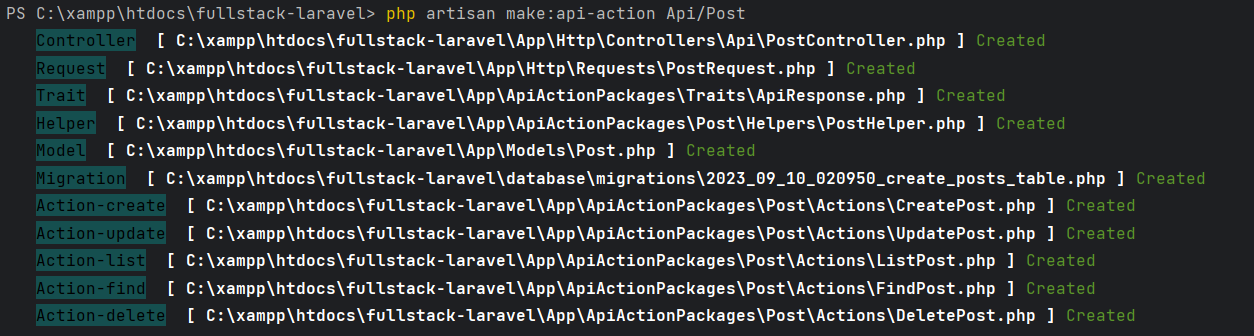
php artisan make:api-action ActionNameIf you want to create a Post action api. Please write command as -
php artisan make:api-action Api/PostThis command will create
- an API PostController
- Action directory
- Action classes
- Helper classes
- Trait
- Form Request
- Model
- Migration
to perform a feature wise service for your application.
Now put below codes inside Post Model as -
protected $fillable = [
      'author',
      'title',
      'description'
  ];
Now put below codes inside posts Migration as -
$table->string('author')->nullable();
$table->string('title')->nullable();
$table->string('description')->nullable();
After migration command, set up the routes/web.php as -
use App\Http\Controllers\Api\PostController;
Route::get('posts', [PostController::class, 'index']);
Route::post('post', [PostController::class, 'create']);
Route::get('post/{id}', [PostController::class, 'find']);
Route::put('post/{id}', [PostController::class, 'update']);
Route::delete('post/{id}', [PostController::class, 'delete']);
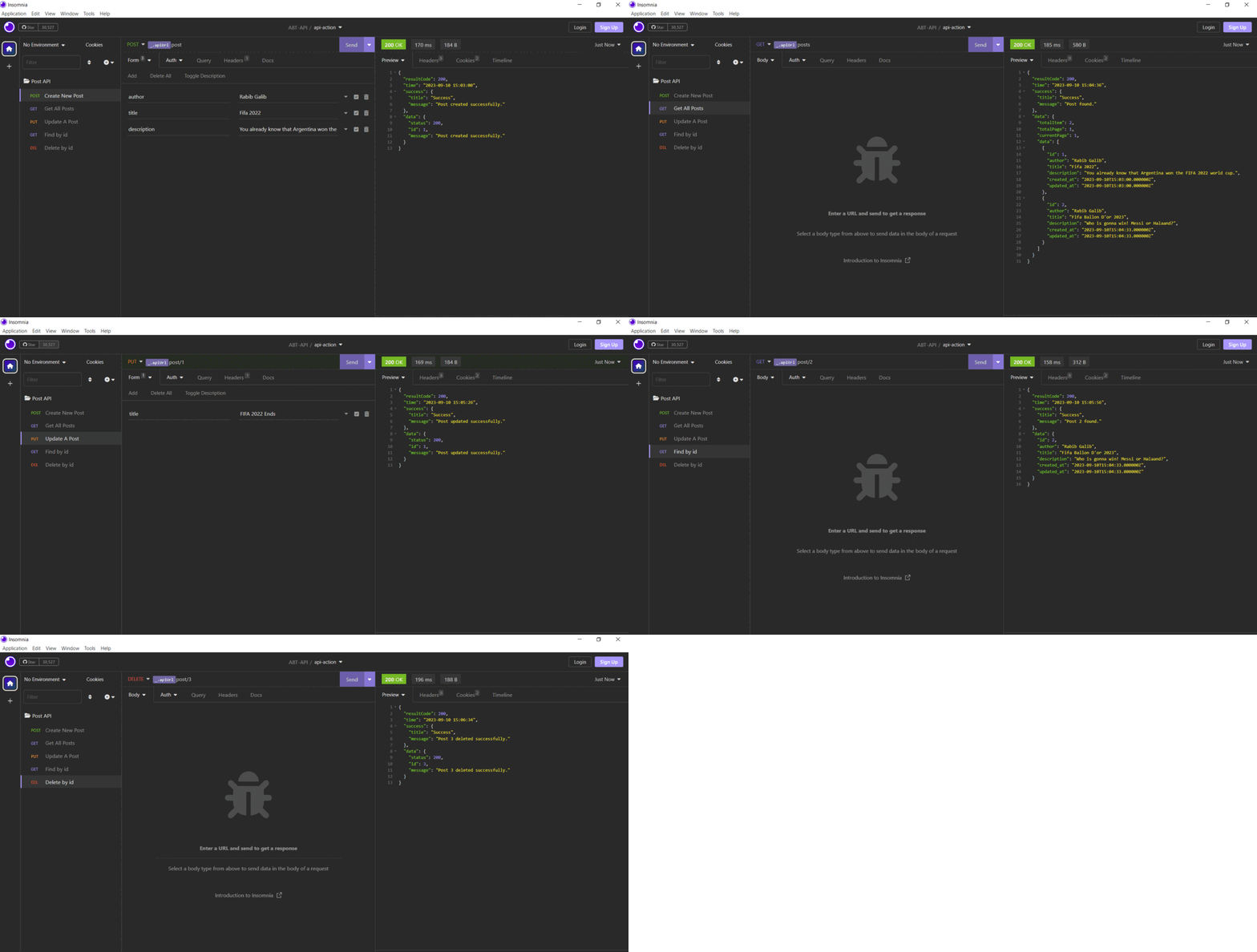
Now, you can test the APIs in Postman or Insomnia easily.