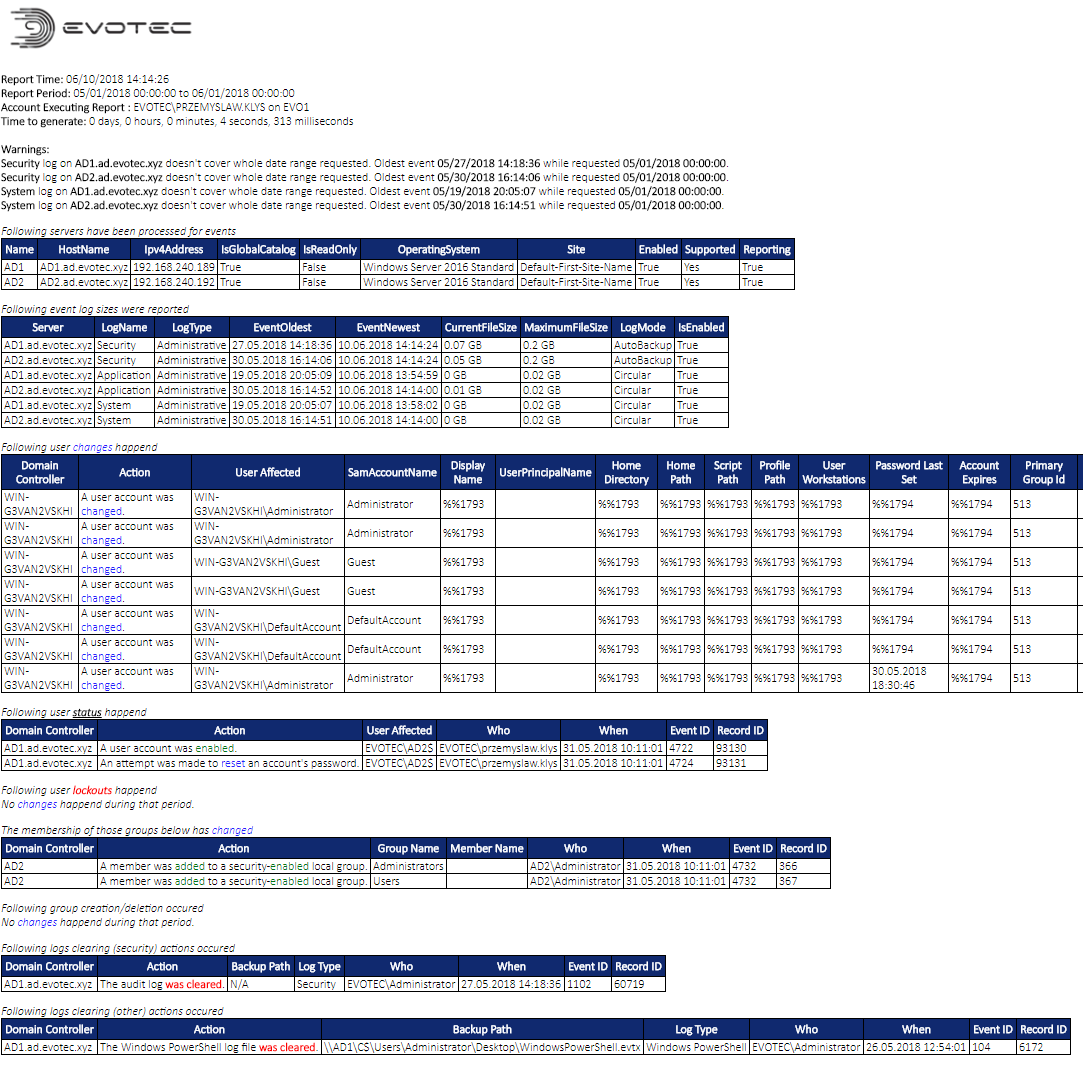
This PowerShell Module, which started as an event library (Get-EventsLibrary.ps1), has now grown up and became full fledged PowerShell Module. This module has multiple functionalities but one of the signature features of this module is ability to parse Security (mostly) logs on Domain Controllers. But that's not all. You can set up reporting on it and have emails delivered with summary of hourly, daily, weekly, monthly or quarterly changes. Changes that happen on your Active Directory Domain. Changes that your Service Desk agents, or other administrators do. And with new versions… well you can do a lot of stuff. Just read below. Make sure to go thru related articles as they have all the KNOW HOW which is quite useful if you want to get everything from this module.
Documentation for PSWinReporting (overview - latest post):
Documentation for PSWinReporting (module description, installation, how to):
https://evotec.xyz/hub/scripts/pswinreporting-powershell-module/
Module is published on Powershell Gallery:
- Active Directory Diagnostics Reporting
- File Server Events monitoring
- Improvements to config
- Manual way to execute, and get events in console
- Improvements to errors handling
- Totally custom building of events reporting
Following AD Events are supported:
- Group create, delete, modify (Who / When / What)
- Group membership changes (Who / When / What)
- User changes (Who / When / What)
- User created / deleted (Who / When)
- User password changes (Who / When)
- User lockouts (Who / When / Where)
- Computer Created / Modified (Who / When / Where)
- Computer Deleted (Who / When / Where)
- Event Log Backup (Who / When)
- Event Log Clear (Who / When)
Features:
- Support for Event Forwarding – monitoring one event log instead of scanning all domain controllers
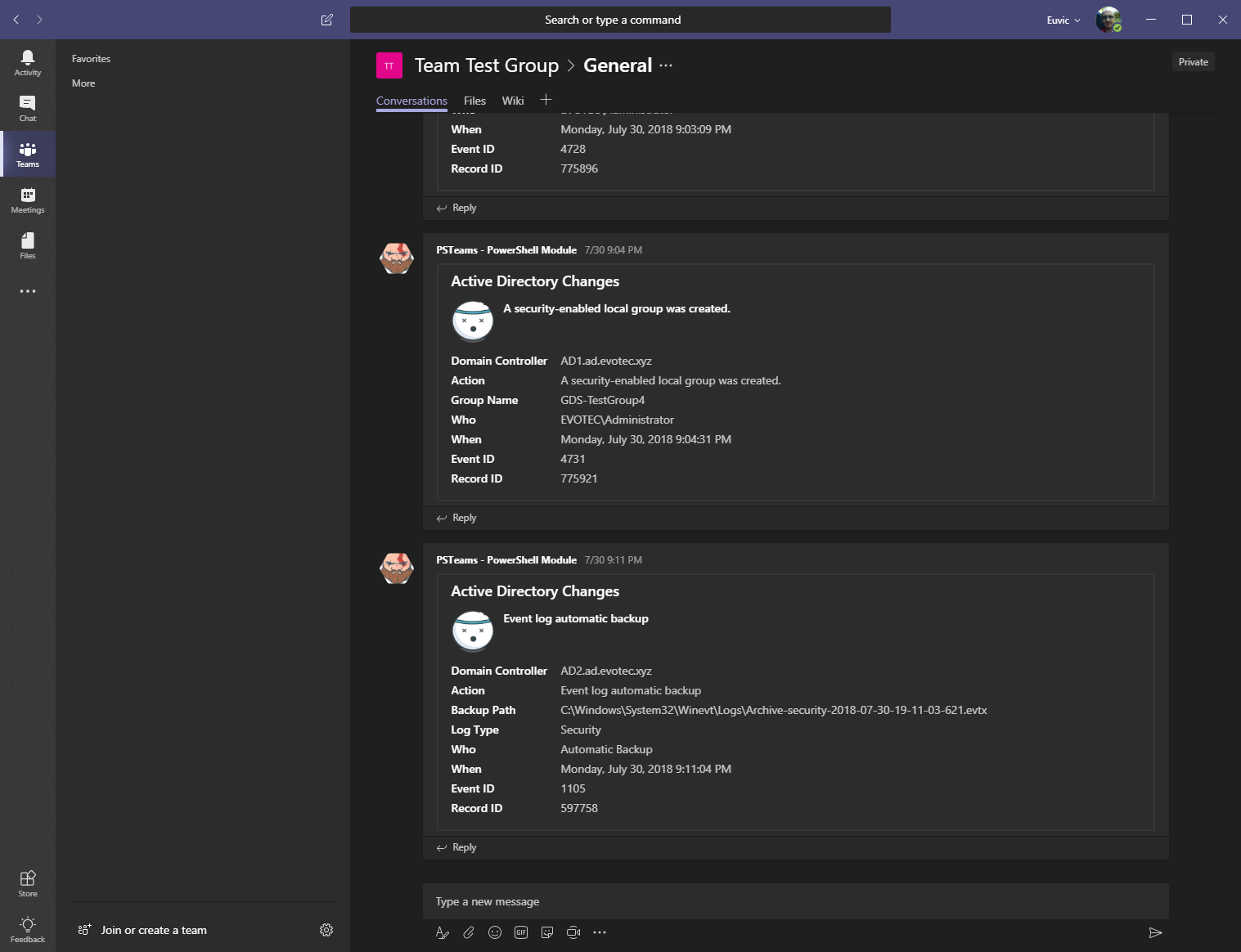
- Support for Microsoft Teams – Sending events as they happen to Microsoft Teams (only supported when forwarders are in use)
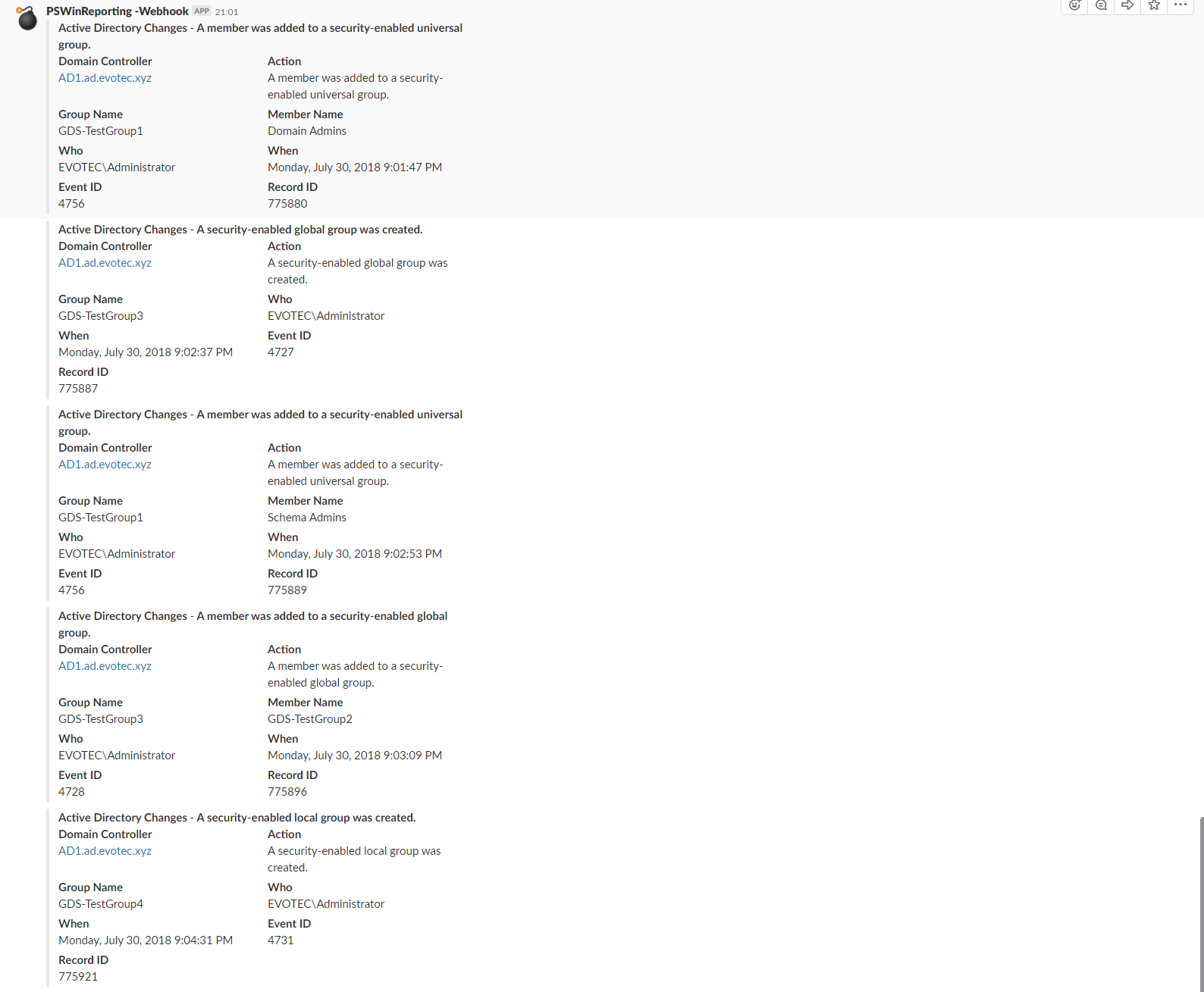
- Support for Slack – Sending events as they happen to Slack (only supported when forwarders are in use)
- Support for Microsoft SQL – Sending events directly to SQL (some people prefer it that way)
- Support for backing up old archived logs (moves logs from Domain Controllers into chosen place)
- Support for re-scanning logs from files – a way to recheck your logs for missing information