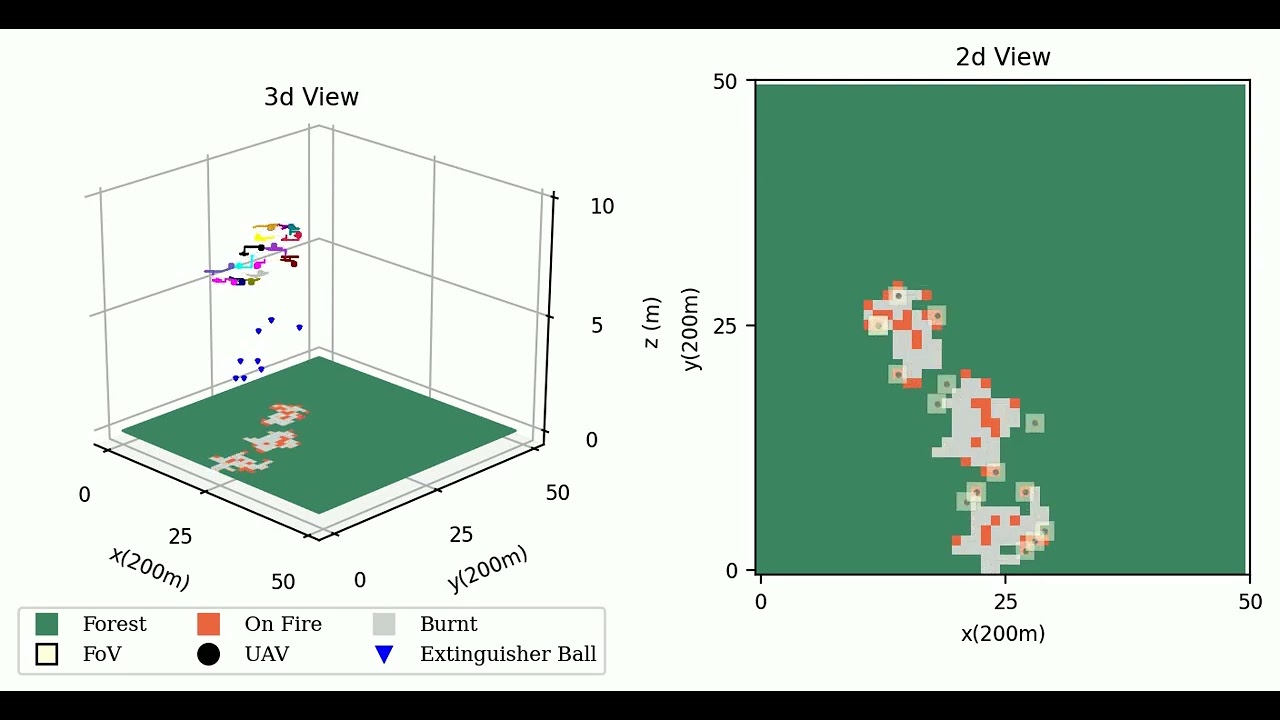
SOScheduler: Toward Proactive and Adaptive Wildfire Suppression via Multi-UAV Collaborative Scheduling
This repository contains the code for reproducing results in the following paper.
@ARTICLE{chen2024soscheduler,
  author={Chen, Xuecheng and Xiao, Zijian and Cheng, Yuhan and Hsia, Chen-Chun and Wang, Haoyang and Xu, Jingao and Xu, Susu and Dang, Fan and Zhang, Xiao-Ping and Liu, Yunhao and Chen, Xinlei},
  journal={IEEE Internet of Things Journal},
  title={SOScheduler: Toward Proactive and Adaptive Wildfire Suppression via Multi-UAV Collaborative Scheduling},
  year={2024},
  volume={11},
  number={14},
  pages={24858-24871},
  doi={10.1109/JIOT.2024.3389771}}
-
Creating a Python virtual environment is recommended but not required.
conda create -n sos python=3.11
conda activate sos
-
Install Requirements
pip install -r requirements.txt
This repository follows the following structure.
-
experiments: general tools for experiments. -
robots: robot models for the planner. -
teams: team models based on the robot models for the planner. -
strategies: different moving and extinguishing strategies for the planner. -
sensors: sensor models (camera and extinguisher) for the robots. -
models: probabilistic model for environemnt state estimation. -
objectives: objective functions for evaluating the performance of the planner. -
simulator: simulator for the wildfire environment. -
simulations: includes simulation configs and results. -
reproduce_bash: bash scripts for reproducing the algorithm. -
main.py: main file for running the experiments.
To reproduce the results in a folder, simply run the corresponding firespeed_reproduce.sh shell script.
The results will be saved to the automatically created outputs folder in the current simulations directory.
You can also run a specific experiment with your custom configurations. For example,
python main.py --config "./simulations/configs/{strategy}.yaml" --update_interval 1 --seed 1 --save_dir "./simulations/output/{folder}/"