
Show a layer when a event is fired on a component

- special entry/exit effect
npm install react-event-layer
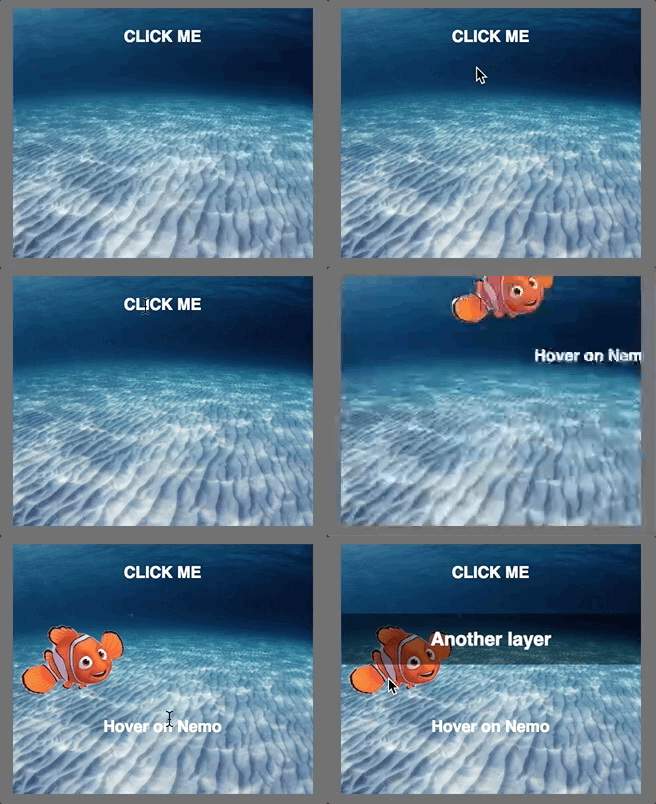
https://ggggino.github.io/react-event-layer/examples
import {
  WrapperLayers,
  Layer
} from 'react-event-layer';

class AppComponent extends React.Component {
  constructor(props) {
    super(props);
  }

  render() {
    return (
      <div>
        <WrapperLayers enterMode="push" >
          <Layer z={0} selector="h3" event="click">
            <div className="backgroundedRedBox">
              <h3>hoverable</h3>
            </div>
          </Layer>
          <Layer z={10} animation={'fromTop'} selector="img" event="mouseenter">
            <div className="nemoLayer">
              <h4>Hover on Nemo</h4>
              <img src="..." />
            </div>
          </Layer>
          <Layer z={20} animation={'fromRight'} selector="h3" event="click">
            <div className="overNemoLayer">
              <h3>Another layer click me</h3>
            </div>
          </Layer>
      </WrapperLayers>
      </div>
    );
  }
}| Name | Type | Default value | Description |
|---|---|---|---|
| enterMode | String | push | This props can have the values push or replace |
| Name | Type | Default value | Description |
|---|---|---|---|
| z | Integer | 0 | Not required. If omitted this number is incremental. |
| selector | String | "" | Not required. If omitted the selector will be the whole element. Example "div > img" or ".divClass" |
| event | String | "" | Not required. This props suggest what event fires the animation to the next layer. If omitted, no event will be launched |
npm run test
Please read CONTRIBUTING.md for details on our code of conduct, and the process for submitting pull requests to us.
We use SemVer for versioning. For the versions available, see the tags on this repository.
- David Ginanni - Initial work - GGGGino
See also the list of contributors who participated in this project.
This project is licensed under the MIT License - see the LICENSE.md file for details