Open-source interactive notebook platform for .NET, built on a fully extensible architecture.




Microsoft deprecated Polyglot Notebooks on February 11, 2026, giving the community less than two months notice before sunset. Jupyter supports .NET through third-party kernels, but the experience has always been limited: no native IntelliSense, no variable explorer, no .NET-aware theming.
Verso started from a simple question: what would an interactive notebook look like if it were designed from the ground up for .NET, with extensibility as a first principle instead of an afterthought?
The answer is a platform where every feature, from the C# kernel to the dark theme to the dashboard layout, is built on the same public interfaces available to anyone writing an extension. There are no internal APIs. If a built-in feature can't be built on the public extension interfaces, the interfaces are incomplete.
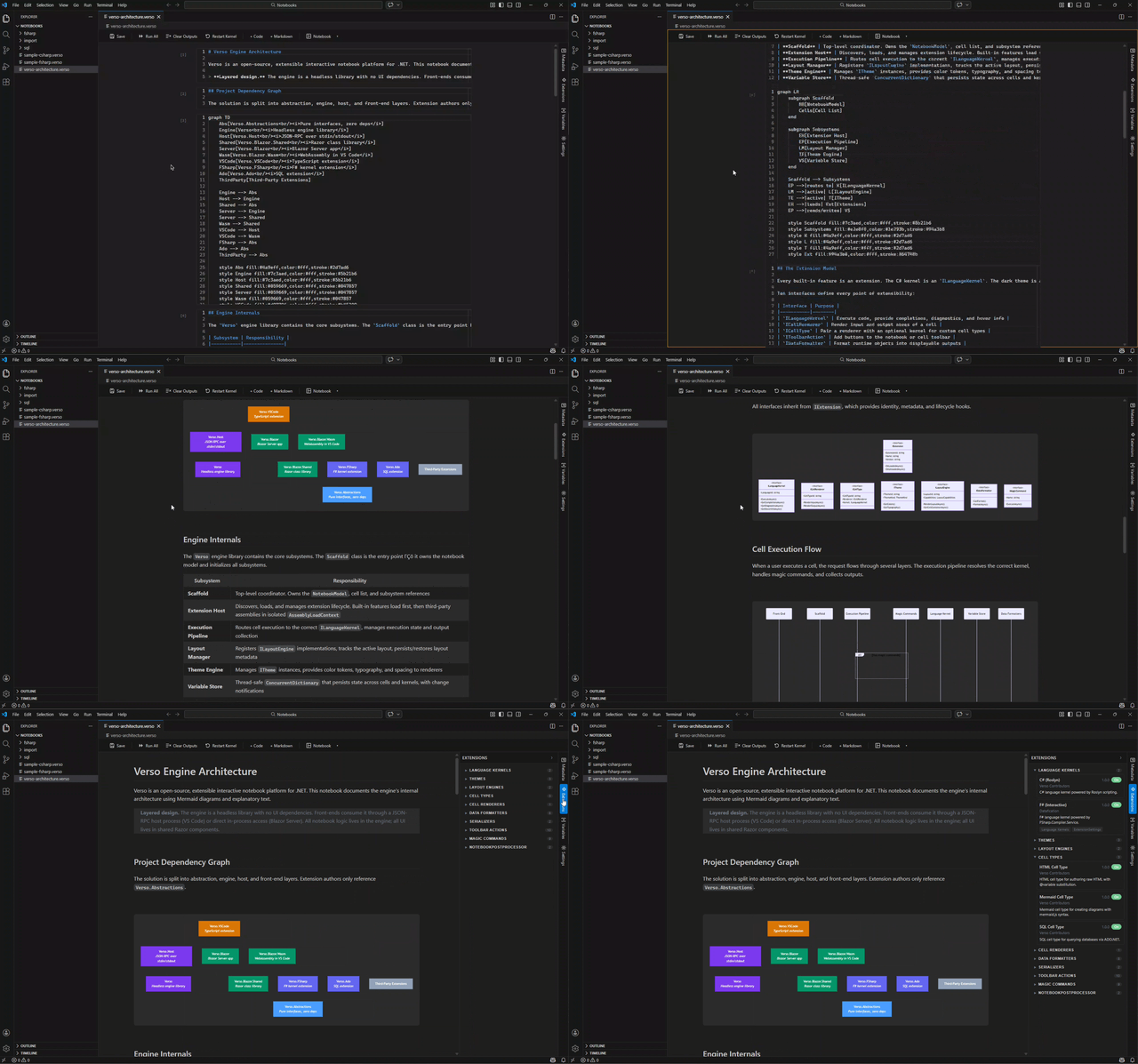
Verso is split into layers that each do one thing:
┌─────────────────────────────────────────────────────────┐
│  Front-Ends                                             │
│  ┌─────────────────────┐  ┌──────────────────────────┐  │
│  │  VS Code Extension  │  │  Blazor Server Web App   │  │
│  │  (Blazor WASM       │  │  (runs in any browser)   │  │
│  │   inside a webview) │  │                          │  │
│  └──────────┬──────────┘  └────────────┬─────────────┘  │
│             │                          │                │
│  ┌──────────────────────────────────────────────────┐   │
│  │  Shared UI (Razor Class Library)                 │   │
│  │  Monaco editor, panels, toolbar, theme provider  │   │
│  └──────────────────────────────────────────────────┘   │
└─────────────────────────────────────────────────────────┘
                          │
┌─────────────────────────────────────────────────────────┐
│  Verso Engine (headless .NET library, no UI)            │
│  ┌────────────────────────────────────────────────────┐ │
│  │  Scaffold · Extension Host · Execution Pipeline    │ │
│  │  Layout Manager · Theme Engine · Variable Store    │ │
│  ├────────────────────────────────────────────────────┤ │
│  │  Built-in Extensions                               │ │
│  │  C# Kernel · Markdown · HTML · Mermaid · Themes    │ │
│  │  Notebook Layout · Dashboard Layout · Formatters   │ │
│  ├────────────────────────────────────────────────────┤ │
│  │  First-Party Extension Packages                    │ │
│  │  Verso.FSharp · Verso.Python · Verso.Ado (SQL)     │ │
│  └────────────────────────────────────────────────────┘ │
└─────────────────────────────────────────────────────────┘
                          │
┌─────────────────────────────────────────────────────────┐
│  Verso.Abstractions                                     │
│  Pure interfaces, zero dependencies                     │
│  The only package extension authors need to reference   │
└─────────────────────────────────────────────────────────┘
The engine is a headless library with no UI dependencies. It doesn't know whether it's running inside VS Code, a browser, or a test harness. Front-ends connect through two paths:
- Blazor Server talks to the engine directly, in-process
- VS Code runs Blazor WebAssembly in a webview, which communicates with a host process over JSON-RPC (stdin/stdout)
Both paths use the same shared Razor components for the UI, so the experience is identical everywhere.
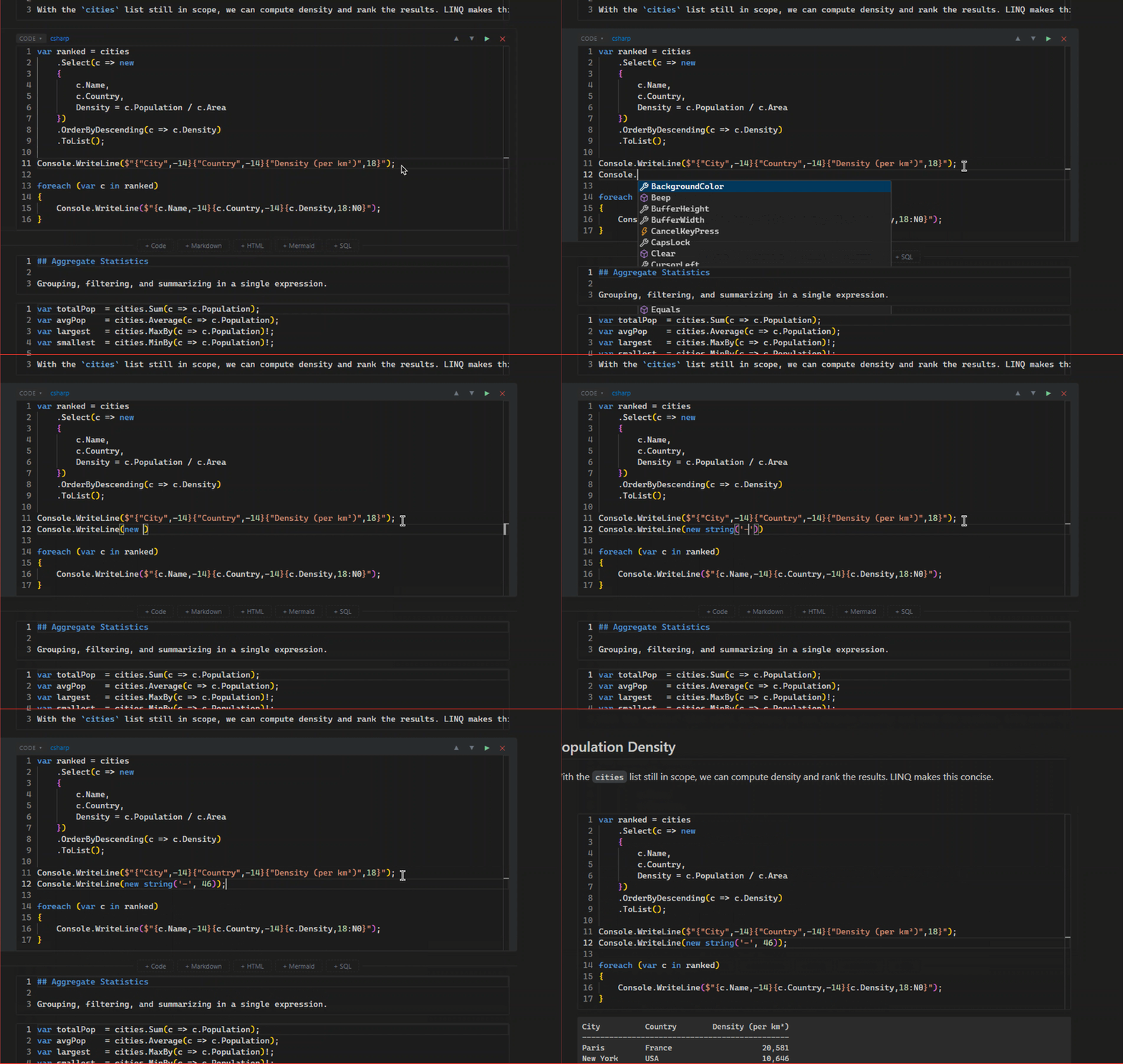
The C# kernel is powered by Roslyn. You get the latest C# language version, persistent state across cells, completions, real-time diagnostics, hover information, and NuGet package references via #r "nuget: PackageName/Version".
Verso.FSharp brings full F# scripting powered by FSharp.Compiler.Service. IntelliSense, diagnostics, NuGet references, script directives (#r, #load, #I), and a dedicated data formatter that renders discriminated unions, records, options, results, maps, and collections as styled HTML tables.
Verso.Python embeds CPython via pythonnet. You get IntelliSense (completions, diagnostics, hover) powered by jedi, bidirectional variable sharing with C#/F#/SQL cells, and virtual environment support via the #!pip magic command. Requires Python 3.8–3.12 installed on the system (Python 3.13+ is not yet supported by pythonnet).
Verso.Ado adds provider-agnostic SQL connectivity. Connect to any ADO.NET database, execute queries with paginated result tables, share variables between SQL and C# cells, inspect schema, and scaffold EF Core DbContext classes at runtime.
#!sql-connect --name mydb --provider Microsoft.Data.SqlClient --connectionString "..."
The same notebook can be viewed as a linear document or rearranged into a 12-column grid dashboard. Drag cells to reposition them, resize with handles, and the layout is saved in the .verso file. Switch between layouts at runtime.

Beyond code, notebooks support Markdown (rendered via Markdig), raw HTML, and Mermaid diagrams. HTML and Mermaid cells support @variable substitution from the shared variable store, so you can build dynamic documents that update when your data changes.
Three built-in themes ship out of the box: Light, Dark, and High Contrast. The High Contrast theme meets WCAG 2.1 AA contrast requirements. Themes are hot-swappable and cover everything from editor colors to syntax highlighting to cell borders.
Open any .ipynb or .dib file and Verso converts it automatically. Polyglot Notebooks patterns like #!fsharp, #!connect, and #!sql are mapped to native Verso cells during import. The .dib parser handles #!meta blocks, all standard language directives, and custom kernel directives.
The variable store persists state across cell executions and language kernels. Set a value in C#, read it in F# or bind it as a SQL parameter. The variable explorer panel shows everything that's in scope.
Install the extension, open a .verso file, and the full notebook UI loads in a webview. The engine runs as a separate host process, so VS Code stays responsive.

Run the Blazor Server app and open it in any browser. Same UI, same features, no IDE required.

This is the core idea behind Verso. Eleven interfaces define every point of extensibility, and every built-in feature is implemented as an extension using those same interfaces:
| Interface | What It Does |
|---|---|
ILanguageKernel |
Execute code, provide completions, diagnostics, and hover for a language |
ICellRenderer |
Render the input and output areas of a cell |
ICellType |
Pair a renderer with an optional kernel to define a new cell type |
IToolbarAction |
Add buttons to the notebook toolbar or cell menus |
IDataFormatter |
Format runtime objects into displayable outputs |
IMagicCommand |
Define directives like #!time that extend kernel behavior |
ITheme |
Provide colors, typography, spacing, and syntax highlighting |
ILayoutEngine |
Manage spatial arrangement of cells (linear, grid, slides, anything) |
INotebookSerializer |
Read and write notebook file formats |
INotebookPostProcessor |
Transform notebooks after load or before save |
ICellInteractionHandler |
Handle bidirectional interactions from rendered cell content back to extension code |
Extensions can also implement IExtensionSettings to expose configurable settings in the UI.
Extensions that implement ICellInteractionHandler can receive structured messages from their rendered HTML output. This enables scenarios like server-side pagination, interactive data exploration, configuration wizards, and in-place output updates — all without embedding full datasets in the initial HTML payload.
The interaction model uses CellInteractionContext to describe each event (origin region, interaction type, JSON payload, output block ID) and returns an optional response that the rendered content can use to update the DOM. Extensions can also call UpdateOutputAsync on IVersoContext to replace a previously written output block, supporting progressive rendering and live-updating displays.
The interaction pipeline works across all hosting paths: in-process for Blazor Server, over the JSON-RPC bridge for Blazor WASM / VS Code, and programmatically for CLI or test harnesses.
The C# kernel is an ILanguageKernel. The dark theme is an ITheme. The dashboard is an ILayoutEngine. The Markdown renderer is an ICellRenderer. None of them have special access to engine internals. If you look at how the built-in C# kernel is wired up, that's exactly how you'd wire up your own language kernel.
Third-party extensions load in their own AssemblyLoadContext, collectible and unloadable. The Verso.Abstractions types are shared from the default context so interface identity works across isolation boundaries. Your extension references only Verso.Abstractions and works across every front-end without modification.
dotnet new verso-extension -n MyExtensionVerso includes a dotnet new template, a testing library (Verso.Testing), and documentation covering all ten interfaces, theme authoring, layout authoring, and best practices.
Sample extensions included in the repo:
| Sample | What It Shows |
|---|---|
| Dice | Custom kernel + renderer + toolbar action |
| Presentation Layout | Slide-based navigation layout |
| Diagram Editor | Custom cell type with its own kernel |
| Category | Included |
|---|---|
| Kernels | C# (Roslyn), F# (FSharp.Compiler.Service via Verso.FSharp), Python (pythonnet via Verso.Python) |
| Cell Types | Code, Markdown, HTML, Mermaid, SQL (via Verso.Ado) |
| Themes | Light, Dark, High Contrast (WCAG 2.1 AA) |
| Layouts | Notebook (linear), Dashboard (12-column CSS grid with drag-and-resize) |
| Magic Commands | #!time, #!nuget, #!pip, #!extension, #!restart, #!about, #!import |
| Toolbar Actions | Run Cell, Run All, Clear Outputs, Restart, Switch Layout, Switch Theme, Export HTML, Export Markdown |
| Data Formatters | Primitives, Collections (HTML tables), HTML, Images, SVG, Exceptions, F# types (via Verso.FSharp), SQL result sets (via Verso.Ado) |
| Serializers | .verso (native JSON format), .ipynb import (Jupyter nbformat v4+), .dib import (Polyglot Notebooks) |
JSON-based, human-readable, and diff-friendly. Stores notebook metadata, cell content with outputs, layout positioning, and theme preferences. Everything in one file:
{
  "verso": "1.0",
  "metadata": {
    "defaultKernel": "csharp",
    "activeLayout": "notebook",
    "preferredTheme": "verso-light"
  },
  "cells": [
    {
      "id": "...",
      "type": "code",
      "language": "csharp",
      "source": "Console.WriteLine(\"Hello from Verso\");",
      "outputs": [...]
    }
  ],
  "layouts": {
    "dashboard": {
      "cells": {
        "cell-id": { "row": 0, "col": 0, "width": 6, "height": 4 }
      }
    }
  }
}- .NET 8 SDK
- VS Code (for the extension) or any modern browser (for Blazor)
- Python 3.8–3.12 (optional, for the Python kernel — Python 3.13+ is not yet supported by pythonnet)
git clone https://github.com/DataficationSDK/Verso
cd Verso
dotnet build Verso.sln
dotnet run --project src/Verso.Blazordotnet build src/Verso.Host
cd vscode
npm install
npm run build:all
npx vsce package --skip-licenseInstall the .vsix file, then open any .verso file. Use Open With... to import .ipynb or .dib files.
dotnet test Verso.sln| Phase | Version | Status |
|---|---|---|
| Foundation | v0.1 | Complete |
| Standalone front-ends, VS Code extension, JSON-RPC host | v0.5 | Complete |
| SQL database support (Verso.Ado) | v0.5 | Complete |
| F# language support (Verso.FSharp) | v0.6 | Complete |
| Extension authoring toolkit, samples, testing utilities | v0.7 | Complete |
| Theme + layout authoring guides, accessibility theme | v0.7 | Complete |
| CI/CD, community governance, extension marketplace | v1.0 | In progress |
Contributions are welcome. Open an issue to discuss what you'd like to work on. A formal CONTRIBUTING.md guide is coming as part of the v1.0 milestone.
Verso is a Datafication project.