BMCacheHunter serves as both a Threat Hunting and Digital Forensics tool. Originally developed by Nir Saias, Yossi Sassi, and Rotem Lipowitch as a Proof of Concept for BSIDES 2021 TLV (Watch the presentation), it specializes in collecting BMC files from domain computers.
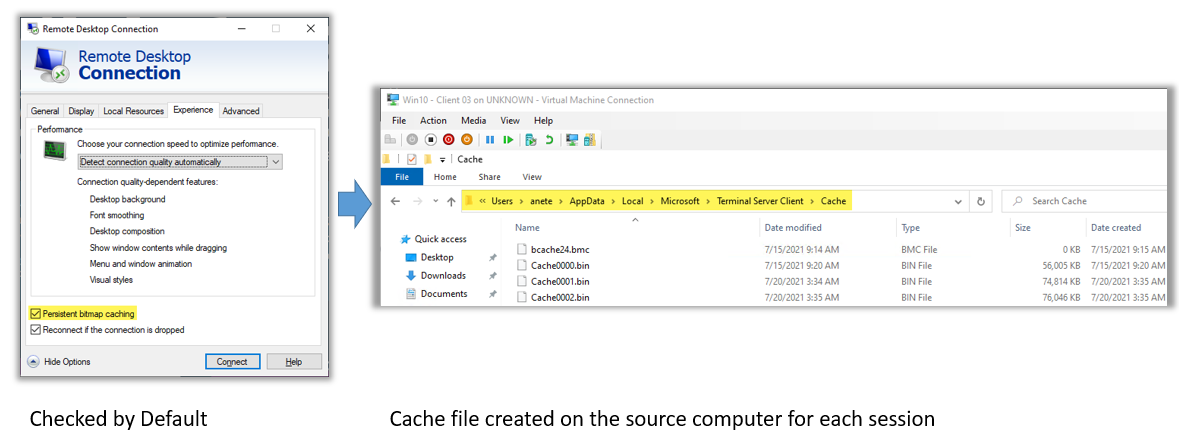
The process involves formatting the BMC files into JPG collages and extracting text using an OCR mechanism (Tesseract).

This tool offers full customization, enabling users to search for specific strings within the RDP "history" of computers within the domain.
- Install Tesseract located in the "BSIDES-BMCacheHunter\tools" folder.
- Add the Tesseract executable to the Environment path.
- Populate the list of computers you wish to examine in the
Computer_List.txtfile. - Edit the Indication of Compromised in the
IOC.txt.
PS > .\BMCacheHunter.ps1PS > .\BMCacheHunter.ps1 -ComputerList .\Computer_list.txt -IOCList .\IOC.txtFor licensing details and terms of use, refer to the LICENSE file.
For further inquiries, visit 10Root Cyber Security.