In this project we aimed at operating our university's laundry machines (both washers and driers) via a web app.
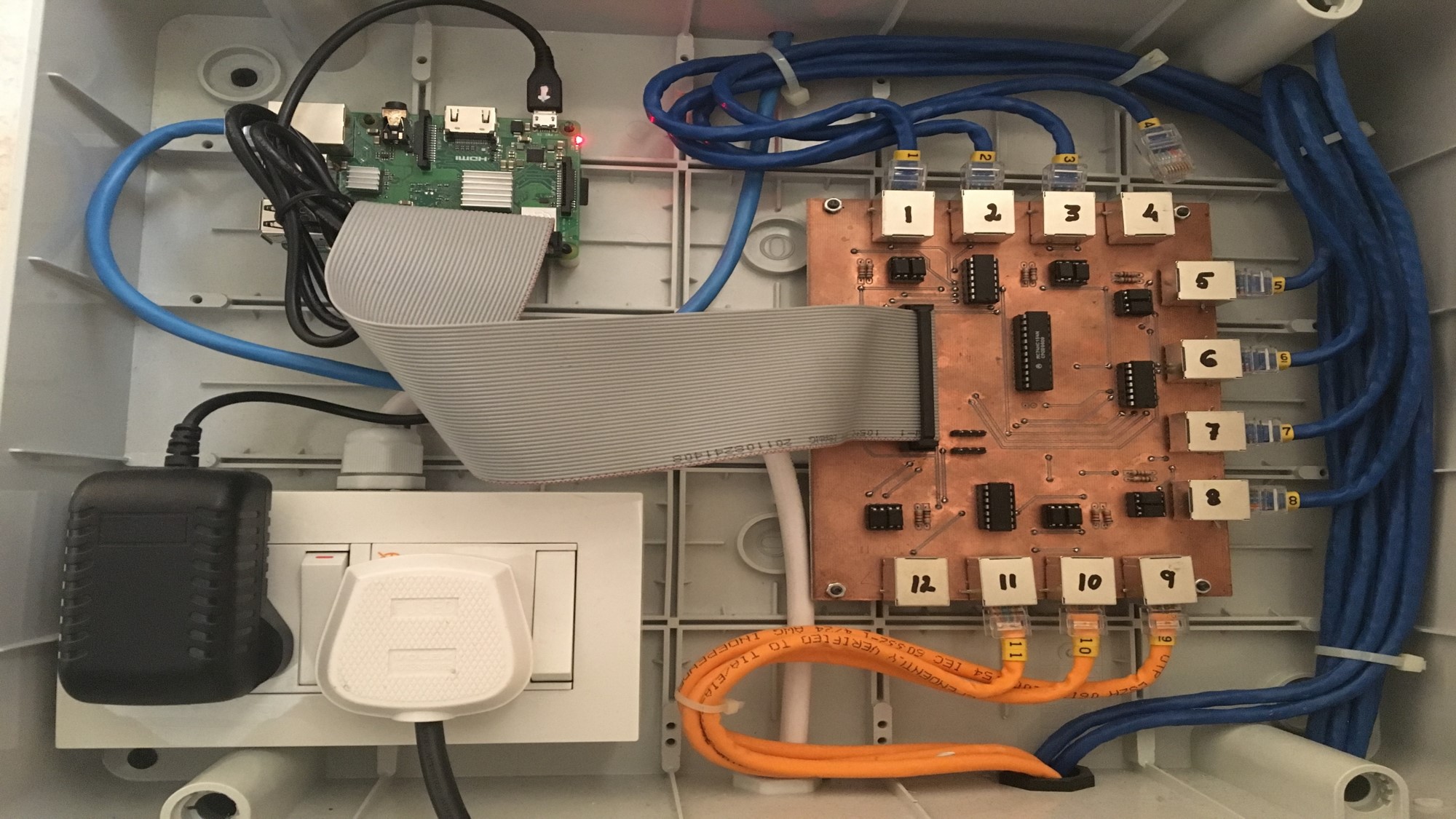
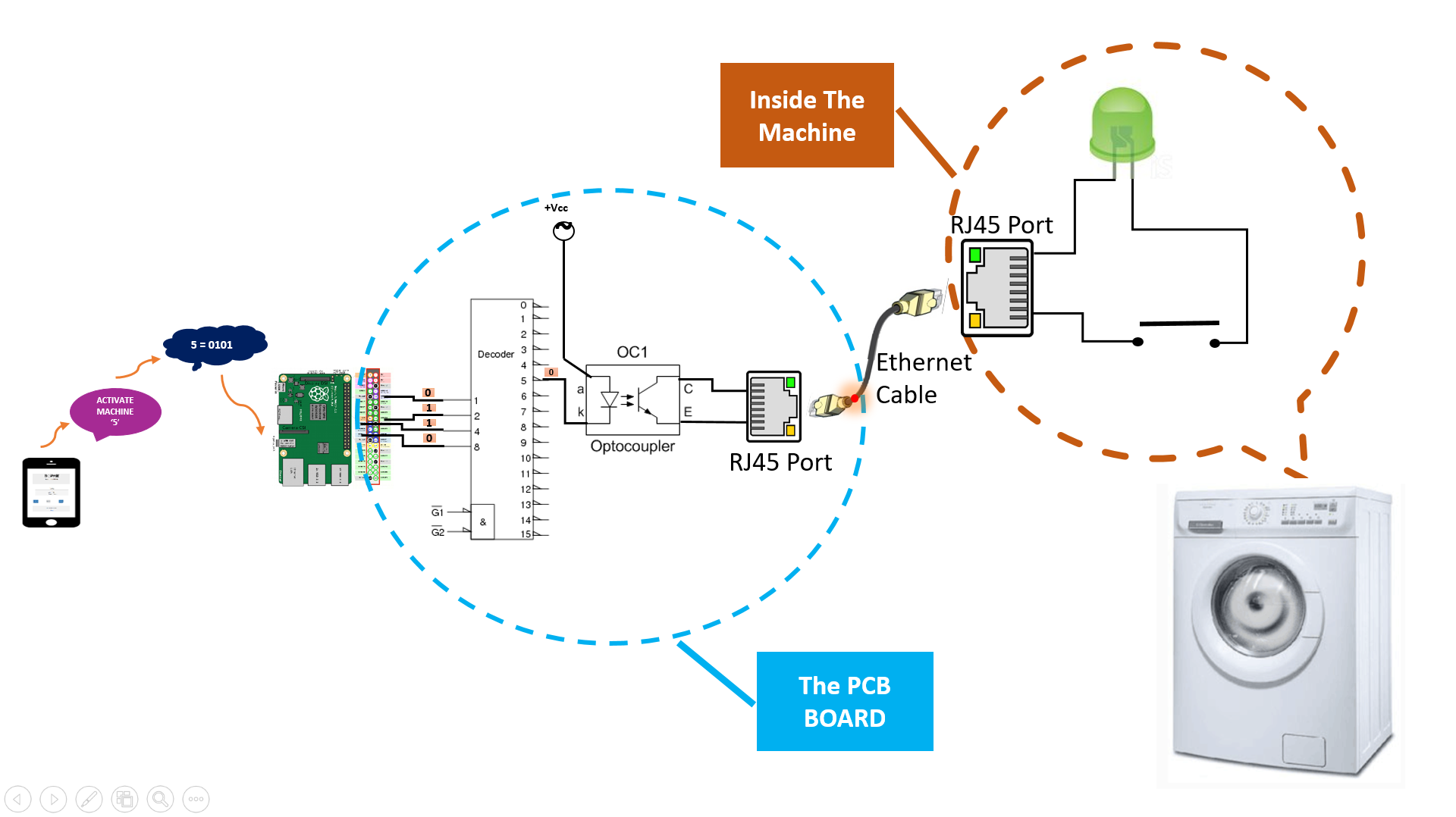
The image below shows the entire system of our project. It includes:
-
Custom Desiged PCB : This is the component that receives signals from Raspberry PI via the 40 pin connector and coverts it to electric high-low pulses on its pins and takes action (switches on machine OR sends status about a machine queried by raspberry pi). It has 12 ethernet jacks mounted to it which are connected to 12 different machines. We designed this board with Kicad software and mounted all the components.
-
Rasperry Pi: This device is used to receive user query data from our universitie's internal server and sets specific GPIO pins eventually trigerring the custom PCB to perform an action. The Raspberry pi continuously runs our socket programming code in Python to recieve data from server and perform action.
The figure below shows the working of the system. Initially, the user interacts with the app and clicks a button to activate the machine. For example, if user clicks machine 5, then this AJAX request along with the data "5" is sent to the server. The API on the server extracts the data and sends a request to Raspbery pi. Our code on the raspberry pi converts 5 to the binary 0101. Specific GPIO pins on raspberry pi are set to 1 and that signal is then sent to the custom PCB via the 40 pin connector. The decoder mounted on the PCB decodes the signal and sends this to washing machine either getting the status of the machine or switching it on.
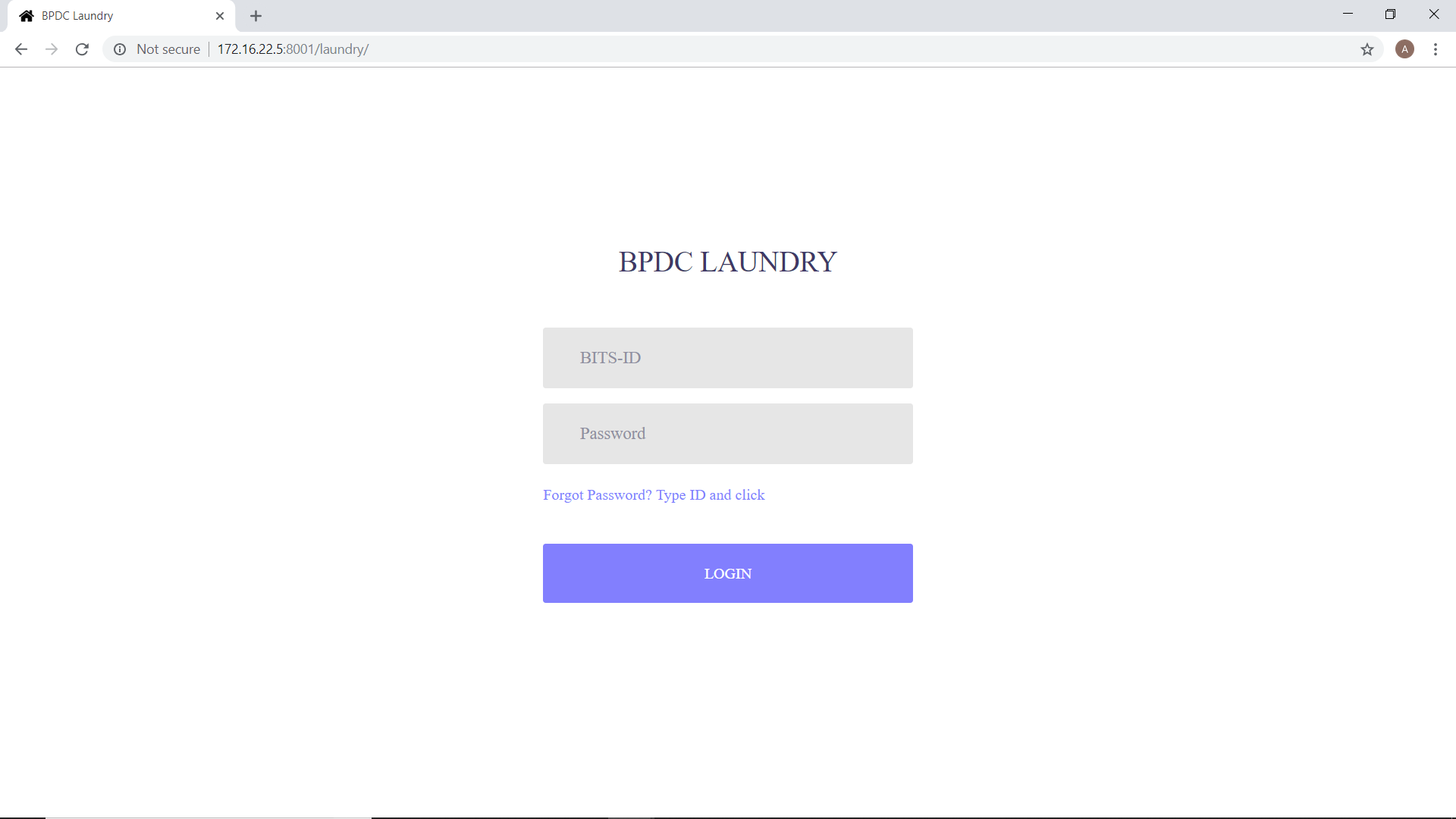
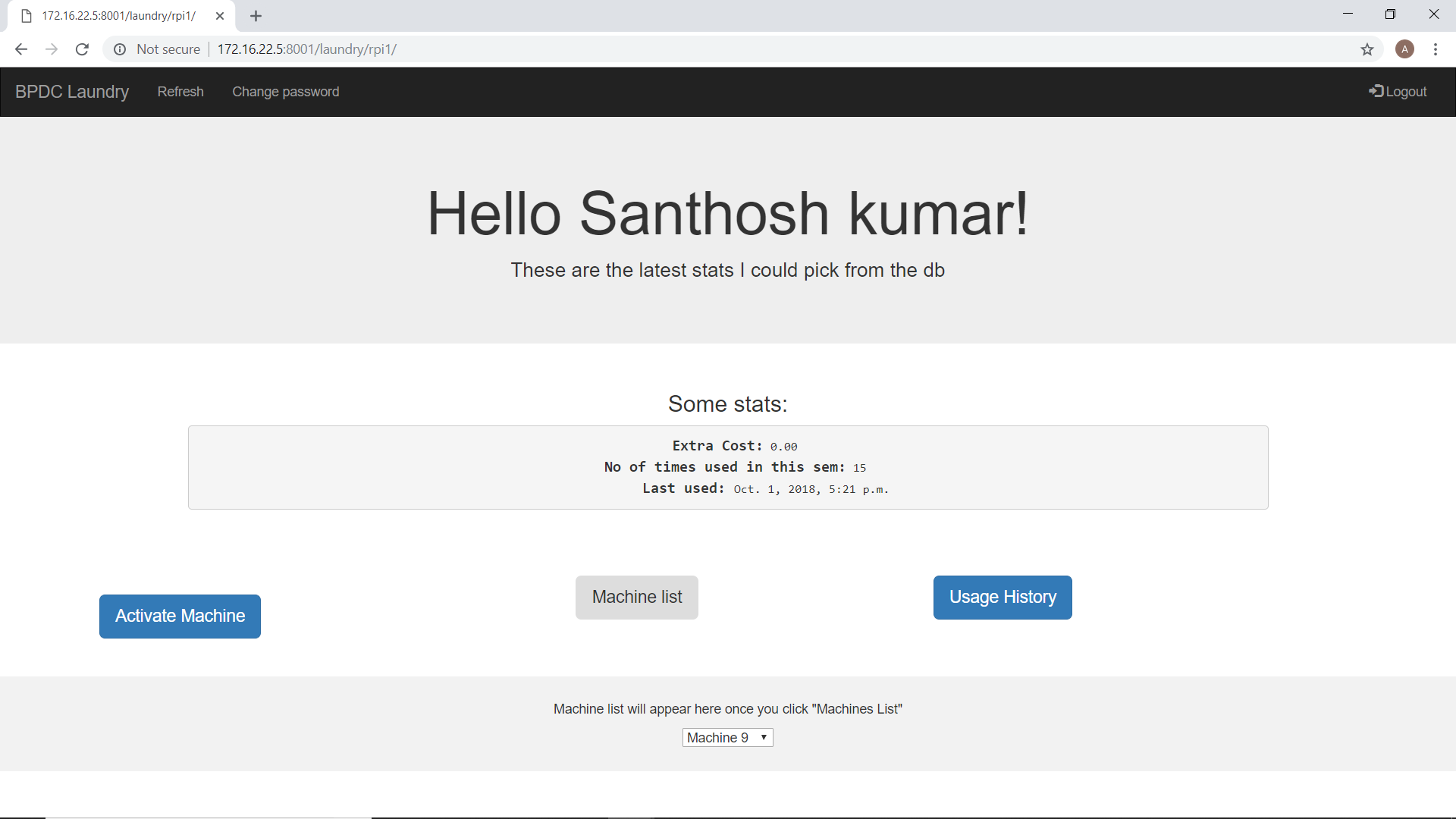
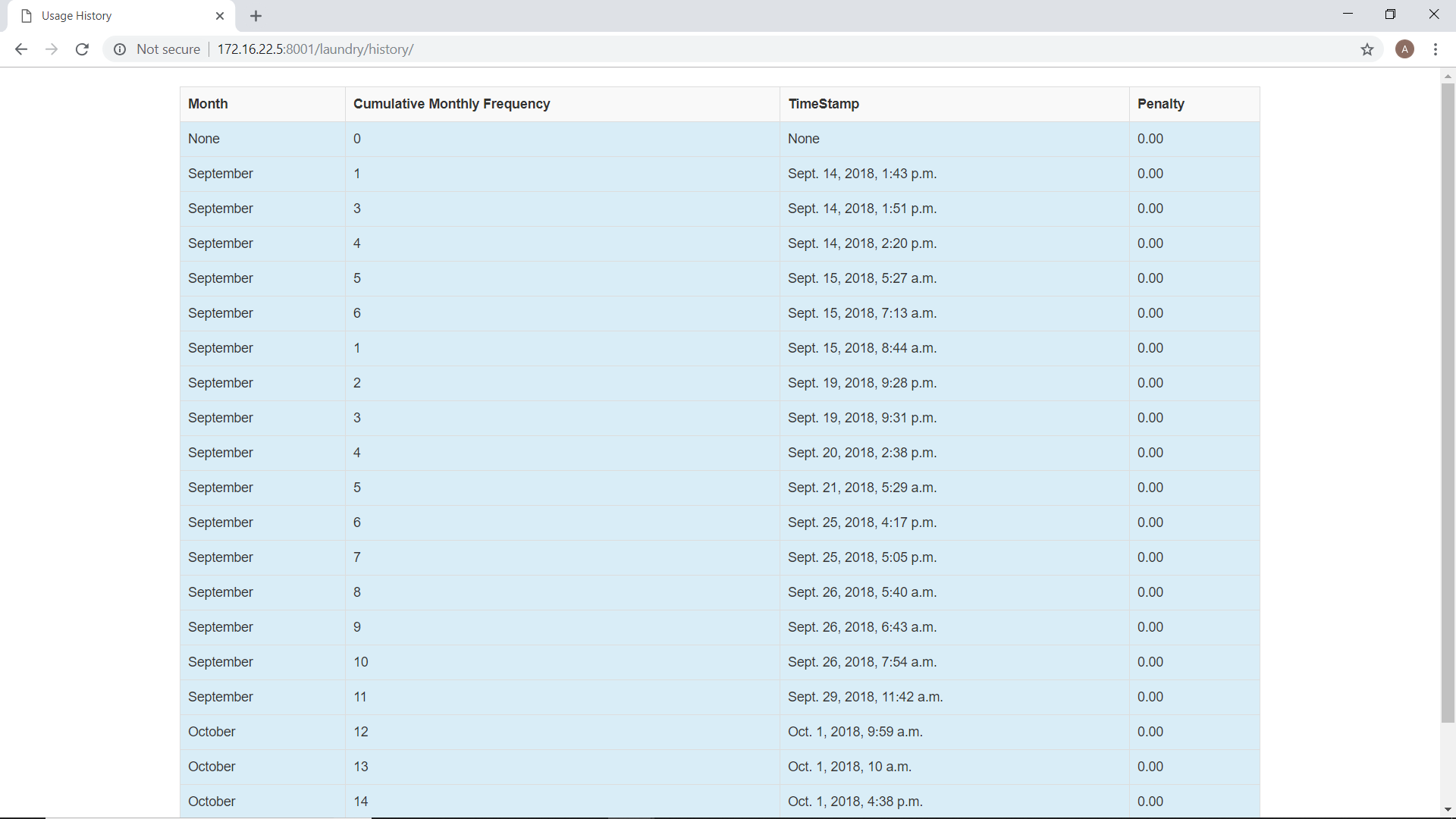
The app consists of 2 views. One for the end user and other for the admin. The figure shows the screen shot of app. After the user is logged in, he is shown his current data like the extra cost he incurs, number of times he has used in a semester and the last used timestamp. On clicking "Machine List" button, there is a dropdown at the bottom, Which only displays those machines that are currently unoccupied/free to use. This saves the user the effort to go to the laundromat when all machines are occupied. AJAX calls made every 1 min to Django server updates this dropdown. Once the user clicks on "Activate Machine" button, request to activate the specific machine is sent to the server which in turn sends request to the raspberry pi to activate the particular machine. The user can also view his usage history by clicking on "Usage History" button. He can further apply filter on the data to get specific usage. The user can also change his password and submit a forgot password request, which is handled by a python script sending the password link to user's email id.