This project is extracted from my dot files
This VIM settings is for Python programmers on Mac OSX. It use Vundle to manage the plugins.
###VIM Version
VIM - Vi IMproved 7.4 (2013 Aug 10, compiled Apr 13 2015 00:22:48)
MacOS X (unix) version
###Dependences
brew install vim git npm ctags
sudo npm -g install instant-markdown-d jshint
sudo pip install isort jedi yapf flake8 virtualenvwrapper autopep8
[Maybe I have forgot some other dependences :( ]
###Plugins
use vundle manage plugins:
git clone https://github.com/VundleVim/Vundle.vim.git ~/.vim/bundle/Vundle.vim
- nerdtree A tree explorer plugin for vim.
- nerdcommenter Vim plugin for intensely orgasmic commenting
- tagbar Vim plugin that displays tags in a window(ctags is needed)
- ctrlp Fuzzy file, buffer, mru, tag, etc finder.
- vim-airline lean & mean status/tabline for vim that's light as air
- vim-snippets vim-snipmate default snippets
- UltiSnips The ultimate snippet solution for Vim
- vim-surround quoting/parenthesizing made simple
- vim-instant-markdown Instant Markdown previews from VIM!
- vim-multiple-cursors True Sublime Text style multiple selections for Vim
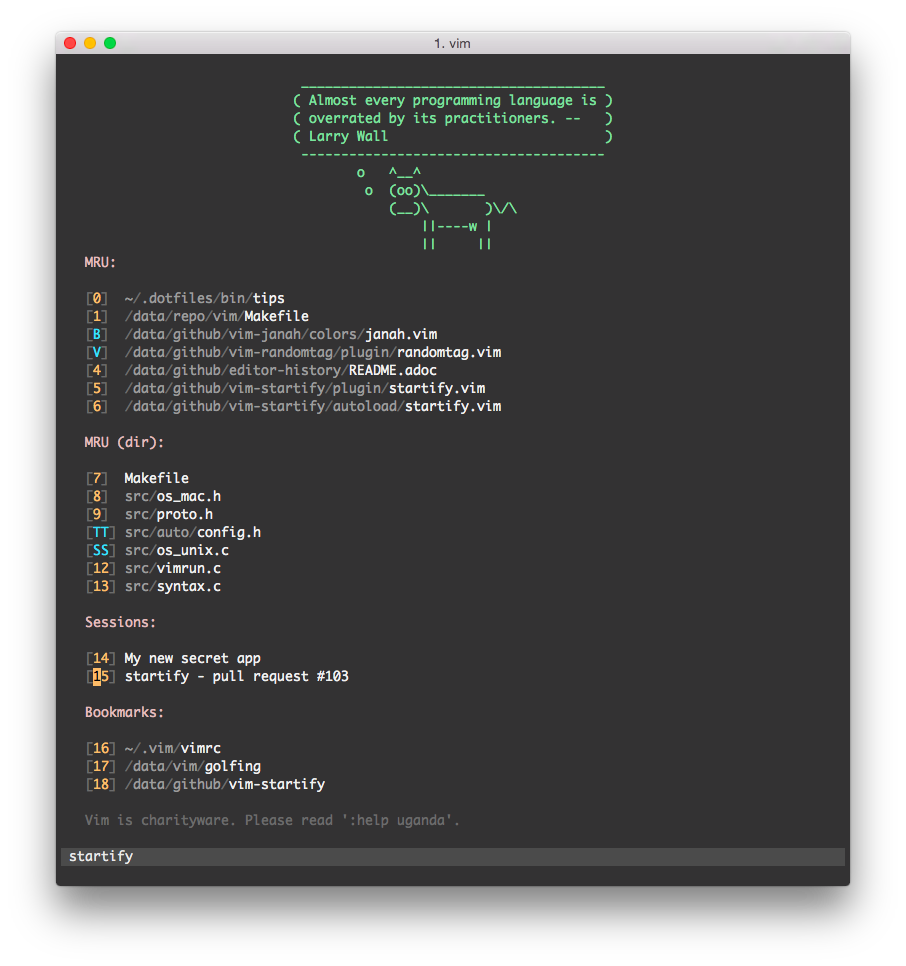
- vim-startify A fancy start screen for Vim
- vim-emoji Named Emoji in Vim
- vim-json-line-format format json line
- jedi-vim Using the jedi autocompletion library for VIM.
- vim-flake8 Flake8 plugin for Vim
- indentLine A vim plugin to display the indention levels with thin vertical lines
- vim-gitgutter A Vim plugin which shows a git diff in the gutter (sign column) and stages/reverts hunks.
- favorite-vim-colorscheme Tomorrow night bright color scheme
- vim-node Tools and environment to make Vim superb for developing with Node.js. Like Rails.vim for Node.
- jshint JSHint is a tool that helps to detect errors and potential problems in your JavaScript code
- vim-javascript-syntax Enhanced javascript syntax file for Vim
- vim-coloresque css/less/sass/html color preview for vim
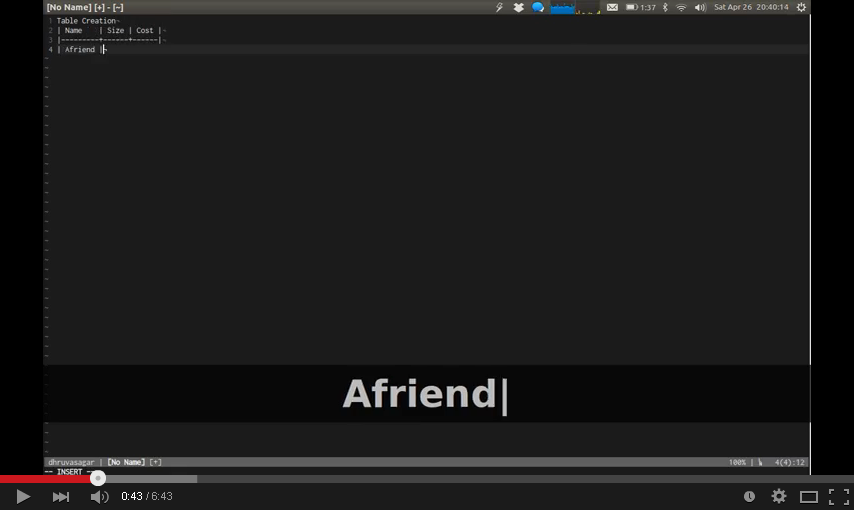
- vim-table-mode VIM Table Mode for instant table creation.
- emmet-vim emmet for vim: http://mattn.github.io/emmet-vim
###Short Keys
- change buf:
]b[b - change tab:
]t[t - copy (all/selected) content:
Ctrl+c - write RO file:
w!! - line number toggle:
<F2> - nerdtree toggle:
<F3> - tagbar toggle:
<F4> - run python script:
<F5> - open a new tab:
<F6> - paste toggle:
<F7> - PEP8 format by autopep8:
<F8> - PEP8 format by yapf:
<F9> - wrap
"/'for a word:w"/w' - continue indent text to left or right on select/normal mode:
>< - change window:
<C-HJKL> - preview to select emoji: :
<C-e> - find files:
<C-p> - complete python code:
<C-n> - format json line:
<leader>wj<leader>pj - change surround:
csXY - del surround:
dsX - comment/uncomment:
\cc/\cu - table mode:
\tm
###Features
- no backup and swap file
- correct encoding for chinese
- beautiful statusline and startify
- auto reload vimrc when it is changed
- highlight and ignorecase for search text
- support using mouse
- auto remove whitespace which at the line tail and blank line at the latest
- show content in terminal when exit the vim
- open a file at the latest change position
- auto check PEP8 format when read or write a python script
- one key to format python code with PEP8
- run python script with virtualenv if there is a
$VIRTUAL_ENV(open script with virtualenv in terminal) - auto open browser to preview when you open a markdown file, auto close the browser when you close the markdown file.
- auto complete the python code, use Ctrl+n
- show git diff in vim
- show indent guides
- multiple cursors for editing
- auto complete python sniptes by
<tab>or<shift-tab> - use tomorrow-night-bright color scheme
- color preview for .css files
- auto format markdown tables in table mode
- emmet for vim, chinese tutorial http://www.zfanw.com/blog/zencoding-vim-tutorial-chinese.html
###Screenshots
default open a python file

working

next pics come from the plugin projects
ctrlp find files:
ultisnips (I am not using YouCompleteMe, using jedi-vim)
jedi complete

preview markdown
json line format(I am the author 😳)

emoji
startify
multiple cursors

vim-coloresque
vim-table-mode
###Usage
Copy the .vim and .vimrc to your home.
cp -r .vim ~
cp .vimrc ~
or use vundle, just need copy .vimrc and:
:PluginInstall