

Gnome Shell extension to manage systemd services.
Systemd Manager is a Gnome Shell Extension which allows you to start/stop systemd services via a menu in the status area in the top panel. You can preselect which services should be shown in the extension preferences dialog.
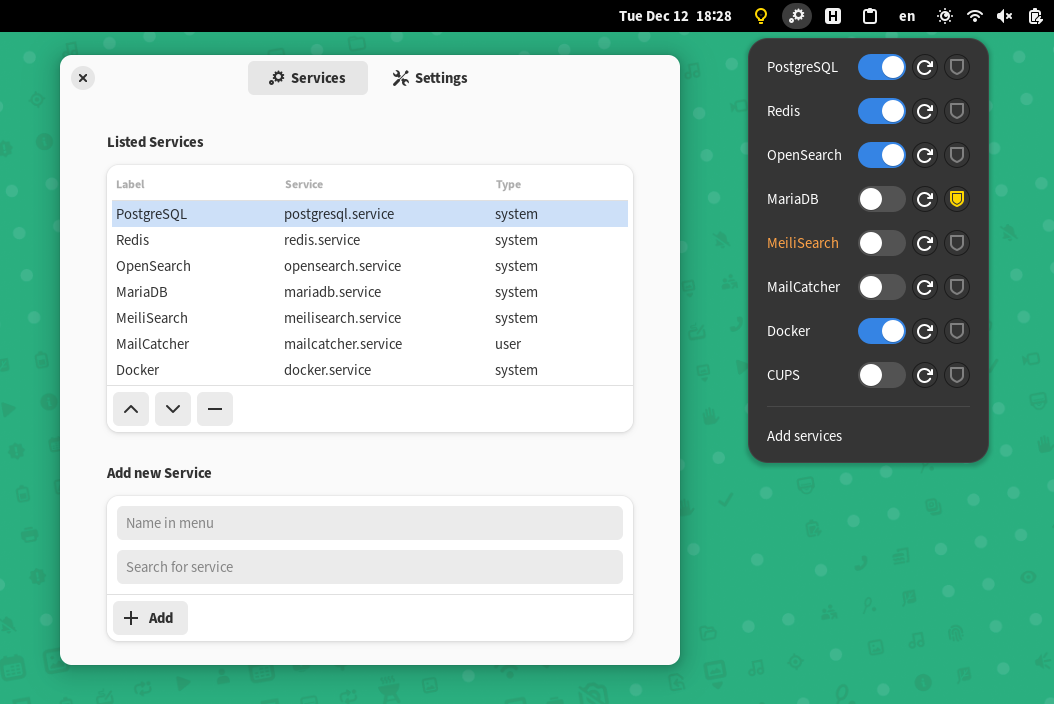
Copy folder systemd-manager@hardpixel.eu into ~/.local/share/gnome-shell/extensions.
The easiest way to install this extension is via the official Gnome Shell Extensions resource page here.
Arch Linux: AUR package
Done via a password prompt from the command pkexec of the polkit package. This command usually pops up a graphical password prompt.
If you would like to be able to start services without getting prompted for a password, you need to configure a polkit policy.
The policy file org.freedesktop.policykit.pkexec.systemctl.policy allows the execution of systemctl [start|stop] without a password
confirmation. Copy the file in your polkit policy folder (usually: /usr/share/polkit-1/actions).
You can also choose to use systemctl natively and bypass a password prompt. To do this, add the policy file 10-service_status.rules to /etc/polkit-1/rules.d.
Feel free to change the wheel group noted in the file to any other group that you see fit.
Bug reports and pull requests are welcome on GitHub at https://github.com/hardpixel/systemd-manager.
Systemd Manager is available as open source under the terms of the GPLv3
Fork of the Gnome Shell extension Services Systemd.